.png&w=3840&q=75&dpl=dpl_2owzx8jgEhWbd3L4iiVuZgxRJbTt)
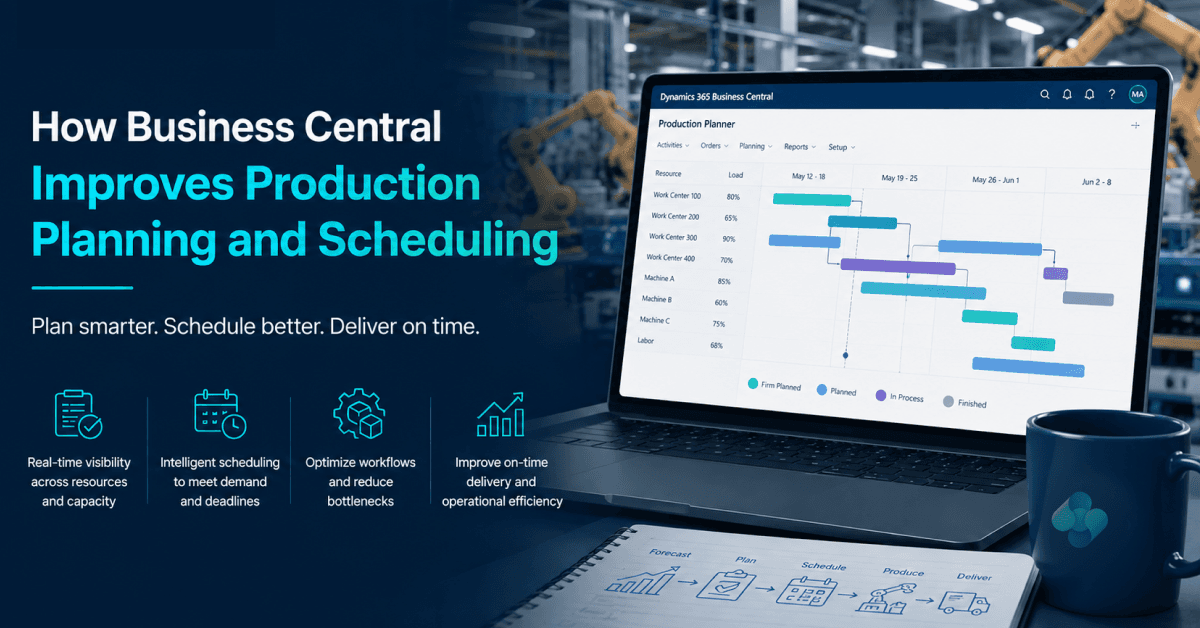
Production planning becomes difficult when customer demand changes, raw materials arrive late, or manufacturing capacity is stretched. A delayed component can hold up an entire production order, while an urgent customer request can force planners to rearrange work that was already scheduled.
Microsoft Dynamics 365 Business Central production planning helps manufacturers coordinate demand, material availability, production orders and capacity within one ERP system. Its planning functionality supports Master Production Scheduling (MPS) and Material Requirements Planning (MRP), helping planners identify what needs to be produced or replenished and when action may be required.
Table of Contents
- What Is Production Planning in Business Central?
- How Does Production Planning Work in Business Central?
- Business Central MPS vs MRP: What Is the Difference?
- How to Set Up Production Planning in Business Central
- Production Scheduling and Capacity Planning
- Practical Example: Business Central Production Planning in a UK Manufacturing Business
- Business Central Production Planning vs Spreadsheet-Based Planning
- Common Production Planning Problems and How to Address Them
- Benefits of Business Central Production Planning for Manufacturers
- Is Business Central Suitable for Your Manufacturing Business?
- Business Central Production Planning: Implementation Considerations
- How Dynamics Square UK Can Help With Business Central Manufacturing
- Final Thoughts
- Frequently Asked Questions
However, effective production planning depends on more than software. Accurate inventory records, production bills of materials, routings, lead times and planning parameters are essential if the recommendations are to be useful.
This guide explains how production planning in Business Central works, how to configure the main manufacturing elements, how MPS differs from MRP, and how UK manufacturers can use these capabilities to improve operational visibility and make better-informed production decisions.
If you are evaluating ERP software for your manufacturing business, explore Microsoft Dynamics 365 Business Central Manufacturing Management from Dynamics Square UK.
What Is Production Planning in Business Central?
Production planning is the process of deciding what to manufacture, how much to produce, when production should start, and which materials and resources are required to fulfil demand.
In Microsoft Dynamics 365 Business Central, production planning connects manufacturing requirements with inventory, sales demand, purchasing and production data. The Planning Worksheet helps planners calculate requirements and review suggested actions to balance demand against available and expected supply.
Depending on the planning scenario, Business Central can suggest actions such as creating or changing production orders, purchasing materials, or arranging assembly and transfer orders.
Production planning in Business Central can help manufacturers:
Identify material requirements for planned production.
Review available inventory against expected demand.
Determine which items may need replenishment.
Plan production orders around demand and lead times.
Review changes in supply and demand before taking action.
Coordinate production with purchasing, inventory and sales.
Give planners a more consistent view of manufacturing requirements.
Business Central provides planning recommendations, but planners remain responsible for reviewing exceptions, checking operational constraints and deciding which actions to implement.
How Does Production Planning Work in Business Central?
Business Central uses demand and supply information to help planners determine which items need to be produced or replenished. The accuracy of the result depends on the quality of the underlying data and the planning parameters configured for each item.
A typical production planning process follows these steps:
Review demand: Examine sales orders, forecasts and other relevant demand sources.
Check available supply: Review inventory, existing supply orders and expected receipts.
Calculate requirements: Use the Planning Worksheet to calculate MPS, MRP or the appropriate planning process.
Review planning suggestions: Examine proposed production, purchase, assembly or transfer actions.
Validate materials and capacity: Check whether components and required production resources are available when needed.
Implement approved actions: Accept suitable planning suggestions and create or adjust the relevant orders.
Monitor changes: Reassess the plan when demand, inventory, supply dates or production requirements change.
| Planning stage | What planners review | Business purpose |
|---|---|---|
| Demand planning | Sales orders, forecasts and requirements | Understand what needs to be supplied |
| Inventory planning | Available stock, expected receipts and item parameters | Identify potential shortages and surplus supply |
| Material planning | Production BOMs and component requirements | Determine which materials are required |
| Production planning | Production orders, dates and quantities | Prepare manufacturing activities |
| Capacity review | Work centres, machine centres and available capacity | Assess whether the production plan is operationally achievable |
| Plan execution | Approved planning actions and order changes | Move from planning recommendations to operational work |
This workflow helps planners make decisions using connected operational information rather than relying entirely on separate spreadsheets and manually maintained reports.
Business Central MPS vs MRP: What Is the Difference?
Master Production Scheduling (MPS) and Material Requirements Planning (MRP) serve related but different purposes. Understanding the distinction helps manufacturing businesses choose the appropriate planning process.
| Comparison | Master Production Scheduling (MPS) | Material Requirements Planning (MRP) |
|---|---|---|
| Primary purpose | Plan independent demand for manufactured items | Calculate material and dependent demand requirements |
| Main focus | What finished or independently demanded items are required, and when | What components and supplies are needed to support demand |
| Typical inputs | Sales demand, forecasts and relevant supply information | Demand, inventory, BOM structures, supply orders and planning parameters |
| Planning outcome | Proposed supply for items covered by the master schedule | Proposed supply for components and other dependent requirements |
| Business benefit | Helps establish a production supply plan | Helps coordinate material availability with planned production |
In simple terms: MPS helps determine the supply plan for items with independent demand, while MRP calculates the requirements needed to support that plan, including dependent component demand.
Business Central supports MPS and MRP through its planning functionality. The appropriate process depends on the manufacturing setup, demand sources and planning requirements.
How to Set Up Production Planning in Business Central
Before running a production plan, manufacturers should configure the product structures, inventory information, production resources and planning parameters on which the calculations depend.
1. Configure Production Bills of Materials
A production bill of materials (BOM) defines the components and quantities required to manufacture an item. An accurate BOM allows the planning process to calculate dependent material requirements.
When reviewing a production BOM, check:
Whether all required components are included.
Whether component quantities and units of measure are correct.
Whether the BOM has the appropriate status and version for use.
Whether component changes are reflected in the relevant production setup.
An incorrect or outdated BOM can lead to inaccurate material requirements, purchasing recommendations and production preparation.
2. Set Up Routings and Production Resources
Production routings describe the operations involved in manufacturing an item. Work centres and machine centres represent the resources used to perform those operations.
Correct routing and resource information helps manufacturers plan production activities and review expected capacity requirements.
Review the following details:
Production operations and their sequence.
Assigned work centres or machine centres.
Setup and run times where applicable.
Relevant capacity and scheduling parameters.
Resource availability and maintenance constraints.
These settings are particularly important for manufacturers with multiple production stages or operations that compete for the same resources.
3. Review Inventory and Item Planning Parameters
Planning recommendations are only as reliable as the inventory and item information behind them. Manufacturers should check that Business Central reflects the stock and replenishment policies used by the business.
Important information includes:
Inventory quantities and relevant warehouse records.
Expected purchase and production receipts.
Vendor and manufacturing lead times.
Reordering policies and replenishment settings.
Safety stock and other applicable inventory parameters.
Lot-sizing and order quantity settings, where relevant.
Review these settings for important manufactured items and frequently used components before relying on planning recommendations.
4. Run the Planning Worksheet
The Planning Worksheet is a central part of Business Central supply planning. It allows planners to calculate requirements and review proposed supply actions based on demand, inventory, existing supply and configured planning parameters.
A practical review process is:
Confirm that relevant demand and supply records are up to date.
Open the Planning Worksheet and select the appropriate planning options.
Calculate the plan for the intended items and planning horizon.
Review suggested quantities, dates and action messages.
Investigate unexpected recommendations, shortages and rescheduling proposals.
Check material and capacity implications before approving changes.
Carry out the approved actions and monitor the resulting orders.
Depending on the scenario, planning suggestions may include creating new supply, increasing or decreasing quantities, or rescheduling existing supply. The exact recommendations depend on the data and planning settings.
Important: Do not accept every planning suggestion without review. Check the underlying demand, supply dates, inventory records and production constraints first.
Production Scheduling and Capacity Planning
Material availability does not automatically mean that production can start immediately. Manufacturers also need the appropriate labour, machines and work-centre capacity at the right time.
Business Central provides manufacturing functionality for reviewing production routings, work centres, machine centres and capacity requirements. These elements help planners understand how production operations use available resources.
When reviewing a production schedule, consider:
Material availability: Are all critical components expected to be available before the operation begins?
Resource availability: Are the required work centres and machine centres available?
Operation sequence: Do the planned operations follow the required production routing?
Lead times: Do planned dates account for relevant manufacturing and replenishment lead times?
Competing orders: Are several production orders relying on the same constrained resource?
Operational changes: What needs to be reviewed if a machine is unavailable or a priority order is introduced?
Production scheduling should also reflect the level of detail required by the factory. Complex environments may need additional scheduling tools, integrations or extensions to meet specific finite-capacity and shop-floor planning requirements.
Practical Example: Business Central Production Planning in a UK Manufacturing Business
Consider a UK manufacturer producing industrial equipment. Each finished unit requires metal components, electrical parts and several assembly operations.
A customer increases an order, but one of the required components has a longer supplier lead time than expected. The production planner needs to understand whether the order can still be completed by the requested date.
With appropriately configured Business Central manufacturing and planning processes, the team can review the following information:
| Business requirement | What the team reviews in Business Central | Decision to make |
|---|---|---|
| Higher customer demand | Sales demand and planned supply | Determine whether additional production is required |
| Potential component shortage | Inventory, expected receipts and planning suggestions | Assess whether purchasing or another supply action is needed |
| Manufacturing workload | Production orders, routings and resource capacity | Review whether the proposed dates are achievable |
| Supplier delivery delay | Expected receipt dates and affected requirements | Consider rescheduling, alternative supply or revised commitments |
| Customer delivery commitment | Updated supply and production information | Agree a realistic delivery plan with the relevant teams |
The planner can then assess available options, such as adjusting the production sequence, reviewing supplier commitments or discussing a revised delivery date with the customer.
This example illustrates the value of connected planning information. Business Central helps the team assess the situation, but the final decision depends on real supplier commitments, factory capacity and business priorities.
Business Central Production Planning vs Spreadsheet-Based Planning
Spreadsheets remain useful for analysis, reporting and specific planning tasks. Problems can arise when spreadsheets become the main source of truth for production orders, inventory and material requirements across multiple departments.
| Area | Spreadsheet-led approach | Business Central approach |
|---|---|---|
| Data management | Information may be maintained in separate files | Manufacturing and inventory records are managed within the ERP system |
| Material requirements | May require manually maintained calculations | Planning functionality can calculate requirements from configured data |
| Supply recommendations | Often depend on manually updated rules and reports | Planning Worksheet can suggest relevant supply actions |
| Production records | May be spread across files and departmental tools | Production orders and related manufacturing records are maintained in Business Central |
| Cross-department visibility | Depends on how information is shared and updated | Connected records provide a common operational view, subject to access and configuration |
| Planning decisions | Can depend on manual reconciliation | Planners can review calculated recommendations alongside operational information |
The main advantage is not that every planning task becomes automatic. It is that manufacturers have a more structured way to calculate requirements, manage production records and review supply decisions.
Common Production Planning Problems and How to Address Them
Even with an ERP system, production planning can produce poor results when processes or data are not maintained correctly. The following checks can help identify common issues.
| Problem | Possible cause | Recommended action |
|---|---|---|
| Unexpected material shortages | Inaccurate inventory, incorrect BOMs or late supply | Validate inventory records, component quantities and expected receipts |
| Excess stock | Unsuitable replenishment parameters or inaccurate demand | Review forecasts, order quantities, safety stock and planning settings |
| Unrealistic production dates | Incorrect lead times or insufficient capacity | Review routing times, resource availability and relevant scheduling assumptions |
| Repeated planning suggestions | Unreviewed recommendations or changes in supply and demand | Investigate action messages and reconcile the plan with current orders |
| Frequent schedule changes | Demand volatility, supplier delays or production constraints | Establish a regular planning review and an agreed process for priority changes |
| Differences between planned and actual output | Outdated production information or inaccurate operational reporting | Review production reporting, consumption, output and process data |
Before changing the planning configuration, identify whether the underlying issue is caused by master data, inventory accuracy, supply reliability, capacity constraints or the way planning recommendations are reviewed.
Benefits of Business Central Production Planning for Manufacturers
When the manufacturing setup and planning data are maintained properly, Business Central can support several important operational objectives.
Improved material visibility: Review component requirements against available and expected supply.
More structured production planning: Use planning calculations and suggestions to prepare manufacturing supply.
Better coordination: Connect manufacturing requirements with purchasing, inventory and sales information.
Earlier identification of potential shortages: Review material requirements and expected receipts before committing to production actions.
More consistent planning decisions: Apply defined planning parameters instead of relying entirely on separate manual calculations.
Stronger operational oversight: Review production orders and relevant resource information within the ERP environment.
Actual improvements depend on the manufacturer's processes, data quality, configuration, adoption and integration requirements. Businesses should establish baseline measures before claiming specific reductions in costs, stock levels or production delays.
Is Business Central Suitable for Your Manufacturing Business?
Dynamics 365 Business Central includes manufacturing functionality designed to support a range of production processes. Whether it is suitable for a particular factory depends on its operational complexity, production model and planning requirements.
| Manufacturing requirement | What to evaluate |
|---|---|
| Discrete manufacturing | Production BOMs, routings, component planning and production orders |
| Make-to-order production | How customer demand, order dates and material requirements are planned together |
| Make-to-stock production | Forecasts, replenishment policies, inventory targets and recurring demand |
| Multi-stage manufacturing | Component dependencies, routing sequences and intermediate production requirements |
| Capacity-sensitive production | Work-centre and machine-centre planning, scheduling detail and any additional tools required |
| Complex factory operations | Shop-floor data collection, specialist scheduling, quality requirements and integration needs |
Business Central may be a suitable option for manufacturers seeking integrated ERP-based production and material planning. Businesses with highly complex factory scheduling or specialist process requirements should validate those needs during solution design rather than assume every requirement is covered by standard functionality.
For a broader overview, visit our manufacturing industry solutions page.
Business Central Production Planning: Implementation Considerations
Successful implementation starts with understanding how the factory currently plans production and where information or process gaps create delays.
Before configuring Business Central, review these areas:
Planning objectives: Define the operational issues to address, such as material shortages, schedule changes or poor inventory visibility.
Master data: Assess item records, BOMs, routings, work centres, machine centres and lead times.
Planning policies: Agree replenishment settings, planning horizons, safety stock and order-sizing rules where applicable.
Process ownership: Establish who reviews planning suggestions and who approves changes to production and purchasing orders.
Data migration: Validate migrated inventory, open orders, product structures and other relevant manufacturing records.
Testing: Test representative scenarios, including urgent orders, component shortages, delayed receipts and capacity constraints.
Training: Help planners understand planning results, action messages and the impact of changing master data.
Performance measurement: Define baseline measures such as schedule adherence, material availability, inventory accuracy and production lead time.
A phased implementation can help the business validate key planning processes before extending the solution to additional production lines, sites or workflows.
How Dynamics Square UK Can Help With Business Central Manufacturing
Implementing production planning successfully involves more than enabling ERP features. Manufacturers need a solution that reflects their products, production processes, inventory policies and resource constraints.
Dynamics Square UK helps businesses assess and implement Microsoft Dynamics 365 Business Central with consideration for their manufacturing and operational requirements.
Our team can help you evaluate:
Business Central manufacturing configuration and production processes.
Production BOMs, routings and planning parameters.
Material requirements planning and inventory processes.
Production orders and resource-planning requirements.
Data migration, reporting and integration needs.
User training, testing and ongoing support.
If your existing production planning relies heavily on spreadsheets or disconnected systems, we can help assess whether Business Central is the right fit and identify the configuration or additional capabilities your business may need.
Contact Dynamics Square UK to discuss your Business Central manufacturing and production planning requirements.
Final Thoughts
Effective production planning requires manufacturers to balance customer demand, material availability, production orders and resource capacity. Managing these requirements through disconnected spreadsheets can make it harder to understand the wider impact of operational changes.
Microsoft Dynamics 365 Business Central brings manufacturing and supply-planning functionality into a connected ERP environment. Its MPS and MRP capabilities, Planning Worksheet, production orders, BOMs and routing information help planners calculate requirements and review potential supply actions.
The best results come from combining the system's planning capabilities with accurate data, well-defined processes and experienced production planners. Before implementation, manufacturers should also validate whether the standard functionality meets their scheduling, shop-floor and integration requirements.
Looking to improve production planning with Microsoft Dynamics 365 Business Central? Contact Dynamics Square UK to discuss your manufacturing requirements and explore the right ERP approach for your business.
Frequently Asked Questions
Production planning in Business Central helps manufacturers calculate supply requirements and manage production orders using demand, inventory, component and manufacturing information. Its Planning Worksheet supports MPS and MRP calculations and suggests relevant supply actions.
Yes. Microsoft Dynamics 365 Business Central supports Material Requirements Planning (MRP). It can calculate material and supply requirements based on demand, available inventory, existing supply and configured planning parameters.
MPS focuses on planning supply for items with independent demand, while MRP calculates material and dependent demand requirements. Business Central supports both through its planning functionality.
The Planning Worksheet is used to calculate supply requirements and review proposed actions. Depending on the planning setup, suggestions can include production, purchase, assembly and transfer orders, as well as changes to existing supply.
Business Central can calculate planning requirements and generate supply recommendations. Planners should review these suggestions against actual material availability, resource constraints and operational priorities before implementing changes.
Business Central provides manufacturing capabilities for production routings, work centres, machine centres and capacity-related planning. Businesses should assess their scheduling requirements carefully, particularly where detailed finite-capacity scheduling or specialist shop-floor functionality is required.
It can help planners identify material requirements and review expected supply against demand. The effectiveness of these checks depends on accurate inventory records, BOMs, lead times, planning settings and reliable supplier information.
Business Central can be suitable for small and medium-sized manufacturers that need integrated ERP, inventory and production management. Suitability depends on the manufacturing model, operational complexity, required integrations and scheduling needs.
Relevant data includes item records, production BOMs, routings, inventory quantities, demand, existing supply orders, lead times and item planning parameters. Resource and capacity information is also important when assessing whether a production schedule is achievable.
Start by assessing production processes and master data, configuring manufacturing and planning parameters, testing representative demand and supply scenarios, and training planners to review recommendations. An implementation partner can help assess configuration, migration, integration and support requirements.