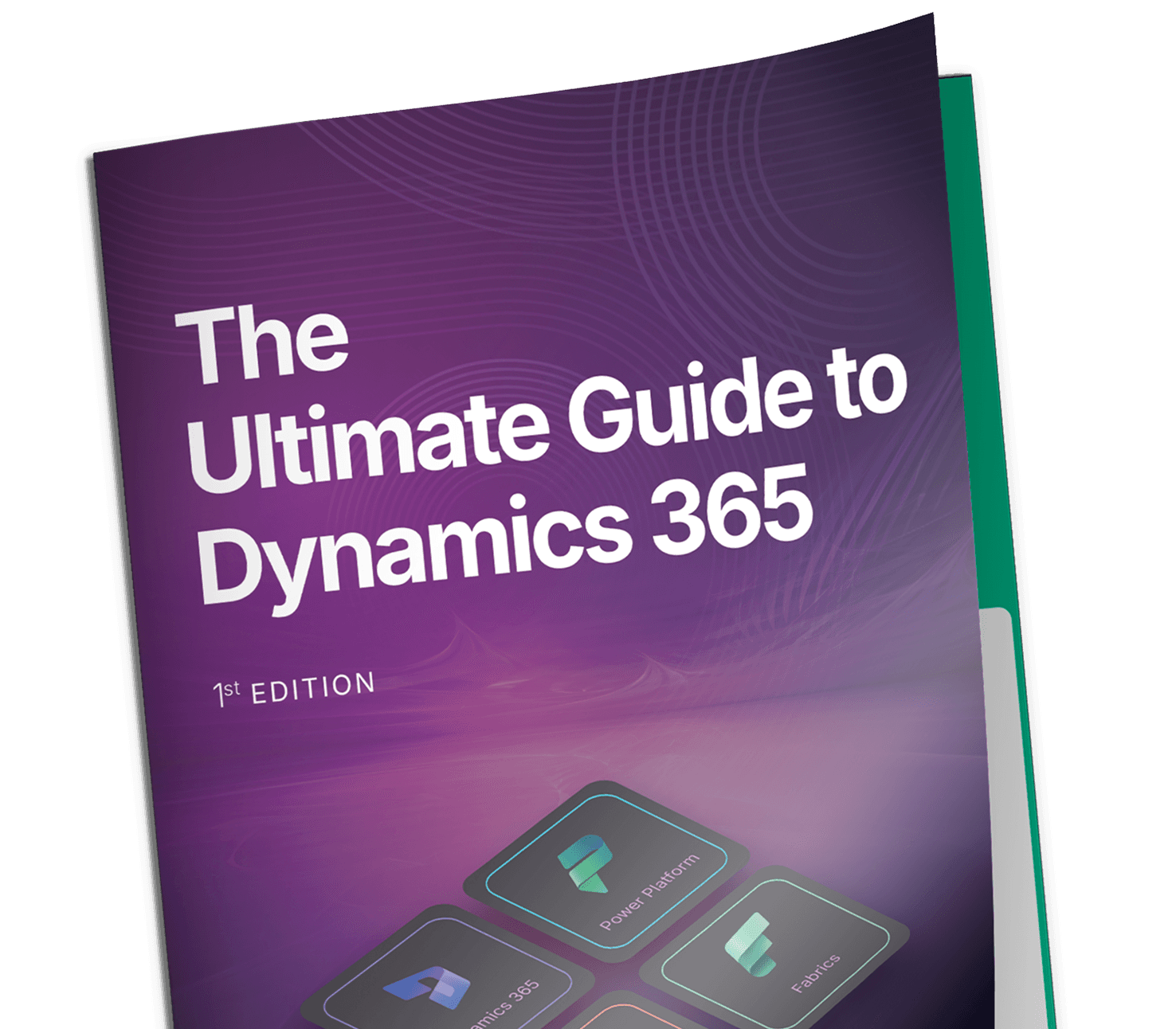
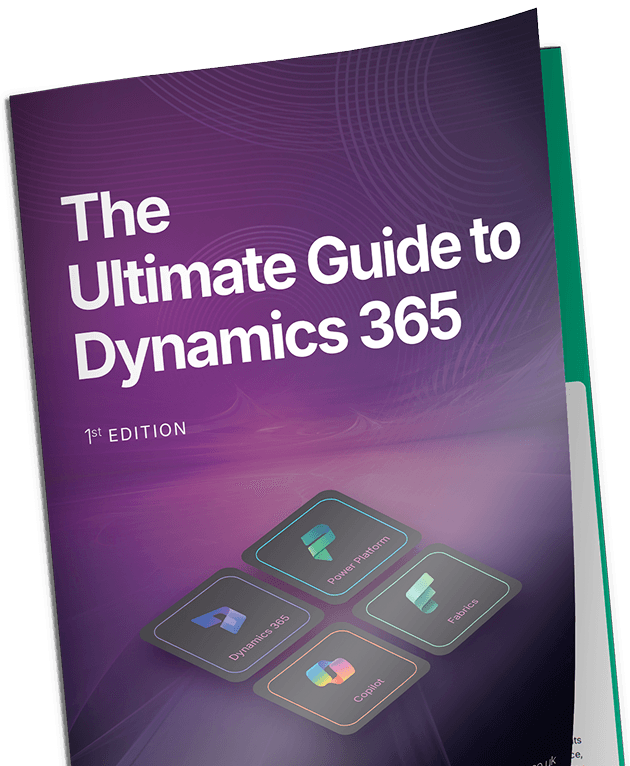
Complete Guide

The Ultimate Guide to
Microsoft Dynamics 365

Everything decision-makers need to understand how ERP, CRM, data, and AI work together — and how to get it right, first time.

170%Avg. projected ROI across case studies
7moAvg. payback period for DS clients
18%Productivity uplift post go-live
200+Successful Dynamics implementations

"AI is becoming practical and useful. It is not just a buzzword anymore. Microsoft Copilot is helping teams automate routine work, understand data faster, and make better decisions with less effort."

Manish GoyalFounder & CEO, Dynamics Square
01

Introduction to the Ultimate Guide

This guide exists because most organisations today feel the friction. Teams are working hard, systems are running, yet simple decisions take longer than they should. Spreadsheets accumulate. Workarounds breed workarounds. Somewhere along the way, the technology that was supposed to help became the bottleneck.

This is a guide for those who sense something needs to change — but want clarity before taking serious action. It explains why connected business systems matter, how modern platforms fit together, and what long-term value actually looks like when technology supports the business the way it should.

Challenges Modern Businesses Face Today

Most organisations don't struggle because their people lack skill or commitment. The real challenge, more often than not, lies in the systems. Over the years, companies bolt on tools to solve immediate problems. Each tool works well in isolation. None of them talk to each other particularly well.

The result? People become the bridge between systems. Manual data entry. Reconciliation by spreadsheet. Reports that are always slightly behind reality.

🔗
Disconnected Systems

Finance, sales, and operations running on separate platforms with no single version of the truth.

Manual Bottlenecks

Data entry, reconciliations, approvals — all consuming time that should be spent on value creation.

🔍
Limited Visibility

Leadership operating on fragmented information. Slow, uncertain decisions as a consequence.

📦
Individual Dependencies

Operations that depend on key people rather than robust systems. A single resignation creates a crisis.

53%

of businesses report that ERP implementation is a priority investment, with manufacturing and distribution among the fastest adopters.

Why ERP, CRM, Data, and AI Must Work Together

In every organisation, daily activity across departments is deeply interconnected. A sale affects finance. Inventory responds to demand. Service history shapes the next customer conversation. Technology should reflect this reality — not fight it.

  • Single source of truthfinancial data, customer records, and operational metrics stay aligned across every department.
  • Reduced manual effortautomation handles approvals, reconciliations, data capture, and routine updates.
  • Faster, reliable insightdashboards reflect live activity, not yesterday's export.
  • AI that actually worksbecause AI depends entirely on accurate, connected data. Without strong foundations, AI amplifies noise rather than delivering clarity.
The Bottom Line

Integration matters before intelligence delivers real benefit. An AI layer built on fractured data produces confident-sounding nonsense. Build the foundation first.

What Dynamics Square Stands For

Dynamics Square works with organisations that want technology to support growth — without adding operational complexity. The goal is genuinely simple: systems should make work easier, clearer, and more reliable for everyone in the business.

Clarity Across the Business

Leaders need to trust their numbers. Teams need to see what's happening and why. That starts with systems that tell the truth.

Systems That Support Growth

Businesses evolve. Through expansion, regulation, acquisition, and market change. Technology should adapt — not resist.

Long-Term Value Over Quick Fixes

Technology decisions shape operations for years. Sustainable platforms support continuous improvement — not endless replacement cycles.

"Most businesses don't lack ambition. What they lack is clarity across systems. When leaders can trust their numbers and see the full picture, growth becomes a controlled decision rather than a risky leap."

Nitesh Sharma, Head of Business Development, Dynamics Square

02

The Microsoft Business Applications Ecosystem

Business Central, Finance, Sales, Power BI, Power Platform, Copilot, Azure — these names are bandied about constantly. The question most organisations actually have is: how do they all fit together?

They're not separate tools. They're layers of a connected ecosystem, each with a defined role, all sharing a common foundation.

The Microsoft Dynamics 365 Applications Stack

Layer 1: Dynamics 365 Applications — Business Operations

Finance, supply chain, sales, customer service, project management. These manage the transactions, records, approvals, and workflows that keep the organisation running every day.

Layer 2: Power Platform — Automation & Development

Power BI, Power Automate, Power Apps, Power Pages. Teams extend and improve core processes without heavy development — automating tasks, building apps, creating dashboards.

Layer 3: Data Foundation

A shared data environment that organises and connects information across systems. This is what makes reporting consistent and forecasts trustworthy across departments.

Layer 4: AI Assistance — Copilot & AI Agents

Microsoft Copilot works across the entire stack — summarising information, identifying patterns, suggesting actions. AI agents operate at the workflow level, automating day-to-day operations without human prompting.

The Role of Azure as the Foundation

Azure is the infrastructure that holds all of this together. It's largely invisible to end users — its value shows in system stability, performance, and the ability to scale without rebuilding.

70%+

of new ERP rollouts now choose cloud over on-premises infrastructure — reflecting the shift toward scalable, resilient, modern business platforms.

☁️
Cloud Scalability

Capacity adjusts as demand changes. Scale users, data, and operations without rebuilding infrastructure.

🔒
Security & Compliance

Security controls, identity management, and compliance frameworks embedded at platform level across regions.

🔄
Data Services & Integration

Structured and unstructured data coexist within a single environment. Managed storage, processing, and integration.

🤖
AI & Machine Learning

Advanced intelligence capabilities — forecasting, anomaly detection, natural language — run on Azure's infrastructure.

"Most operational complexity is not created by scale, but by disconnected decisions made over time. When systems are designed to work together from the start, complexity reduces naturally instead of being managed endlessly."

Darshan Mungekar, Principal Solution Architect, Dynamics Square
Key Takeaways — The Ecosystem
  • Microsoft Business Applications function as a connected environment, not isolated tools.
  • Dynamics 365, Power Platform, data, and AI share a common foundation — which eliminates the integration headaches of bolt-on software.
  • Azure provides scalability, security, and stability across the entire ecosystem.
  • Shared data and security reduce duplication and operational complexity.
  • Ecosystem-based platforms support long-term adaptability. You grow by adding layers, not replacing systems.

03

Dynamics 365 at a Glance

Dynamics 365 is a portfolio of connected business applications designed to run core operations and customer-facing processes on a shared foundation. It brings agentic ERP and CRM capabilities together — supported by data, automation, and intelligence.

At its core, it supports how a business earns revenue, manages costs, serves customers, and maintains operational control. The real strength lies in how seamlessly different apps within the ecosystem connect to serve as a unified platform.

ERP and CRM — Explained Simply

⚙️
ERP — How the Business Runs Internally

Accounting, procurement, inventory, supply chain, production, compliance, and reporting. ERP answers questions around cost, control, efficiency, and delivery.

🤝
CRM — How the Business Engages Externally

Lead management, sales forecasting, customer communication, service requests, and marketing journeys. CRM answers questions around demand, relationships, and customer experience.


04

Core ERP Solutions in Dynamics 365

ERP is the operational backbone of any business. It governs how money flows, how goods move, how commitments get fulfilled, and how control stays intact. Microsoft offers three closely related ERP applications, each designed for different levels of complexity.

Dynamics 365 Business Central: The Most Popular Option for SMEs

Business Central is a cloud-based, agentic ERP solution built for small to mid-sized organisations that need strong financial control, operational visibility, and room to grow — without enterprise-level complexity. It's where most UK businesses start, and many stay.

It replaces legacy accounting systems, spreadsheets, and outdated ERP platforms that can no longer support modern business demands.

💷
Finance & Accounting

General ledger, accounts payable/receivable, cash flow, bank reconciliation, fixed assets, VAT compliance.

📦
Inventory & Supply Chain

Real-time inventory tracking, warehouse management, demand-driven replenishment, and vendor management.

🧾
Sales & Purchasing

Sales orders, invoicing, pricing, purchase approvals, credit management, and payment terms — all connected to finance.

📋
Projects & Manufacturing

Job costing, project tracking, resource usage, assembly orders, and light production processes.

📊
Embedded Power BI

Role-specific analytics for finance, sales, inventory, manufacturing, and projects — built in, not bolted on.

🌱
Sustainability Tracking

Scope 3 emissions, ESG reporting, carbon equivalent calculations, and CSRD preparation. Compliance-ready and data-driven.

"Business Central delivers the strongest results when organisations avoid over-engineering early. Consistent, well-designed simplicity scales more reliably than complexity introduced too soon."

B. Ravindran, Solution Architect, Dynamics Square

Best suited for: Distributors & WholesalersProfessional ServicesLight ManufacturersRetail & E-CommerceGrowing SMEs

What's New in Business Central — and Why It Matters

Business Central follows a continuous evolution model — structured six-month release waves, plus monthly updates. Progress without instability. Here's what's arrived recently:

🤖 AI Agents: From Assistance to Execution

Business Central is no longer limited to AI suggestions. Autonomous and semi-autonomous agents now actively participate in workflows — Sales Order Agents, Payables Agents, and Bank Reconciliation Agents handle real work. AI has shifted from 'help me understand' to 'help me act faster and more accurately.'

💰 Finance: Faster, Clearer, More Governed

Enhanced audit trails, improved payables workflows, expanded VAT and excise tax support. Finance teams spend less time validating data and more time interpreting performance — while compliance stays intact.

📈 Reporting as a First-Class Feature

Reporting in Business Central has shifted from static, after-the-fact reviews to embedded, decision-ready insight. Native Power BI apps across finance, sales, inventory, manufacturing, and projects. Drill-back reporting. Dynamic dimensions. Cash flow and inventory forecasting.

🌍 Sustainability: Operational, Not Just Reported

Sustainability is now embedded in operational processes — not a side report. Scope 3 value-chain tracking, carbon calculations, ESG and CSRD preparation, energy consumption tracking. Auditable, not estimated.

Bottom Line

Rather than forcing businesses to re-platform as they grow, Business Central continues to grow with them. It's expanding in intelligence, automation, compliance readiness, and operational depth — without sacrificing simplicity.

Business Central Licensing Explained

Licence TypeWho It's ForWhat's Included
EssentialsMost SMEsFinance, purchasing, sales, inventory, projects, basic supply chain
PremiumManufacturers & complex service businessesEverything in Essentials + manufacturing + advanced service management
Team MemberOccasional usersView data, approve workflows, update basic records — at a lower cost
Attach LicencesBC base licence holdersAdd D365 Sales, Customer Service, Field Service, or Customer Insights at reduced cost

Dynamics 365 Finance

Designed for complex, multi-entity organisations. Finance targets enterprises operating across multiple legal entities, regions, and regulatory environments — with higher transaction volumes, layered approval structures, and advanced reporting requirements.

Key capabilities: multi-entity financial consolidation, global tax management, multi-currency accounting, intercompany settlements, treasury and liquidity management, budget planning, regulatory compliance across jurisdictions, and financial scenario analysis.

Best suited for: Multinational EnterprisesGlobal Professional ServicesLarge Retail GroupsComplex Corporate Groups

Dynamics 365 Supply Chain Management

Supply Chain Management delivers end-to-end supply chain visibility — planning, execution, and optimisation across complex sourcing, production, warehousing, and distribution networks.

Key capabilities: advanced warehouse and bin management, procurement and supplier collaboration, production planning and shop floor control, demand forecasting, transportation and route optimisation, quality management, and logistics performance monitoring.

Best suited for: Manufacturing EnterprisesGlobal DistributorsLogistics ProvidersLarge E-Commerce Fulfilment

Business Central vs Finance vs Supply Chain Management

AreaBusiness CentralD365 FinanceSupply Chain Mgmt
ERP CategoryMid-market ERPEnterprise Financial ERPEnterprise Operations ERP
Company SizeSMB to mid-market500+ employees, globalManufacturing & distribution enterprises
Primary FocusUnified business managementFinancial governance & global complianceComplex supply chain operations
DeploymentCloud-firstCloud-firstCloud-first
Implementation SpeedFaster, lower overheadLonger, enterprise complexityLonger, operational complexity
Key Takeaways — ERP
  • Business Central provides unified ERP for growing SMEs — finance, operations, supply chain, and AI in one system.
  • Finance delivers enterprise financial governance across multi-entity and multi-country operations.
  • Supply Chain Management supports complex manufacturing, logistics, and distribution networks.
  • All three can operate independently or together, depending on business scale and complexity.
  • Choosing the right solution depends on operational complexity, geographic presence, and transaction volume.

05

Customer Engagement (CRM) Solutions in Dynamics 365

Customer engagement defines how organisations attract demand, manage relationships, resolve issues, and maintain trust over time. Dynamics 365 CRM capability sits across four closely connected applications — each addressing a specific stage of the customer lifecycle.

Dynamics 365 Sales

An agentic CRM solution supporting the full journey from initial interest to closed revenue. It provides structure around how leads progress, how opportunities mature, and how sales activity connects to fulfilment and finance.

🎯
Lead-to-Cash Process

Lead capture, opportunity tracking, quote and order preparation, handover to finance — structured for consistency and forecasting accuracy.

📊
Pipeline Visibility

Forecast models based on real activity. Deal tracking by stage and probability. Performance visibility across teams.

✉️
Outlook, Teams & ERP

Email and calendar tracking, collaboration through Teams, live order and invoice visibility through ERP.

🤖
AI Sales Agents

Sales Qualification Agent researches leads autonomously. Sales Research Agent answers complex questions in natural language. Email Assistance drafts professional follow-ups.

Dynamics 365 Customer Service

A cloud-based customer support platform managing service requests, automating case handling, and delivering consistent, AI-assisted support across email, chat, phone, and self-service portals.

  • Omnichannel case management
  • SLA enforcement and escalation rules
  • Knowledge base and self-service portals
  • AI-powered agent assistance — case summaries, suggested responses, faster resolution guidance
  • Queue-based workload management

Dynamics 365 Field Service

An agentic solution for scheduling field technicians, managing work orders, and delivering efficient on-site service. The Scheduling Operations Agent optimises technician schedules by considering priorities, travel time, and availability — and adjusts plans in real-time when disruptions occur.

  • Work order management and tracking
  • Skill-based scheduling and resource optimisation
  • Mobile-first field workforce tools with offline access
  • Asset lifecycle and contract management
  • AI-powered natural language work order updates from job site

Dynamics 365 Customer Insights

An agentic CRM solution that unifies customer data from ERP, CRM, marketing, e-commerce, and service platforms — creating a single, consistent customer profile. It resolves the fragmentation that most organisations quietly tolerate for years.

  • Identity matching and data unification
  • Behaviour-based segmentation
  • AI-powered journey orchestration
  • Predictive customer value indicators
  • Copilot-driven segment creation from plain language criteria

06

Data, Analytics, and the Intelligence Layer

Data sits at the centre of every meaningful business decision. Yet most organisations still trust spreadsheets over dashboards, and wait until month-end to understand what happened last week. The Microsoft ecosystem changes that.

Power BI — Operational Reporting That's Actually Operational

Power BI provides reporting and analytics across finance, operations, sales, and service — connected directly to Dynamics 365 so reports reflect live business activity, not yesterday's export. Role-specific views mean finance leaders see financial performance while operations teams see throughput and service resolution metrics.

Microsoft Fabric — The Data Foundation

Microsoft Fabric provides a single platform for managing, analysing, and governing data across the entire organisation — bringing data engineering, analytics, reporting, and governance into one environment. Rather than moving data between multiple tools, Fabric centralises how data is stored, processed, and used. Power BI handles the visualisation; Fabric handles the preparation, structure, and governance.


07

Low-Code Automation and Customisation

Standard systems rarely cover every operational nuance. Teams need flexibility to adapt processes, automate repetitive work, and extend systems — without heavy development cycles or long waiting lists for IT support.

📱
Power Apps

Custom applications layered on top of existing data and processes — mobile apps for field teams, approval tools, department-specific productivity solutions — without heavy development.

Power Automate

Workflow automation across systems, users, and approvals. Approval workflows, notifications, data sync, scheduled tasks. Replaces repetitive manual steps with structured, reliable processes.

🌐
Power Pages

Secure external portals for customer self-service, vendor collaboration, and partner access — without exposing core systems directly.

📊
Power BI

The reporting and analytics layer that converts operational data into decisions. Embedded directly in Dynamics 365 — not a separate tool to log into.

Copilot Studio and AI Capabilities

Copilot Studio enables organisations to build conversational AI agents that interact with users through natural language. AI assistance is embedded directly into Dynamics 365 applications — not available as a separate tool requiring users to context-switch.

40%

of organisations now view AI as an important consideration when selecting an ERP system, with 16% requiring embedded AI as a must-have feature. Intelligence is no longer optional.

Pre-Built AI Agents Across Dynamics 365

Business Central
  • Sales Order AgentAnalyses customer emails and automatically captures sales orders.
  • Payables AgentMonitors invoices, extracts data, prepares draft entries for review.
  • Bank Reconciliation AgentIdentifies and matches unmatched transactions by analysing dates, amounts, and descriptions.
Dynamics 365 Sales
  • Sales Qualification AgentAutonomously researches leads, assesses fit, initiates outreach.
  • Sales Research AgentAnswers complex questions about sales data in natural language.
  • Email AssistanceDrafts professional emails, summarises conversations, tracks unanswered messages.
Finance
  • Account Reconciliation AgentDetects differences between subledgers and general ledger, suggests fixes before period-end.
  • Collection Coordinator SummaryAI-generated account status summaries and automatic reminder letters.
Field Service
  • Scheduling Operations AgentOptimises technician schedules in real-time.
  • Work Order UpdateNatural language updates directly from the job site via mobile.
  • Inspection Template CreationConverts PDFs or images into editable inspection templates.

08

Industry-Specific Solutions

Every industry operates with its own pressures, regulations, and rhythms. Generic systems rarely reflect these realities without heavy adjustment. Real value appears when core platforms align naturally with industry workflows.

IndustryCore PrioritiesKey DS Capabilities
ManufacturingProduction efficiency, cost control, deliveryProduction planning, BOM management, shop floor control, demand forecasting, quality tracking
Wholesale & DistributionVolume, speed, accuracy, margin disciplineOrder management, bin-level inventory, barcode/mobile WMS, customer portals, e-commerce integration
Retail & E-CommerceOmnichannel alignment, customer loyaltyPOS integration, centralised inventory, omnichannel order orchestration, Customer Insights & loyalty
Professional ServicesProject profitability, utilisation, billingProject accounting, resource management, time & expense, CRM-to-delivery handover
Non-ProfitFund accountability, transparency, efficiencyFund & grant accounting, donor management, compliance reporting, automation with limited headcount
Healthcare & Public SectorCompliance, security, reportingRole-based access control, regulatory alignment, process automation, operational transparency

09

ISV Ecosystem: Extending Dynamics 365

No platform covers every business requirement out of the box. Every organisation carries industry nuance, regulatory pressure, and operational habits built over years. The question is how to extend — without creating fragility and upgrade risk.

Within the Dynamics 365 ecosystem, Independent Software Vendors (ISVs) provide the answer. They extend standard capability in focused areas while remaining aligned with the platform — no bespoke code, no broken upgrades.

📄 Document Management

Automated document capture, invoice processing, approval workflows, audit-ready storage. Example: Continia Document Capture.

💳 Expense Management

Mobile expense capture, policy-based approvals, automated posting to finance, real-time spend visibility. Example: Continia Expense Management.

📦 Warehouse Management

Barcode and mobile-driven workflows, bin-level movement, picking optimisation, inventory accuracy tracking. Example: Tasklet Mobile WMS.

👥 Payroll & HR

Payroll processing, employee lifecycle, leave management, integrated with finance. Example: Elevate HR.

Dynamics Square's Own ISV

Import Consignment Solution by Dynamics SquareA purpose-built add-on that helps UK-based importers and manufacturers track their consignments from origin to receipt. Designed for real operational needs, not hypothetical use cases.

How Dynamics Square Evaluates and Recommends ISVs

ISVs are treated as part of the overall solution architecture, not optional extras. Recommendations follow structured evaluation based on real operational impact — not feature lists. Evaluation criteria: native Dynamics 365 integration, alignment with Microsoft upgrade cycles, proven adoption in relevant industries, clear product roadmap and vendor support, data security and compliance alignment, and total cost over the solution lifecycle.


10

End-to-End Solution Architectures

Business systems deliver value when designed as a complete operating environment — not a collection of connected parts. Architecture defines how processes flow, how data moves, and how decisions get supported over time.

ERP Layer

Financials, operations, supply chain, compliance. The transactional backbone of the business.

CRM Layer

Sales, service, field operations, customer engagement. Captures demand and experience.

Automation Layer

Power Platform — workflow automation, custom apps, controlled extensions.

Analytics Layer

Power BI and Fabric — reporting, dashboards, and insight across every role.

ISV Layer

Focused extensions for warehousing, documents, payroll, compliance, and industry needs.

AI & Copilot Layer

Autonomous agents and AI assistance embedded across every layer — from data entry to forecasting.

"Good architecture is rarely noticed when things are running well. Its value becomes clear when a business needs to grow, change, or respond quickly without breaking what already works."

Darshan Mungekar, Principal Solution Architect, Dynamics Square

11

Implementation Approach by Dynamics Square

Technology success depends less on software choice and more on how it gets implemented. Many projects struggle because solutions move too fast, assumptions remain unchallenged, or business context receives limited attention. Dynamics Square's approach is built around people, processes, and outcomes.

1
Discovery & Solution Design

Understanding objectives, mapping current processes, identifying pain points, defining success criteria. Solution design translates this into a structured blueprint that aligns technology with business reality — not theoretical processes.

2
Fit Gap Analysis

Evaluates how standard platform functionality aligns with business requirements. Identifies what standard functionality covers, what configuration handles, what genuinely requires extension — and what gaps disappear when processes become clearer.

3
Data Migration & Integrations

Data quality shapes trust in the new system from day one. Migration focuses on accuracy, relevance, and structure — not volume. Integration ensures systems exchange information reliably, with clean data ownership and minimal duplication.

4
Testing, Training & Go Live

Testing validates real-condition behaviour. Role-based training ensures users feel confident. Go live preparation focuses on readiness, not speed — reducing disruption and supporting a smoother transition.

5
Post Go-Live Support & Optimisation

Implementation continues beyond launch. Issue resolution, user support, process optimisation, and planning for future enhancements. The platform evolves with the business rather than remaining static.

"Fit-gap analysis is not about finding gaps in the system. It is about deciding which gaps matter, and which ones disappear when processes become clearer."

B. Ravindran, Solution Architect, Dynamics Square

12

Migration and Upgrade Scenarios

System change rarely begins from a blank slate. Most organisations carry years of operational history, customised processes, and data shaped by earlier decisions. Migration requires care, structure, and realism — not speed.

NAV to Business Central

Many organisations still operate on older Microsoft Dynamics NAV. It's familiar, but it struggles with modern reporting, integration, and scalability demands. Migration to Business Central offers a structured path forward — retaining functional continuity while modernising the platform.

Legacy ERP to Dynamics 365

Organisations on bespoke or legacy ERP platforms typically face fragmented systems, limited reporting, manual workarounds, and difficulty scaling. Migration to Dynamics 365 introduces a connected platform designed for current operating models — with careful planning around process redesign, data structure, and change management.

On-Premises to Cloud

Cloud migration shifts infrastructure management, security updates, and scalability to the platform — freeing IT from maintenance cycles and improving accessibility across locations. Planning covers data, integrations, access, and user readiness to ensure continuity throughout.

Common Migration Risks — and How DS Avoids Them
  • Carrying unnecessary customisations forward — DS reviews and challenges before migrating.
  • Migrating unused or poor-quality data — DS cleanses and validates, not just transfers.
  • Underestimating process change impact — change management is built into every project.
  • Insufficient testing under real scenarios — UAT with real business conditions, not lab conditions.

"Most system migrations fail for reasons that have nothing to do with technology. They fail because assumptions go unchallenged, data is rushed, and people are brought in too late."

Arish Siddiqui, Senior Manager, Business Development, Dynamics Square

13

ROI, Business Value, and Success Metrics

Success with ERP and CRM doesn't end at go-live. The real measure appears in how the system changes daily work, decision quality, and business confidence over time.

78%

of organisations experience productivity improvements after adopting ERP systems.

91%

of organisations report improved inventory levels post-ERP implementation.

~7mo

Average payback period across Dynamics Square client implementations.

"Return on investment is rarely about cost savings alone. The real value shows up when teams spend less time fixing problems and more time moving the business forward."

Nitesh Sharma, Head of Business Development, Dynamics Square

Real-World Impact: Case Stories by Dynamics Square

The following cases represent actual implementations delivered by Dynamics Square — each demonstrating measurable, documented impact that separates genuine transformation from technology procurement.

1

Multi-Entity Tea, Coffee & Macadamia Producer

Agricultural processing & export · Africa & UK · Multiple legal entities

The Challenge: Finance in ERP, procurement and warehousing offline. Manual auction handling, handwritten inventory records, Excel-driven reporting across six entities.

The Solution: Dynamics Square unified finance, production, and warehouse operations on Business Central — extended with barcode-driven warehouse mobility, Power BI reporting, virtual warehouses for stock segregation, and enforced Bills of Materials across blending operations.

~170%Projected ROI (3yr)
~7moPayback period
~18%Productivity improvement
6Entities on one reporting layer
2

Multi-Sector Construction & Materials Group

Construction materials, aggregates & property services · Fast-growth group

The Challenge: Legacy ERP, fragmented finance, manual processes, zero margin visibility. Leadership unable to see profitability by product, customer, or channel.

The Solution: Business Central as financial and operational core, with clean integration preserving the existing field invoicing system. Continia Document Capture for vendor invoicing. Power BI for product, customer, and channel-level profitability. Phased, low-disruption rollout.

~172%Projected ROI (3yr)
~7moPayback period
~18%Productivity uplift
1.5 FTECost avoidance
3

Sustainable Fashion & Circular Manufacturing Startup

Ethical fashion · Circular production · Rapid growth

The Challenge: Data across spreadsheets and basic accounting software. No production routing, no sustainability metrics, no data foundation for scale.

The Solution: Business Central covering finance, procurement, production, inventory, and early-stage CRM. Machine and work centre tracking for production visibility. Designed for future Power BI and CRM expansion.

~172%Projected ROI (3yr)
~£32KLegacy system costs avoided
~18%Productivity gain
Sustainability data foundation
4

European Food Trading Startup

Cross-border food trading · Multiple legal entities · UK & Europe

The Challenge: Operational complexity from day one with no system structure. Manual coordination, multi-entity confusion, and compliance pressure threatening accuracy during early growth.

The Solution: Business Central across finance, sales, purchasing, inventory, and fixed assets. Structured, phased implementation establishing control, visibility, and secure remote access from day one.

~162%Projected ROI (3yr)
<12moPayback period
3Legal entities unified
Avoided operational hires
5

Retail & Warehouse Automation Business

Equestrian retail · Physical & e-commerce · Robotic warehouse · Ireland

The Challenge: Warehouse robotics operating in isolation. Fragile ERP and POS integrations. Manual reporting. Seasonal demand amplifying operational pressure.

The Solution: Business Central reimplementation, integrated mobile warehouse management, robotics coordination for goods-out, automated document capture, stabilised e-commerce integrations, and onsite DS support throughout.

Faster retail & warehouse ops
Improved dispatch accuracy
Automated daily reporting
End-to-end channel visibility
7

Century-Old Global Manufacturing Brand

Global manufacturer · Full ecosystem transformation · ERP + CRM + E-Commerce

The Challenge: Legacy systems limiting scalability, visibility, and customer engagement across a growing global footprint.

The Solution: Full ecosystem transformation — Business Central for ERP, D365 Sales, Customer Service, and Customer Insights for CRM, integrated e-commerce platforms, robotics-enabled warehousing, and automated reporting.

Unified ERP+CRM+E-Commerce
Real-time operational insight
Data integrity restored
AI-ready data foundation

14

Choosing the Right Partner

Technology platforms create potential. Partners determine outcomes. Many ERP and CRM initiatives struggle or stall not because the software is wrong, but because the implementation partner focused on configuration rather than understanding the business.

Why Dynamics Square Is Different

Dynamics Square positions itself as a long-term partner, not a transactional vendor. The relationship doesn't end at go-live — it evolves as the business evolves.

Business-First ApproachUnderstanding operational reality before proposing solutions. Every implementation starts with discovery, not a product demo.
Industry DepthProven experience across manufacturing, distribution, retail, professional services, non-profit, and more. Solutions shaped by real-world knowledge.
Structured MethodologyDiscovery, fit-gap, migration, testing, training, go-live, and ongoing optimisation — each phase with clear accountability.
Long-Term OptimisationPost go-live isn't the finish line. DS supports continuous improvement, system evolution, and platform expansion as the business grows.
UK-Based ExpertiseDeep knowledge of UK regulatory requirements, VAT, payroll, and industry-specific compliance. Available on 0203 769 7689.
Own ISV CapabilityDynamics Square develops its own ISV solutions — including the Import Consignment Solution for UK importers — meaning practical, tested extensions.

"Software creates potential. Partners determine outcomes. The difference between a painful project and a successful one usually comes down to guidance, not configuration. And this is where we focus — thorough, end-to-end guidance."

Arish Siddiqui, Senior Manager, Business Development, Dynamics Square

What to Look for Beyond Technical Skills

Technical expertise matters. But it rarely determines long-term success on its own. Evaluate potential partners on: their ability to listen and understand your operational reality, experience across relevant industries and scenarios, structured approach to discovery and design, discipline around scope and data governance, commitment to user adoption and change management, and willingness to challenge assumptions rather than simply agreeing with requirements. The best partners tell you things you don't want to hear — early enough to do something about it.


15

Final Thoughts

This guide exists to support clear thinking, not quick decisions. Business applications shape how organisations operate every day — how teams collaborate, how leaders make choices under pressure, how growth happens with confidence rather than chaos.

Technology as an Enabler, Not a Burden

Technology delivers value when it removes friction from daily work. Systems should support people in doing their jobs well, consistently, and with clarity. When technology aligns with business reality, teams focus on outcomes rather than workarounds.

The Future of Business Applications

Business applications are moving toward tighter integration, embedded intelligence, and low-code flexibility. The direction is clear: ERP, CRM, data, and AI operating as one environment — not four separate budgets. Organisations that invest in strong foundations now will be well-positioned to adopt new capabilities as they emerge.

How to Take the Next Step With Confidence

A practical starting point: review current systems and identify where the real pain sits. Define what success looks like beyond go-live — not just functionality, but operational outcomes. Prioritise the areas that will deliver immediate, visible value. And choose a partner who listens before they propose.

A Long-Term Perspective

Business platforms remain central to operations for years. Decisions made early influence flexibility, cost, and confidence for a long time afterwards. Working with Dynamics Square means building with long-term value in mind — clarity, scalability, and trust at every stage of the journey.


Ready to Declutter the Mess and Bring Things Up to Speed?

Sales, service, finance, or supply chain — unify everything on one connected platform with Dynamics 365. Implementations, integrations, migrations, or support — Dynamics Square is one call away.

Book a Discovery Call

Let’s build the future of your business—together!

The right technology can change everything, and Dynamics Square ensures your business gets the tools it needs to succeed. Take the first step towards smarter solutions now!

Phone