.png&w=3840&q=75&dpl=dpl_FeBXFurU8TV9Dsx5B4HYvrCjoi8q)
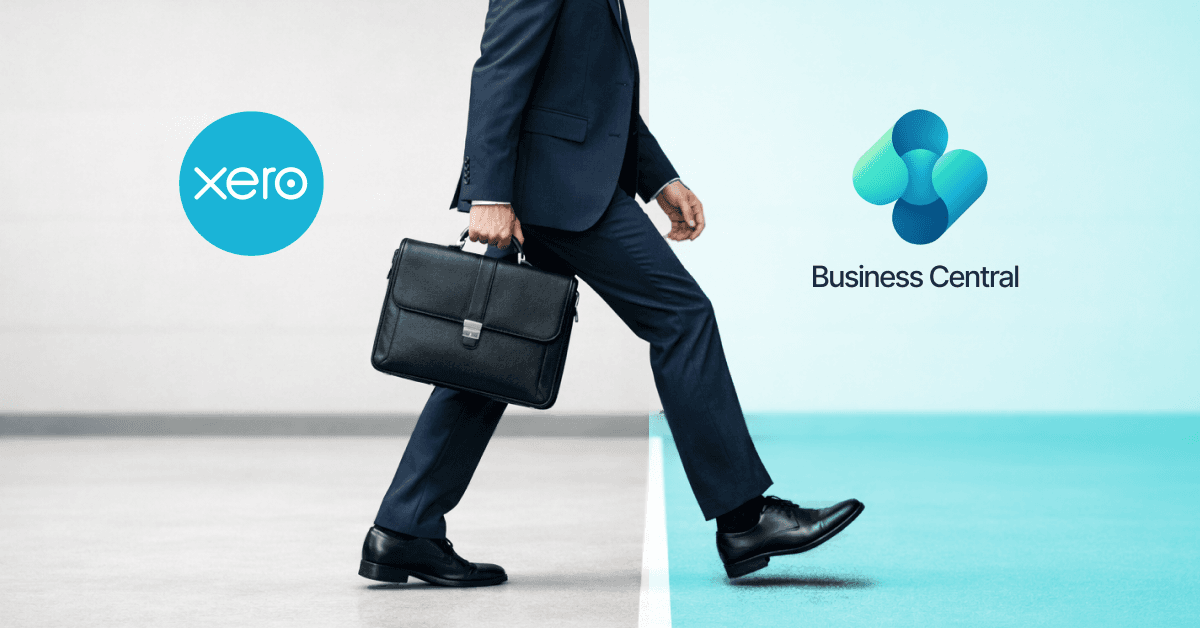
Moving from Xero to Business Central is a bigger step than changing accounting software. Xero has more than 5 million customers worldwide, while Microsoft says 50,000 companies use Business Central.
For a growing business, the reason for making that move is usually not just finance. You may need better control over inventory, purchasing, sales, reporting, or several parts of the business working from the same information.
Table of Contents
- What Does Xero to Business Central Migration Involve?
- Xero to Business Central Data Migration
- What Data Should You Migrate from Xero?
- Xero to Business Central Migration Process
- Xero to Business Central Migration Cost
- Benefits of Moving from Xero to Business Central
- Common Challenges When Moving from Xero
- Working with a Business Central Implementation Partner
- How Dynamics Square UK Can Help
- Final Thoughts
- FAQs
That is where Xero to Business Central migration needs some planning. Customer and supplier records, financial data, products and transaction history all need to be reviewed before anything is moved.
The good thing is that you do not necessarily need to move everything. The right approach depends on what the business needs from Business Central and which Xero data is still useful.
If you're asking “Should I migrate from Xero to Business Central?”, the first thing to look at is where your current system is starting to fall short.
Key Takeaways
- Xero to Business Central migration involves more than moving financial records.
- Data should be reviewed and cleaned before it is migrated.
- Business Central can bring finance, sales, purchasing, inventory, and operations together.
- Xero to Business Central migration cost depends on data, users, integrations, configuration, and project scope.
- Historical data does not always need to be moved in full.
- A phased migration can make the change easier to manage.
- A Business Central implementation partner can help with planning, migration, testing, and user training.
Why Move from Xero to Business Central?
Xero can work well for businesses that mainly need accounting and financial management. As the business grows, however, finance may no longer be the only area that needs better systems.
You may have sales information in one place, stock records somewhere else, and purchasing managed through spreadsheets. Staff may then spend time moving information between systems.
Business Central is designed to cover a wider range of business processes. It can connect finance with sales, purchasing, inventory, warehouse operations, and reporting.
That does not mean every Xero user needs to move. The right question is whether your current setup is starting to limit your business operations.
Should I Migrate from Xero to Business Central?
There are a few signs that it may be time to consider a move.
You may be growing into new markets, managing more inventory, adding users, or dealing with more complicated purchasing and sales processes. You may also want different departments of the business to work from the same information.
For example, if your finance team uses Xero while sales and operations rely on separate spreadsheets, a move to Business Central could reduce the amount of manual work between those teams.
On the other hand, if Xero still handles your requirements well and your processes are simple, there may be little reason to migrate yet.
The decision should be based on what the business needs next, not just the limitations of the current software.
What Does Xero to Business Central Migration Involve?
A Xero migration to Business Central usually starts with understanding what is currently stored in Xero and what the business wants to achieve with Business Central.
The project may involve:
- reviewing Xero data
- deciding what needs to be migrated
- cleaning duplicate or outdated records
- mapping Xero data to Business Central
- configuring Business Central
- importing agreed data
- setting up users and permissions
- connecting other business systems
- testing transactions and reports
- training users before go-live
Not every business needs to move everything. Some may migrate current customers, suppliers, opening balances, and selected transaction history while keeping older records available in Xero or an archive.
Xero to Business Central Data Migration
Data migration deserves careful planning because the quality of the information going into Business Central will affect the new system.
Review Your Xero Data
Start by looking at what is actually in Xero.
This can include customers, suppliers, products, invoices, bills, payments, accounts, tax information, and historical transactions. Some businesses may also have data outside Xero that needs to be considered.
Clean the Data
Migration is a good opportunity to deal with old problems.
Duplicate contacts, inactive accounts, incorrect names, missing information, and old records can make the new system harder to use. Cleaning the data before migration is usually easier than trying to fix everything afterwards.
Map the Data
Xero and Business Central do not organise every piece of information in exactly the same way.
The migration needs a clear mapping between the old and new systems. This helps determine where customers, suppliers, accounts, products, balances, and other information should go.
Test Before Go-Live
The migrated data should be checked in Business Central before the business starts using the new system.
Finance teams may want to compare balances and transactions with Xero. Other users can check customers, suppliers, products, sales orders, purchasing records, and reports.
What Data Should You Migrate from Xero?
There is no single answer. It depends on how the business plans to use Business Central.
Common data can include:
| Data | Why it may be migrated |
|---|---|
| Customers | Keep customer records available in Business Central |
| Suppliers | Continue purchasing and supplier management |
| Products/items | Support sales, purchasing, and inventory |
| Chart of accounts | Set up the financial structure |
| Opening balances | Start the new system with the correct financial position |
| Open invoices and bills | Continue outstanding transactions |
| Transaction history | Keep selected financial records available |
Historical data needs more thought. Moving several years of transactions may increase the migration work, while keeping everything in the new system may not be necessary.
Xero to Business Central Migration Process
A typical project can be broken down into a few practical stages.
1. Understand the Current Setup
Look at how Xero is being used today and identify any other systems, spreadsheets, or manual processes around it.
2. Decide What Moves
Agree on the data that needs to be transferred and what can stay in an archive or the old system.
3. Prepare Business Central
Business Central is configured around the company's finance and operational requirements before the migration takes place.
4. Prepare and Migrate the Data
The agreed Xero data is cleaned, mapped, tested, and moved into Business Central.
5. Test the New Setup
Users check important processes and reports to make sure the data and configuration work as expected.
6. Go Live
Once the checks are complete, the business moves its day-to-day work to Business Central. Support can then help users with any issues that come up during the first few weeks.
Xero to Business Central Migration Cost
There is no fixed Xero to Business Central migration cost because each project is different.
A small business with clean data, few users, and limited requirements will usually have a simpler project than a business that needs historical data, inventory, integrations, customisation, and multiple companies.
The main cost factors can include:
- Business Central licences
- data migration
- system configuration
- integrations
- customisation
- number of users
- historical data
- testing
- training
- post-go-live support
As a rough UK market guide, a straightforward Xero to Business Central project could start around £10,000–£20,000. A more involved migration with several integrations, larger datasets, or additional Business Central configuration can reach £20,000–£40,000+.
These are approximate market estimates, not fixed Dynamics Square UK prices. The actual cost depends on what needs to be moved and how Business Central needs to be set up.
Before comparing quotes, check whether the price includes data migration, testing, training, integrations, and support.
Benefits of Moving from Xero to Business Central
The main benefit is not simply having a different accounting system. It is having more business processes connected in one place.
One System for More Processes
Business Central can bring finance, sales, purchasing, inventory, and other operations together. This can reduce the need to move information manually between separate systems.
Better Visibility
When business information is held in one system, managers can have a clearer view of sales, purchasing, inventory, and financial performance.
Support for Growth
A business may outgrow a simple accounting setup as it adds products, locations, users, companies, or more complex processes. Business Central provides a broader ERP platform for businesses that need to manage those areas.
Less Manual Work
Connecting processes can reduce repeated spreadsheet updates and manual data entry. The amount of time saved will depend on how the business works today.
See Also - Business Central vs Xero: Which is Best for Growing UK Businesses?
Common Challenges When Moving from Xero
A migration can go wrong if the project focuses only on getting the data into Business Central.
Poor data is one common problem. Old or duplicated records can create issues in the new system if they are moved without being checked first.
Unclear requirements can cause another problem. If the business has not agreed how sales, purchasing, inventory, or finance should work in Business Central, configuration decisions can become difficult later.
Moving too much history can also increase the work involved. Not every old transaction needs to sit in the new ERP, so it is worth deciding what users actually need.
User adoption matters as well. Employees need to understand the new processes before the business goes live.
Working with a Business Central Implementation Partner
A Business Central implementation partner can help manage the technical and practical parts of the migration.
This can include reviewing the current Xero setup, planning the migration, configuring Business Central, preparing data, setting up integrations, testing the system, and training users.
It is worth asking a potential partner how they approach data migration and testing. You should also check what happens after go-live, particularly if users need help during the first few weeks.
How Dynamics Square UK Can Help
Dynamics Square UK can help businesses plan and manage a smooth Xero to Business Central migration, from reviewing the existing setup through to go-live.
The work can include Business Central configuration, data migration, integrations, testing, training, and post-launch support.
If you're considering switching from Xero, a free consultation with Dynamics Square UK can help you understand what would need to change, what data may need to move, and what a Business Central implementation could involve.
Final Thoughts
Xero to Business Central migration makes sense when the business needs more than its current accounting setup can provide.
Before starting, look at the processes causing the most work right now. It could be inventory, purchasing, sales, reporting, or the amount of information being moved between different systems.
Then decide what needs to move into Business Central and what can stay in an archive. A well-planned Xero to Business Central data migration can make the transition much easier for both finance and operational teams.
If Business Central looks like the right next step, the project should start with the business requirements rather than the migration itself. That gives you a clearer idea of the work involved, the likely cost, and what the new system needs to deliver.
FAQs
Is Business Central better than Xero?
They serve different needs. Xero is primarily an accounting platform, while Business Central provides broader ERP capabilities across finance and business operations.
Can I migrate Xero data to Business Central?
Yes. Customer, supplier, financial and other agreed data can be migrated, depending on the requirements and how the information is structured.
How much does Xero to Business Central migration cost?
A straightforward UK project may start around £10,000–£20,000. More involved projects can reach £20,000–£40,000+, depending on the scope.
How long does Xero to Business Central migration take?
The timeframe depends on the amount of data, number of users, integrations, configuration, and testing required. A simple project will usually take less time than a larger ERP implementation.
Do I need to migrate all my Xero history?
No. Businesses can decide which historical records need to be moved. Older information may be kept in Xero or an archive if it does not need to be used regularly in Business Central.
Can Dynamics Square UK help with Xero migration?
Yes. Dynamics Square UK can help with Business Central planning, configuration, Xero data migration, integrations, testing, training and support.
See Also -