
500+
Innovative Implementations
150+
Certified Professionals
14+
Years of Experience

What Dynamics 365 ERP for Furniture Manufacturing Does for Your Business
Dynamics 365 ERP for furniture manufacturing helps businesses making kitchens, cabinets, sofas, beds, chairs, and office furniture manage their operations in one system. It connects customer orders, material purchases, inventory, production, quality checks, deliveries, and accounts.
Manufacturers can track timber, boards, fabric, foam, and fittings, while monitoring material waste and production costs. For example, losing 12% of a standard furniture board means wasting around 0.36 square metres. Across 150 boards weekly, that adds up to approximately 54 square metres. Business Central and Supply Chain Management serve different production needs.

Business Central suits cabinet makers, furniture manufacturers, upholsterers, and office furniture businesses that sell standard products from one or a few factories. It helps manage product parts, different sizes and finishes, material requirements, production orders, batch tracking, outsourced work, and quality inspections.

Supply Chain Management suits larger furniture manufacturers with multiple factories or products offering many customer choices. It helps manage custom designs, product changes, material details, machine schedules, equipment maintenance, and warehouse operations.
Furniture businesses must maintain accurate supplier documents, product test results, and quality records for retailers and commercial customers. Dynamics 365 helps keep material, inspection, and production records organised for these requirements.
Find the Right Platform for Your WorkshopWhat UK Rules Ask of a Furniture Manufacturer's Records
Four important areas of UK regulations and customer requirements affect the records furniture manufacturers must maintain. These records help demonstrate product safety, responsible material sourcing, and quality during inspections and customer audits.

Fire Safety of Upholstered Furniture
The Furniture and Furnishings (Fire) (Safety) Regulations 1988 set fire safety requirements for domestic upholstered furniture, including sofas, sofa beds, and children's furniture. Covers and fillings must pass prescribed fire resistance tests. Most products also need permanent labels, while new furniture requires display labels. Manufacturers and importers should retain supplier details, test results, and records linking fabric and foam batches to finished products.

Timber Sourcing
The UK Timber Regulation requires businesses first placing covered timber products on the Great Britain market to check that their timber comes from legal sources. They must record the wood species, country of harvest, quantity, and supplier details. Businesses must assess the risk of illegal harvesting and reduce it to negligible levels. Traders must also keep records of their suppliers and customers. Requirements depend on product classification.

General Product Safety
The General Product Safety Regulations 2005 require manufacturers to supply products that are safe for consumers. Businesses must also provide information that helps identify the manufacturer and trace products when safety concerns arise. Furniture makers should maintain records of material batches, including boards, adhesives, finishes, and fittings. These records help investigate complaints, identify affected products, and provide relevant information during Trading Standards inspections.

Retailer and Contract Client Requirements
Retailers, housebuilders, hotels, and education providers often ask furniture manufacturers for product test reports, material details, and reliable delivery information. They may also require evidence of quality checks and responsible sourcing. Maintaining records of suppliers, material batches, inspections, and shipments makes these requests easier to handle. It also helps manufacturers answer customer questions quickly and prepare supporting documents for regular supplier audits.
Timber, Board and Fabric

Furniture materials such as boards, timber, foam, fabric, and fittings are recorded as stock items, with batch numbers assigned whenever new deliveries arrive.

Each production order records the material batches used, helping manufacturers trace the timber, fabric, and fittings inside every finished furniture piece.

Item tracking connects material batches with production orders and deliveries, helping manufacturers identify which customers received products made from a particular supplier batch.

Business Central Quality Management, introduced in the 2026 release wave, supports incoming inspections and blocks materials that fail quality checks. The system also converts square metres, linear metres, kilograms, and pieces, helping teams maintain accurate stock quantities.
Bills of Materials, Options and Orders

Business Central supports detailed bills of materials, allowing manufacturers to break furniture into smaller parts and assemblies. For example, a dining chair can include separate frame, seat, cushion, and fittings assemblies.

Bills of materials can have different versions, each with its own starting date and approval status. Production teams can then use approved versions when manufacturing furniture.

Product variations record different sizes, finishes, and fabrics. Business Central can plan production when customer orders arrive and create production orders directly from those sales.

Supply Chain Management handles products with many customer-selected options by checking choices against set rules. It creates the required material list and production steps, while engineering change management controls design revisions.
Planning, Machines and Finishing

Furniture manufacturers can record each machine and workstation with its available hours and production capacity. Production steps also include the setup and operating time required.

Both products use customer orders and forecasts to plan material purchases and production. Supply Chain Management adds advanced scheduling to match available machines, workers, and materials with delivery dates.

Furniture makers often outsource painting, coating, veneering, and fabric stitching to specialist suppliers. Dynamics 365 records these activities as production steps, helping teams track supplier work and costs.

Supply Chain Management records routers, presses, and edge banding machines as assets, scheduling maintenance by date or operating hours. Its warehouse tools also help teams organise bulky furniture storage and picking.
Waste, Quality and Reporting

Manufacturers can record expected cutting waste in material lists and planned production losses in manufacturing steps. This helps calculate material requirements before production begins.

Machine operators record actual production quantities and scrap in Business Central, using separate reason codes. This helps distinguish cutting waste, finishing defects, and upholstery rework.

Supply Chain Management can record reusable offcuts as co-products or by-products and assign them a share of production costs. Reports show waste by product, machine, and reason, helping managers identify material losses.

Power BI and Excel use shared Dynamics 365 records to report material usage, production costs, and delivery performance. This gives managers consistent information for reviewing factory performance.
Business Central or Supply Chain Management for Furniture Manufacturing
Furniture manufacturers have different production needs, product ranges, and factory setups. Dynamics Square helps you choose between Business Central and Supply Chain Management based on how you make, customise, and deliver furniture.
Choose Business Central if
- You mainly sell established furniture designs with standard parts and material lists.
- Your production takes place at one factory or a few locations.
- You need to manage different sizes, finishes, and fabrics using product variations or a partner configurator.
- You need material tracking, incoming quality checks, and production waste records for your business.
Choose Supply Chain Management if
- Customers select from many product options, each requiring its own materials list and production steps.
- Your furniture designs change frequently and require formal approval before production.
- You need to schedule maintenance for spray lines, routers, and edge banding machines based on usage.
- You operate several factories or companies, manage multiple currencies, or store large volumes of bulky furniture.
| Aspects | Business Central | Supply Chain Management |
|---|---|---|
| Order handling | Supply triggered by customer orders, Sales Order Planning, blanket orders | Quotations and sales orders that carry configured items |
| Product options | Variants and attributes on items, plus partner configurators | Configuration models with rules linking one option to another |
| Production style | BOM and routing driven production orders on a Premium licence | Discrete manufacturing with fuller planning, engineering and shop-floor tooling |
| Revision control | BOM versions marked certified | Engineering change management for live products |
| Material identity | Lot numbers assigned through item tracking codes | Batch numbers that carry attributes and can be reserved by them |
| Planning | MRP, plus calendars attached to work and machine centres | Master planning, finite capacity scheduling, graphical production board |
| Offcuts and waste | Allowance percentages, scrap codes when output posts | Offcuts held as co-products or by-products, shop-floor scrap reporting |
| Warehouse and despatch | Locations and bins with simple picking | Advanced warehouse management with waves and directives |
| Machine upkeep | Fixed asset records or a partner maintenance app | Asset Management with plans triggered by counters |
| Quality control | Quality Management able to hold back a lot | Quality orders, sampling plans, non-conformance cases |
| Group structure | Several companies in one environment, with intercompany and consolidation tools | Multiple legal entities with shared product and customer data, across sites and currencies |
| Starting licence (UK) | Premium at £84.60/user/month | Standard at £161.50/user/month |
Machines such as saws, panel cutting systems, label printers, weighing scales, and spray booth controls operate separately from Dynamics 365. They can share information with the ERP through integrations or partner software. During planning, Dynamics Square identifies which machines need connecting and what information they exchange, helping teams access consistent cutting lists, material batches, and job details.
Get a Platform Recommendation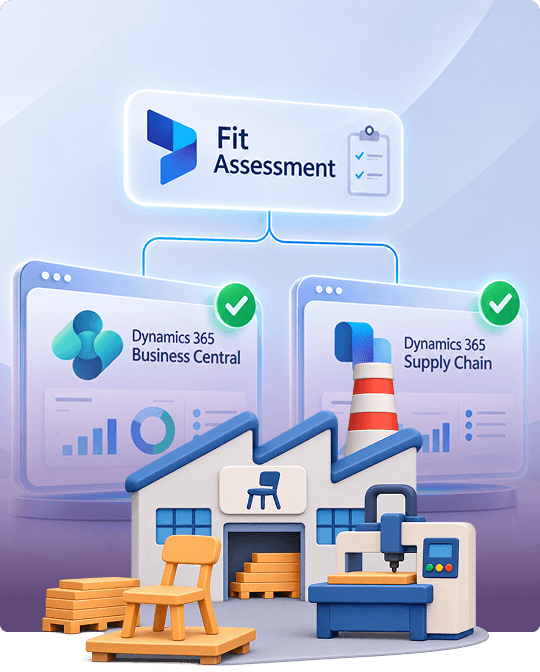
What Is the Best ERP for Furniture Manufacturing?
A bespoke kitchen maker handling custom orders, a sofa manufacturer offering many fabric choices, and a company furnishing hotels all have different production needs. Each requires an ERP system that matches how its factory operates.
Dynamics Square reviews how you receive orders, customise products, manage design changes, run factories, and outsource finishing work. We also consider retailer requirements and customer audits. This helps us recommend the right ERP without paying for features you do not need or relying on spreadsheets for cutting lists, product options, and material waste records.
Book Your Free Fit AssessmentDynamics 365 Implementation for Furniture Manufacturers: How Dynamics Square Does It
Clear definitions of product options, leftover materials, and production waste help prevent confusion during ERP implementation. Dynamics Square follows Microsoft's Success by Design approach, starting with an assessment of how your furniture business handles designs, materials, production, and deliveries.
Discover
Dynamics Square visits your goods-in area, cutting room, finishing section, upholstery floor, and despatch area. We study how your team manages product options, furniture parts, materials, and production waste.
Initiate
Dynamics Square confirms the project scope and selects the right ERP for your business. We also assign clear responsibilities for maintaining product details, material lists, and production instructions.
Implement
We set up products, variations, material batches, production steps, waste records, and job costing. We then transfer product, supplier, and open order details, checking everything against your existing records.
Prepare
Dynamics Square trains your supervisors and operators using actual production orders. Your team practises tracking materials from arrival through cutting, finishing, assembly, and final delivery.
Operate
In the end, we continue supporting your business after launch. We help manage new furniture ranges, seasonal demand, supplier changes, and updates to your production processes.
Dynamics 365 for Furniture Manufacturing Pricing in the UK
All prices come from the current UK list and exclude VAT. The total will vary with the balance of full and occasional users and with any configurator or labelling add-ons.
The Dynamics 365 prices shown are based on current UK list rates and exclude VAT. Your total cost depends on the number of full and occasional users, along with any additional tools needed for product configuration or labelling.
Dynamics 365 Business Central
Accounts, sales, purchasing, stock and lot-tracked items are all included.
Essentials plus the manufacturing set: production orders, BOMs, routings, MRP and Quality Management.
A low-cost seat for people who check figures, authorise requests or correct the odd entry.
Dynamics 365 Supply Chain Management
Configuration models, master planning, finite scheduling and warehouse management come with Standard.
Layers full demand planning, capacity planning, storage planning and Copilot Credits over Standard.
Furniture ERP implementation costs also depend on the project size and complexity, beyond software licences. A multi-site Supply Chain Management project needs more product setup, data transfer, and design records than a single-site Business Central implementation.
Get a Custom Quote
Why Furniture Makers Across the UK Choose Dynamics Square
Dynamics Square brings experience from 60+ manufacturing ERP implementations, helping furniture makers improve production planning, material tracking, job costing, and stock control.
Our team includes 35+ manufacturing and supply chain consultants who understand factory operations, from cutting timber and boards to finishing and assembling furniture.
We study your workshop processes before recommending Business Central or Supply Chain Management. Our recommendation explains which product fits your production needs and why.
Our consultants hold Microsoft certifications across both ERP products. This gives your business access to people who understand how to configure and implement each system.
We continue supporting your team after launch, helping manage new furniture ranges, fabric changes, supplier substitutions, and retailer audits.
We help connect production, inventory, and delivery records so your team can respond to customer requests and provide accurate information during audits.
Talk to a Furniture ERP SpecialistYes, Dynamics 365 supports kitchen, cabinet, sofa, bed, and office furniture manufacturers. It connects purchasing, production, inventory, quality checks, deliveries, and accounting in one system. Business Central suits manufacturers with standard products and a few factories, while Supply Chain Management supports complex designs, multiple sites, and advanced production needs.
Yes, Dynamics 365 can manage furniture made to customer specifications. Business Central links production orders to customer orders and records variations such as size, fabric, and finish. Supply Chain Management supports products with many custom options by checking selections against defined rules. Both systems help track material, labour, and production costs for each order.
Yes, Dynamics 365 manages bills of materials that list the parts and materials needed to make furniture. Business Central supports multiple levels of assemblies, while production routings record steps such as cutting, drilling, sanding, and upholstery. Supply Chain Management also provides engineering change management to control design revisions and ensure approved changes reach production.
Yes, Dynamics 365 tracks materials such as timber, boards, fabric, foam, and fittings using batch or lot numbers. Production records show which material batches went into each furniture order. Supply Chain Management can also track material details such as fabric shade and help reserve matching batches for specific orders. This makes it easier to trace supplier materials and investigate customer complaints.
Furniture ERP implementation costs depend on the software, number of factories, users, and project requirements. Expenses beyond licences include system configuration, data migration, machine integrations, and employee training. A single-site Business Central project generally requires less work than a multi-site Supply Chain Management implementation. Dynamics Square assesses your requirements before preparing a project-specific quotation.