
500+
Innovative Implementations
150+
Certified Professionals
14+
Years of Experience
Dynamics 365 ERP for Printing and Label Manufacturing in the UK
Dynamics 365 ERP for printing and label manufacturing connects job estimates, customer orders, production, materials, quality checks, inventory, deliveries, and accounting in one system. It supports commercial printers, label manufacturers, digital printers, wide-format businesses, and print finishing companies. Teams can compare estimated and actual job costs while tracking the materials used for every order.
Dynamics Square helps printing businesses select the right Dynamics 365 system by assessing their production methods, job complexity, customer requirements, and factory operations.

Business Central works well for printers and packaging converters with standard products and one or a few production sites. It helps manage production orders, material lists, manufacturing steps, machine schedules, batch tracking, outsourced work, customer product codes, and quality inspections.

Larger printing businesses with several factories or complex customer requirements can use Supply Chain Management. It helps manage custom label options, ink formulas, production schedules, design changes, machine maintenance, and warehouse operations.
Your quality team and customers remain responsible for approving designs, checking colours, and meeting regulatory requirements. Dynamics 365 maintains the material, production, and batch records needed to support these checks.
Find the Right Platform for Your Print BusinessUK Rules and Buyer Standards Behind Print and Label Records
UK printing and label manufacturers must maintain accurate records to meet regulatory requirements and customer expectations. Four important areas influence the information they need to keep.

Medicine Labelling
The Human Medicines Regulations 2012 set requirements for medicine packaging and leaflets. The MHRA also provides guidance on medicine labelling and packaging. Pharmaceutical companies expect their label suppliers to control approved artwork versions and quantities printed. Printers need clear job and batch records to show which labels were produced, which versions were used, and how many were supplied.

Food and Allergen Information
The Food Information Regulations 2014 cover ingredient and allergen information that must appear on food labels. Printers working with food brands need to use the latest customer-approved artwork for every production run. Keeping approved designs, revision dates, and job records together helps prevent outdated information from appearing on labels and supports customer checks.

Hazard Labels on Chemical Products
The GB CLP Regulation sets labelling requirements for hazardous chemicals sold in Great Britain. These labels must display the correct hazard symbols, warning words, and safety statements. Printers must work from approved customer artwork and retain records linking each design version to its production orders. This helps identify which labels were printed and supplied to customers.

Solvent Emissions and Retailer Audits
Some printing operations using solvent-based inks and coatings must follow environmental rules controlling solvent emissions. These requirements can involve recording solvent use and related production details. Retailers and brand owners may also audit suppliers against standards such as BRCGS Packaging Materials. Accurate records of incoming materials, production batches, and finished goods help printers answer audit questions and demonstrate traceability.
Estimating, quoting and job costing

Start a quote using the materials and production steps from a similar job. Include stock, press time, finishing, and subcontracting costs before adding your margin.

Production orders record actual material use, machine hours, labour, and subcontracting charges. Cost reports then compare these figures with estimates to show where costs changed.

Specialist print estimating apps handle sheet layouts and artwork placement calculations. These apps connect with Dynamics 365 and are available through Microsoft AppSource.

Supply Chain Management helps manage labels with many customer options. Its product configuration feature checks each selection and creates the required material list and production steps.
Scheduling and the shop floor

Set up presses, die cutters, laminators, slitters, and rewinders as separate work centres. Each centre can have its own working hours and production capacity.

Both products use material planning to suggest what businesses should purchase and produce. Supply Chain Management also offers capacity-based scheduling through a visual production board.

Supply Chain Management lets machine operators record when production jobs start and finish. These updates help managers compare actual machine hours with planned production times.

Outside work, such as foil stamping, embossing, laminating, and binding, can be added to production plans. This helps businesses schedule, purchase, and track subcontracting costs.
Paper, ink and substrate control

Record reels, sheets, pallets, inks, adhesives, foils, plates, and dies as stock items. Assign batch numbers when deliveries arrive and convert between sheets, reams, reels, and metres.

Set expiry dates for materials such as inks, adhesives, and coatings. Stock picking can then prioritise materials with the earliest expiry dates.

Item tracing shows which production jobs and customers received materials from a supplier batch. Teams can also trace a finished label back to its original material batch.

Supply Chain Management records batch details such as width, weight, and colour shade. It also supports in-house ink mixing and records slit reels returned to stock.
Waste, repeat work and quality

Add expected setup and cutting waste to material lists and production steps. Operators can record actual waste with a reason, helping managers identify losses by job, machine, and cause.

Store each customer's product codes and use blanket orders to manage repeat deliveries. Approved material lists, production steps, proofs, and artwork help teams follow the correct specifications.

Business Central added a Quality Management module in its 2026 release wave. It supports checks when materials arrive and products are completed, while Supply Chain Management also offers sampling plans and non-conformance records.

Power BI and Excel reports use the same Dynamics 365 data. This helps teams compare job profits, material waste, press performance, and delivery results consistently.
Business Central or Supply Chain Management for Printing and Label Manufacturing
The right ERP depends on your product range, production methods, factory size, and level of operational complexity. Use the following points to identify which system matches your printing business.
Choose Business Central if
- You produce a defined range of labels and printed products, with established specifications for repeat customers.
- Your production takes place at one factory or across a small number of sites.
- You purchase ready-mixed inks, and customer label specifications change only occasionally.
- You need estimating, production scheduling, and job costing for a mid-sized operation, with a relatively straightforward implementation.
Choose Supply Chain Management if
- Customers select labels from extensive option lists, where one choice affects other product specifications.
- You mix inks within your own facility or convert large master reels into several smaller rolls.
- Product specifications change frequently, requiring formal approval and controlled revision records.
- Your business operates across multiple sites, companies, or currencies, with more complex warehouse and reel storage requirements.
| Aspects | Business Central | Supply Chain Management |
|---|---|---|
| Quoting | Cost built from BOM and routing on sales quotes, with AppSource estimating apps | Configuration models that price and build each configured item, plus estimating apps |
| Job costing | Actual material, machine, labour and subcontract cost per production order | The same, with added cost accounting across entities |
| Press scheduling | MRP plus calendars on machine and work centres | Finite capacity scheduling, graphical production board |
| Stock identity | Lot numbers and expiry dates from item tracking codes | Batches with attributes, reservable by attribute |
| Ink | Bought as items or built as sub-assemblies | Mixed from formulas, with co-products and by-products |
| Revisions | BOM versions certified before use | Engineering change management |
| Reel and pallet storage | Locations and bins with simple picking | Waves and location directives in advanced warehouse management |
| Quality | Quality Management able to hold a lot | Quality orders, sampling plans and non-conformance cases |
| Press maintenance | Fixed asset records or a partner app | Asset Management with counter-triggered plans |
| Structure | One operating company | Several legal entities, sites and currencies |
| Starting licence (UK) | Premium at £84.60/user/month | Standard at £161.50/user/month |
Press controls, prepress, colour management, and online print stores usually need separate software. These systems connect with Dynamics 365, often through partner solutions, to share information.
During discovery, Dynamics Square identifies each system and agrees what information it sends and receives. This helps job details reach the right teams and workstations without repeated data entry.
Get a Platform Recommendation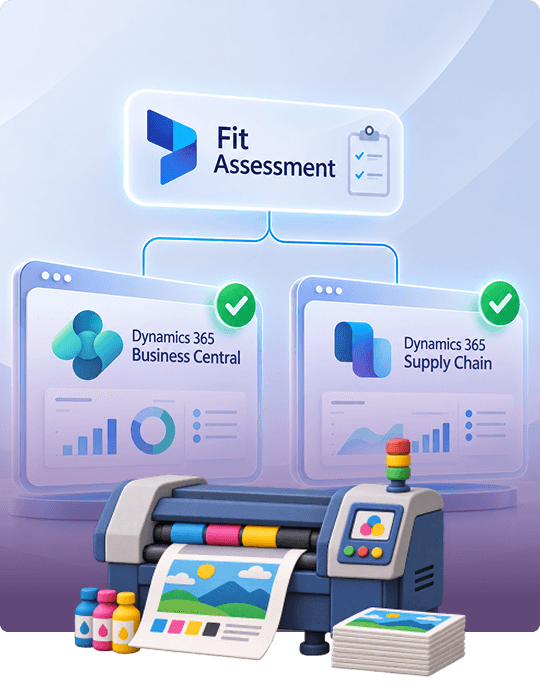
What Is the Best ERP for Printing and Label Manufacturing?
The best ERP for printing businesses should match how you receive orders, plan production, and handle repeat jobs. A digital printer completing daily orders, a label manufacturer producing repeat designs, and a printing group running several factories may each need a different system.
Dynamics Square assesses your job sizes, repeat orders, ink handling, outsourced finishing, number of sites, and customer requirements. Choosing a system with more features than you need can increase costs and extend implementation. A system with limited capabilities may leave teams managing estimates, schedules, and waste records in spreadsheets.
Book Your Free Fit AssessmentDynamics 365 Implementation for Printing Companies: How Dynamics Square Does It
Dynamics Square follows Microsoft's Success by Design method across five implementation stages. We begin by understanding how your printing business works, from preparing quotes and scheduling presses to recording waste and meeting customer requirements. We also agree on how to record setup waste, production waste, and repeat orders, so everyone follows the same process.
Discover
Dynamics Square reviews actual printing jobs, from the first customer quote to final delivery. We identify how your team currently manages estimates, production schedules, material usage, and waste records.
Initiate
Next, Dynamics Square agrees on the project scope and recommends Business Central or Supply Chain Management. We also assign people to manage product details, material lists, and production instructions.
Implement
At this step, Dynamics Square sets up products, measurement units, material batches, production steps, waste records, and job costing. We connect press, prepress, and estimating software, then transfer customer details, products, and open orders.
Prepare
Dynamics Square trains estimators, production planners, and machine operators using real printing jobs. We also test material tracking to confirm that each stock batch can be traced to the finished labels.
Operate
In the end, Dynamics Square supports your team after the system goes live. We help manage new presses, additional product ranges, changing customer needs, and information requests during customer audits.
Dynamics 365 for Printing and Label Manufacturing Pricing in the UK
Figures are current published list prices in pounds sterling, excluding VAT. What you pay in total depends on the balance of full and Team Members users and on any estimating, barcode or press-integration add-ons.
Dynamics 365 Business Central
The books, sales orders, purchasing and stock records for the commercial side of the business.
Essentials plus the production set for the press floor: production orders, BOMs, routings, MRP and Quality Management.
A light seat for people who review figures, approve requests or make small entries.
Dynamics 365 Supply Chain Management
Process and configurable production arrive here: formulas, configuration models, finite scheduling and directed warehousing.
Copilot Credits, demand planning, and capacity and storage planning sit on top of Standard.
Software licensing and implementation are priced separately. Your implementation budget will reflect the number of production sites and presses, required software connections, and the amount of existing product and job data to migrate. Dynamics Square reviews your current setup and project needs before providing a tailored implementation estimate.
Get a Custom Quote
Why UK Printers and Label Converters Choose Dynamics Square
Dynamics Square begins by understanding how your printing jobs move from customer quotes to finished deliveries. Our team looks at setup time, material waste, production costs, and rework before recommending an ERP system.
We have completed 60+ manufacturing ERP implementations, supported by 35+ manufacturing and supply chain consultants. This experience helps us understand production challenges and recommend practical solutions for different business sizes.
We assess your requirements and recommend either Business Central or Supply Chain Management. If Business Central covers your needs, we will explain why a larger system may add unnecessary costs.
Our certified consultants work with both Dynamics 365 products and understand how each supports manufacturing operations. After launch, Dynamics Square continues supporting your team as production needs, equipment, and customer requirements change.
We help your business maintain reliable job costs, production records, and material traceability. These records make it easier to respond to customer questions and provide information during supplier audits.
Speak to a Print ERP SpecialistERP for printing and label manufacturing is software that connects estimating, customer orders, purchasing, production, inventory, quality checks, deliveries, and accounting. It helps businesses track materials, production costs, and finished products from the initial quote to final delivery. Microsoft Dynamics 365 provides these capabilities through Business Central for smaller and mid-sized operations and Supply Chain Management for larger, more complex manufacturers.
Yes, Microsoft Dynamics 365 supports commercial printers, digital print businesses, wide-format producers, print finishers, and label manufacturers. Business Central supports businesses with standard products, repeat orders, and fewer production sites. Supply Chain Management offers more advanced planning and product configuration for manufacturers with several factories, complex label options, and frequent design changes. Both systems connect financial and operational information, giving teams a clearer view of business performance.
Yes, Dynamics 365 helps printing businesses estimate job costs and compare them with actual production expenses. Estimates can include paper, ink, press time, finishing, labour, and subcontracting charges. Production orders record actual material use and operating costs, allowing managers to identify differences between estimated and actual costs. Specialist print estimating software can handle sheet layouts and imposition calculations and exchange job information with Dynamics 365.
Yes, Dynamics 365 helps label manufacturers manage customer specifications, product options, material requirements, and production records. Businesses can store customer product codes, approved material lists, artwork, and production instructions for repeat orders. Supply Chain Management also offers product configuration, which checks customer selections and generates the required materials and production steps. Manufacturers can use batch tracking to trace finished label reels back to the materials used.
Yes, Dynamics 365 helps printing businesses plan production across presses, die cutters, laminators, slitters, and other machines. Production plans consider customer orders, forecasts, available materials, and machine capacity. Supply Chain Management adds finite capacity scheduling, helping planners allocate work according to available machine time. Its graphical production board also helps teams review schedules and respond when priorities or machine availability change.