
Microsoft Copilot and Power Platform for Construction Project Operations
How Excel Power Construction Is Connecting Projects, People, Plant and Procurement with Microsoft Copilot and Power Platform
 Excel Power Construction
A Crux of the Case Story
Excel Power Construction ran its projects through Teams, SharePoint lists, a stock control system, a time-clocking app and Xero. Each held part of the picture, so the managing director spent much of his time chasing people and pulling data into Excel. Dynamics Square designed a phased approach using Microsoft Copilot and Power Platform to connect project, resource, equipment and procurement data, and to automate the requests and follow-ups that were previously chased by hand.
Business Overview
Excel Power Construction delivers construction projects that depend on the right people, plant, vehicles, equipment and materials being in the right place at the right time. Each project involves drawings, risk assessments and method statements (RAMS), material deliveries, procurement, plant hire and galvanising collections.
The business already worked inside Microsoft 365. New projects were set up in Teams, and SharePoint held lists and forms for almost everything: van and equipment registers, consumables, holiday requests and more.
Alongside Microsoft 365, the company used a bespoke stock control system that had become outdated, a separate app for clocking in and out, and Xero for accounting. None of these systems talked to each other.
As a result, information sat in silos. The team pulled data manually into Excel to plan resources, and the managing director spent a large part of each week checking status, chasing requests and making sure everyone knew what was coming next.
The leadership team wanted the business to run in sync, with everyone able to see live project status, ownership and deadlines without being chased.

What are The
Business Challenges
The business needed its existing Microsoft tools to work together as one connected system.
What the Business Needed
- A live dashboard showing every project, its resources and its status.
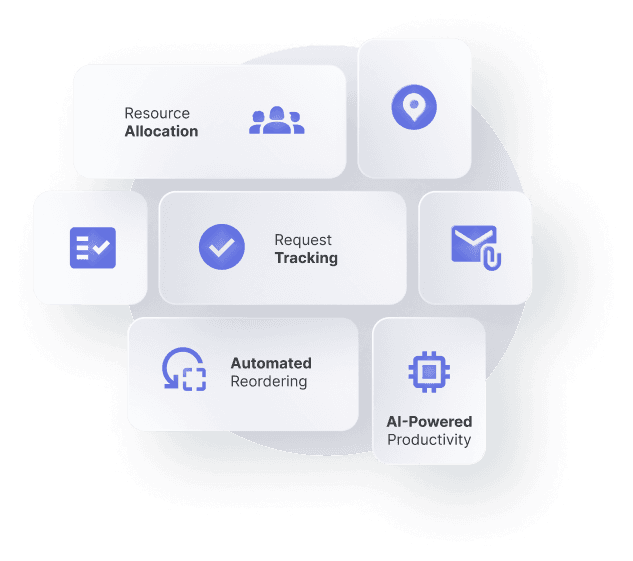
- Resource and equipment allocation that checks availability before assigning to a new project.
- Holiday and sickness built into resource planning.
- Closed-loop request tracking, with deadlines, notifications and acknowledgement.
- Daily site returns from supervisors on their phones, linked to projects.
- Automatic reorder alerts for stock and consumables.
- Interim and milestone invoicing based on project completion.
- Copilot as an AI layer across Microsoft 365.
The goal was a business that runs in sync, without the managing director chasing every task.
Business Objectives
Excel Power Construction set clear objectives:
Connect project, resource, equipment and procurement data in one place.
Automate request tracking and follow-ups across the team.
Give supervisors a simple mobile way to report daily site progress.
Trigger stock and consumables reorders automatically.
Link invoicing to project milestones.
Use Copilot to help staff find information and act on it faster.
Start with quick wins on the existing Microsoft 365 platform, then decide on a full ERP layer.
Solutions Proposed by Dynamics Square
Dynamics Square recommended a phased approach: deliver quick wins with Power Platform and Copilot on top of the Microsoft 365 tools the team already used, then assess whether the business had outgrown Xero and needed an ERP foundation such as Microsoft Dynamics 365 Business Central.
Discovery and Process Mapping
- Ran a discovery session with the managing director and operations lead.
- Mapped how projects, resources, equipment, procurement and invoicing flowed through Teams, SharePoint and the existing apps.
- Prioritised the processes where automation would save the most management time.
Closed-Loop Request Management
- Built a request tracking process with Power Automate, so each request has an owner, a deadline and a status.
- Set up automatic notifications, acknowledgement and status updates.
- Created request logs per recipient so priorities are clear.
Resource, Plant and Equipment Allocation
- Brought equipment, vehicle, consumable and staff registers together in one data model.
- Linked holiday and sickness to resource availability.
- Checked availability automatically when resources are assigned to a new project.
Site Returns and Live Dashboards
- Gave supervisors a mobile way to submit daily site returns and job check-off sheets through Teams.
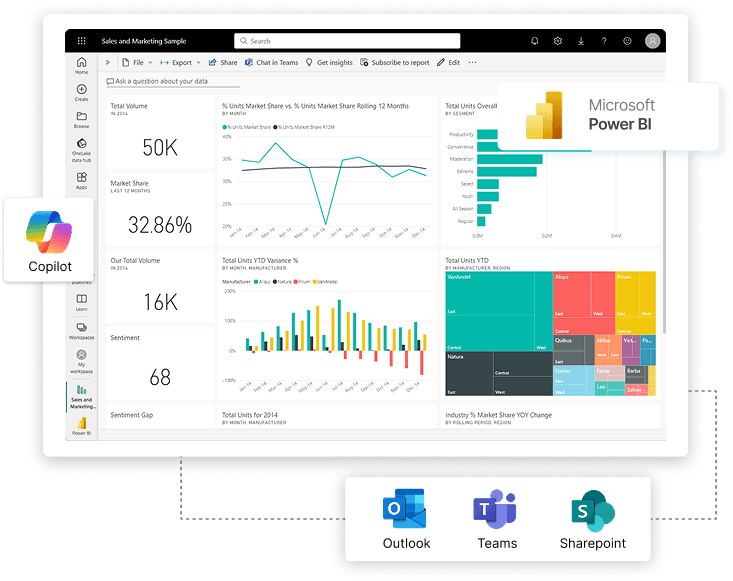
- Streamed project status into Power BI dashboards visible to the whole team.
- Set up stock and consumables reorder alerts.
Copilot and the Path to ERP
- Enabled Microsoft 365 Copilot to help staff summarise, find and act on project information.
- Assessed milestone-based invoicing and whether Business Central should replace Xero as the finance and project foundation.
Results and Impact: What This Transformation Means
The first phase turns Excel Power Construction’s existing Microsoft 365 tools into a connected operations platform.
Requests are tracked from creation to completion, without manual chasing.
Everyone can see live project status, ownership and deadlines.
Resources, plant and equipment are allocated against real availability.
Supervisors report daily site progress from their phones.
Stock and consumables reorders are triggered automatically.
Copilot helps staff find and act on project information faster.
Why This Case Matters and Future Prospects

Consult To Reveal Best Approach
Connect with us to facilitate your system to drive a parallel approach in the market you deal with. We help enterprises to implement their unique needs.