Imagine a customer sending an order request while your inventory reaches its reorder point. An AI agent in Microsoft Dynamics 365 Business Central can help analyse relevant business data, such as item availability, customer information and sales requirements, and assist users with the next steps.
For example, Business Central's Sales Order Agent can process customer requests received by email, identify the customer, check item availability, create a sales quote and, depending on its configuration, convert the quote into a sales order. Human users can review and approve key steps where required.
Table of Contents
- What is an AI Agent?
- What is the Role of AI Agents in Business Central?
- What Are the Benefits of AI Agents in Business Central?
- How Can AI Agents Transform Business Functions in Business Central?
- What Are the Potential Challenges of Implementing AI Agents in Business Central?
- Real-Life Scenarios for AI Agents in Dynamics 365 Business Central
- What Should Businesses Consider Before Using AI Agents in Business Central?
- How Can Dynamics Square Help?
- Frequently Asked Questions
AI agents can support several business processes in Dynamics 365 Business Central, helping businesses reduce repetitive work, improve process visibility and give employees more time for higher-value activities.
In this guide, we explain what AI agents are, how they work with Business Central, their potential benefits, common use cases and the considerations businesses should address before adopting them.
What is an AI Agent?
AI agents are software systems that use artificial intelligence to perform specific tasks based on defined goals, instructions, data and permissions. Unlike a traditional prompt-and-response tool, an agent can complete a sequence of actions within a business process and request human input when approval or additional information is required.
In Business Central, AI agents can work with business data and processes to automate specific tasks. Microsoft describes agents as autonomous AI workers that can handle defined processes with minimal human input while keeping people involved when their attention or approval is needed.
For example, a Business Central Sales Order Agent can monitor a designated mailbox for customer requests, identify the customer, find the requested items, check availability and prepare a sales quote. Users can review the agent's work before important actions are completed.
This approach can reduce manual data entry and repetitive administrative work while keeping employees involved in important business decisions.
What is the Role of AI Agents in Business Central?
AI agents in Business Central can support defined workflows across areas such as sales, finance, inventory and supply chain management. Their role is not to replace every manual process, but to automate suitable tasks and assist employees with information and recommendations.
1. Business Process Automation
AI agents can assist with repetitive administrative activities, such as processing incoming sales requests, preparing documents and handling defined workflow steps. Automating suitable tasks can reduce manual effort and help employees focus on activities that require judgement and business knowledge.
2. Business Insights with Copilot
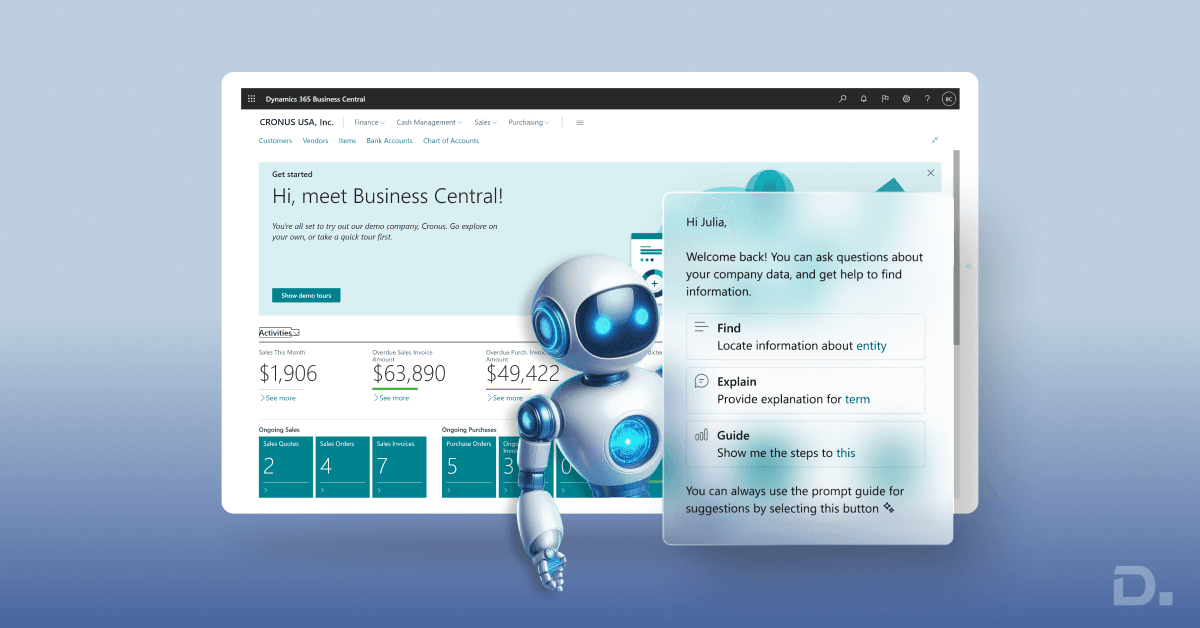
Microsoft Dynamics 365 Copilot provides AI assistance within supported Business Central scenarios. It can help users analyse information, generate suggestions and complete certain tasks more efficiently. The specific capabilities available depend on the Business Central version, feature availability and configuration.
3. Financial Management
AI can support finance teams by helping with repetitive financial activities, identifying patterns and assisting with analysis. However, financial decisions, approvals and controls should remain subject to appropriate human review and business policies.
4. Inventory and Supply Chain Management
AI capabilities can support inventory and supply chain processes by analysing business data and helping users identify potential issues. For example, Business Central's AI capabilities include item substitute suggestions that can help users identify alternatives when an item is unavailable or discontinued.
5. Customer and Sales Support
AI agents can assist with customer-facing processes where suitable. The Business Central Sales Order Agent, for example, can process sales requests received through email and prepare sales documents based on the information provided by the customer.
Businesses can also use Business Central support to manage configuration, integrations and ongoing optimisation of their ERP environment.
What Are the Benefits of AI Agents in Business Central?
AI agents can help businesses automate suitable processes, reduce repetitive work and provide employees with more timely information. The benefits depend on the process being automated, data quality, configuration and the level of human oversight.
1. Automation of Repetitive Tasks
AI agents can handle defined repetitive tasks, such as processing customer requests or preparing information for review. This can reduce manual data entry, shorten processing times and allow employees to focus on higher-value work.
2. Faster Access to Business Information
AI capabilities can help users work with information already available within Business Central. Instead of manually searching through multiple records or reports, users can use supported AI features to assist with specific tasks and workflows.
3. Data-Informed Decision-Making
AI can analyse business data and provide suggestions or insights for supported scenarios. For example, inventory-related AI capabilities can help users identify suitable item alternatives, while sales-related agents can assist with processing customer requests.
4. Reduced Manual Work
By automating suitable workflow steps, AI agents can reduce the amount of repetitive work performed by employees. This can be particularly useful for processes that involve high volumes of similar requests or require employees to move information between systems.
5. Scalable Process Automation
Once an AI agent has been appropriately configured for a defined process, it can help handle recurring tasks without requiring employees to perform every step manually. Businesses should still monitor agent activity, review outcomes and update configurations as processes change.
6. Integration with the Microsoft Ecosystem
Business Central can connect with other Microsoft technologies and business applications. Depending on the scenario, organisations can extend business processes using Power BI, Power Platform, Dataverse, APIs and other supported integration options.
How Can AI Agents Transform Business Functions in Business Central?
AI agents are particularly useful when they are applied to specific, repeatable business processes. Here are some practical examples.
1. Sales Order Processing
The Sales Order Agent in Business Central can process customer requests received by email. It can identify the customer, identify requested items, check availability, prepare a sales quote and continue the process based on the configured workflow.
This can reduce the amount of manual work required to transfer information from customer emails into Business Central.
2. Inventory Management
AI can support inventory-related decisions by analysing available business information. Business Central also provides AI capabilities such as item substitute suggestions, which can help users identify alternatives when products are unavailable or discontinued.
AI should complement established inventory policies, forecasting methods and human review rather than replace them entirely.
3. Financial Operations
AI can assist finance teams with selected repetitive activities and analysis. For example, AI-powered capabilities can help users work with financial information more efficiently, while employees continue to manage approvals, controls, reconciliations and financial decisions.
4. Customer Relationship Management
AI can help businesses analyse customer information and automate selected communication or sales processes. When Business Central is connected with other Microsoft business applications, organisations can create more connected workflows across sales, finance and customer operations.
What Are the Potential Challenges of Implementing AI Agents in Business Central?
AI agents can provide practical benefits, but businesses should evaluate data quality, permissions, process suitability, security and human oversight before deploying them.
System Compatibility: AI agents and connected applications need to work with the organisation's existing systems, integrations and business processes. Technical assessment should be completed before implementation.
Data Quality: AI outputs depend partly on the quality and availability of the underlying business data. Inaccurate, incomplete or outdated records can affect the usefulness of AI-assisted processes.
Data Security: Businesses should define appropriate permissions and access controls for AI agents, particularly when agents work with financial, customer or operational information.
Human Oversight: Not every decision should be automated. Businesses should define where users need to review, approve or intervene in an agent's work.
Ongoing Monitoring: AI-enabled processes require monitoring and periodic review. Organisations should evaluate whether the agent is producing the expected results and update configurations when business processes change.
Real-Life Scenarios for AI Agents in Dynamics 365 Business Central
AI agents are most useful when applied to clearly defined business processes with measurable outcomes. Some practical Business Central scenarios include:
Sales Order Processing: The Sales Order Agent can monitor a designated mailbox, analyse customer requests, identify customers and items, check availability and prepare sales documents based on its configuration.
Inventory Management: AI capabilities can help users identify suitable item substitutes and work with inventory information when products are unavailable or discontinued.
Financial Operations: AI can assist with selected finance-related tasks and analysis, helping employees work more efficiently while keeping financial controls and approvals in place.
Customer Operations: AI-supported workflows can help businesses process customer requests and connect information across business functions when the required Microsoft applications and integrations are in place.
What Should Businesses Consider Before Using AI Agents in Business Central?
Before introducing AI agents, businesses should identify a specific process where automation can deliver measurable value. Consider the following:
Which repetitive process should be automated?
What business data does the agent need to access?
What permissions should the agent have?
Which actions require human approval?
How will the organisation measure the results?
Are the underlying Business Central records accurate and complete?
Are the required AI capabilities available for the organisation's region, language, licence and Business Central version?
Starting with a well-defined process can make it easier to test AI capabilities, measure results and expand automation gradually.
How Can Dynamics Square Help?
Dynamics Square helps businesses implement, customise and support Microsoft Dynamics 365 Business Central. Our team can assess your existing processes, identify suitable automation opportunities and help configure Business Central around your operational requirements.
Whether you need help with Business Central customisation, integrations, AI-enabled workflows or ongoing ERP support, we can help you evaluate the right approach for your business.
Looking to introduce AI agents into Business Central?
Contact Dynamics Square UK to discuss your Business Central requirements and identify suitable opportunities for automation.
Frequently Asked Questions
AI agents in Business Central are AI-powered capabilities that can perform defined business tasks with minimal human input. They can work with Business Central data and workflows and involve users when review or approval is required.
The Sales Order Agent is an AI agent that can process customer requests received by email. It can identify customers and requested items, check item availability, prepare sales quotes and, depending on its configuration, convert quotes into sales orders.
Yes. AI agents can automate specific Business Central processes where the required capability is available and appropriately configured. The level of automation depends on the process, permissions, configuration and business requirements.
AI capabilities can have specific availability, licensing, regional, language or version requirements. Businesses should check the current Microsoft documentation before deploying a particular AI agent or Copilot capability.
AI agents are designed to automate suitable tasks and assist employees rather than replace all human decision-making. Businesses should define appropriate approval points and maintain human oversight for important processes.
Start by identifying a repetitive process with a clear business outcome, such as sales order processing. Then assess data quality, permissions, integrations, licensing and the required level of human oversight before configuring and testing the AI capability.