.png&w=3840&q=75&dpl=dpl_BmTcRbuQWaqryfkWHP9yeSuVw4id)
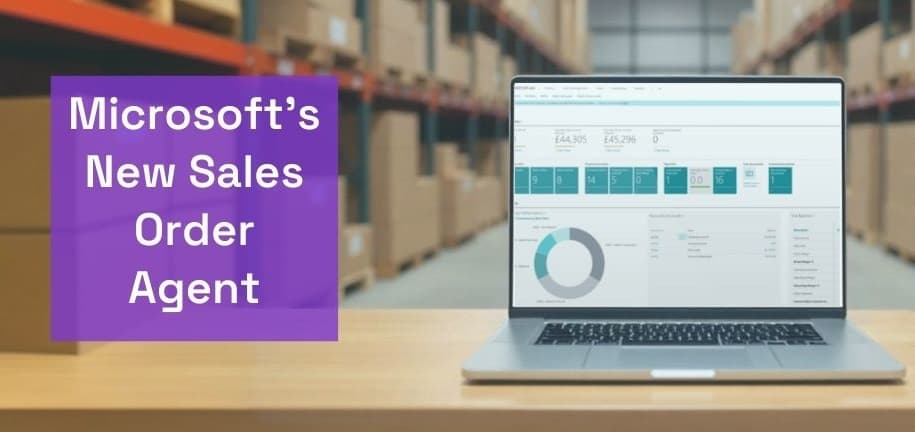
Microsoft’s Sales Order Agent in Dynamics 365 Business Central uses AI to automate routine sales order processing from customer emails. It can identify customers, check item availability, prepare sales quotes, communicate with customers, and convert approved quotes into sales orders while keeping users involved when review or approval is required.
Sales teams often spend hours checking emails, identifying products, adding sales lines and managing back-and-forth communication with customers. The Sales Order Agent helps automate these repetitive activities so sales teams can spend more time on customer relationships, account growth and new opportunities.
Table of Contents
- What is the Sales Order Agent in Dynamics 365 Business Central?
- What Can the Sales Order Agent Do?
- Key Features of the Sales Order Agent
- How Does the Sales Order Agent Work?
- How to Set Up the Sales Order Agent in Business Central
- What are the Benefits of Using Sales Order Agent?
- Sales Order Agent: Important Considerations
- How Does Sales Order Agent Improve Business Central Sales Automation?
- Who Can Benefit from Sales Order Agent?
- How Can Dynamics Square Help With Sales Order Agent?
- Final Thoughts
- Frequently Asked Questions
What is the Sales Order Agent in Dynamics 365 Business Central?
The Sales Order Agent is an AI-powered agent built into Dynamics 365 Business Central. It is designed to handle sales quote and order requests received through email and manage the sales order capture process with user oversight.
The agent can identify an existing customer, understand the requested products, check item availability, prepare a sales quote, communicate with the customer and convert an approved quote into a sales order.
The typical workflow is:
Customer request: A customer sends an email asking for products, pricing or a sales quote.
Customer identification: The agent matches the customer's email with existing customer or contact records in Business Central.
Item identification: The agent identifies the requested items using information available in Business Central.
Availability check: The agent checks item availability based on its configured settings.
Quote creation: Business Central prepares a sales quote containing the requested items.
User review: The sales team can review the agent's work and provide input when required.
Customer communication: The agent prepares the response and sales quote for customer approval.
Order conversion: Once the customer confirms the quote, the agent can convert it into a sales order.
This workflow allows businesses to automate repetitive order-taking activities in Dynamics 365 Business Central while keeping people involved at key points in the process.
What Can the Sales Order Agent Do?
The Sales Order Agent is designed around the complete sales order capture process rather than a single automation task. Its capabilities include:
Process customer emails: Monitor a designated mailbox for sales quote and order requests.
Identify customers: Match incoming requests with existing customer and contact records in Business Central.
Find requested items: Use product information in Business Central to identify items mentioned in customer requests.
Check availability: Check whether requested items are available before preparing the sales document.
Create sales quotes: Prepare quotes with the requested item lines and relevant Business Central information.
Handle customer conversations: Follow up when additional information is required to complete the request.
Convert approved quotes: Convert confirmed sales quotes into sales orders.
Keep users informed: Provide task notifications and a timeline showing the actions taken by the agent.
Key Features of the Sales Order Agent
The Sales Order Agent combines AI-driven automation with Business Central's existing sales and inventory data, helping businesses streamline repetitive order-processing activities.
Automated sales order capture: Processes customer requests received through the configured mailbox and progresses eligible requests through the sales workflow.
AI-powered item matching: Uses product descriptions, item information and related data in Business Central to identify requested products.
Availability checking: Checks item availability as part of the quote and order process.
Human oversight: Brings users into the process when approval, clarification or intervention is required.
Task timeline: Users can review the steps performed by the agent and understand what happened during each task.
Review and control: Sales teams can review suggested values and actions before the process moves forward.
Customer communication: Helps prepare responses and sales quote communications based on the information available in Business Central.
This combination of automation and human review helps businesses improve order-processing efficiency without removing the sales team's control over important customer interactions.
How Does the Sales Order Agent Work?
The Sales Order Agent works from a configured Business Central environment and a designated mailbox used to receive customer requests. Once activated, the agent processes eligible emails and creates tasks that sales users can review from Business Central.
A customer sends a product or order request by email.
The agent receives the email through the configured mailbox.
Business Central identifies the customer and requested items.
The agent checks item availability and prepares the relevant sales quote.
The agent creates a task for the sales team when user input or approval is required.
The sales user reviews the generated information and provides any required input.
The customer receives the appropriate quote communication.
After customer confirmation, the approved quote can be converted into a sales order.
The agent also maintains task information so users can review completed steps, messages and other details when they need to understand or diagnose a task.
How to Set Up the Sales Order Agent in Business Central
Setting up the Sales Order Agent involves activating the agent, configuring user access, connecting the appropriate mailbox and defining how the agent should operate within the Business Central environment.
The main setup activities include:
Open the Agents page: Search for Agents in Business Central and open the Sales Order Agent configuration.
Activate the agent: Turn on the Active setting when the required configuration is ready.
Configure language and region: Define the language, region and time zone used by the agent.
Manage user access: Specify which users can work with the agent and which users can configure it.
Configure email monitoring: Turn on email monitoring and specify the mailbox and folder used for customer requests.
Review agent settings: Configure the available options that control how the agent handles customer requests and item searches.
Test the workflow: Process representative customer requests and review the generated tasks, quotes and communications before wider adoption.
Businesses should test the agent against their actual customer, item, pricing and fulfilment scenarios before relying on it for high-volume order processing. This helps ensure that customer and item records, permissions and business processes are correctly configured.
What are the Benefits of Using Sales Order Agent?
The Sales Order Agent can help businesses reduce repetitive sales administration while improving the speed and consistency of customer order processing.
Faster response to customers: Customer requests can move through the quote process without requiring every step to be entered manually.
Less sales administration: Sales representatives can spend less time copying information from emails into Business Central.
Improved order-processing efficiency: Automated customer, item and availability checks help streamline routine sales processes.
Better data consistency: Customer and product information comes directly from Business Central, helping maintain a connected sales workflow.
Scalable sales operations: Automating repetitive activities can help sales teams manage growing volumes of customer requests more efficiently.
Greater process visibility: Task timelines and agent activity give users visibility into how requests are being processed.
Human control: Users remain involved when the agent requires clarification, approval or intervention.
Everyday Impact of the Sales Order Agent
Consider a sales representative who receives dozens of small customer requests every day. Previously, each email could require manual customer identification, product lookup, availability checks, quote creation and follow-up communication.
With the Sales Order Agent, many of these repetitive activities can be handled within the Business Central workflow. The agent can process the incoming request, identify the customer and products, check availability and prepare a sales quote. The sales representative can then review the task and intervene where necessary.
This gives sales teams more time to focus on customer conversations, account management and revenue-generating activities rather than repetitive order entry.
Measuring the Impact of Sales Order Agent
Businesses introducing Sales Order Agent can track operational metrics before and after implementation to understand its impact.
Time spent manually entering quotes and orders
Average response time to customer sales requests
Number of customer requests processed by the sales team
Time taken to move an approved quote into an order
Number of requests requiring manual intervention
Data-entry corrections and order-processing errors
These measures can help organisations assess where Sales Order Agent is reducing administrative effort and where additional process or data improvements may be required.
Sales Order Agent: Important Considerations
Sales Order Agent is designed to work within defined Business Central processes, so businesses should understand its current scope before implementing it across their sales operation.
The agent works with existing customers, contacts and items in Business Central rather than creating new master records automatically.
It works with sales quotes and sales orders but does not post sales documents.
The agent can make changes to sales quotes based on further customer requests, while changes to sales orders require user involvement.
Sales lines of type Item are supported, while other sales line types require manual handling.
The current supported scope allows up to 15 item lines per sales document.
Pricing and discount changes are handled through Business Central's pricing and discount logic and may require user intervention.
Customer identification relies on the email information available in Business Central, so accurate contact records are important.
Businesses should test customisations and third-party extensions thoroughly when they affect the pages, fields or business logic used by the agent.
These considerations make data quality, permissions, process testing and user training important parts of a successful Sales Order Agent rollout.
How Does Sales Order Agent Improve Business Central Sales Automation?
Sales Order Agent extends the sales capabilities of Business Central sales order management by applying AI to repetitive customer order-processing tasks.
Instead of treating email as a separate process, businesses can connect customer requests with the sales information already managed in Business Central. This creates a more connected workflow across customer communication, product availability, quotes and sales orders.
For organisations looking to expand Business Central automation further, Dynamics 365 Copilot and other Business Central capabilities can support additional AI-driven and automated business processes.
Who Can Benefit from Sales Order Agent?
Sales Order Agent can be particularly relevant for businesses that receive a significant volume of product and order requests through email and already manage their customers, products and sales processes in Business Central.
It can be useful for:
Wholesale and distribution businesses handling frequent customer orders
Manufacturers managing repeat product enquiries and sales requests
Businesses with inside sales teams processing high volumes of email orders
Companies looking to reduce manual sales administration
Organisations using Business Central as their central ERP platform and looking to expand AI-driven automation
How Can Dynamics Square Help With Sales Order Agent?
Getting value from Sales Order Agent involves more than activating an AI feature. Customer data, item records, mailbox configuration, permissions, sales processes and user workflows all need to work together.
Dynamics Square UK can help businesses assess their requirements, configure Business Central, plan Sales Order Agent adoption, review data and permissions, test customer-order scenarios and support users through implementation.
Whether you are introducing Business Central for the first time or looking to expand automation in an existing environment, our team can help align the Sales Order Agent with your sales and operational processes.
Looking to automate sales order processing with Business Central? Contact Dynamics Square UK to discuss your Business Central and AI automation requirements.
Final Thoughts
The Sales Order Agent in Dynamics 365 Business Central brings AI into a practical sales workflow by automating repetitive activities involved in capturing customer orders. From processing incoming emails and identifying products to checking availability, preparing quotes and converting approved quotes into sales orders, it can reduce manual administration across the sales process.
Its value comes from combining automation with Business Central data and human oversight. With the right configuration, clean customer and item data, and a well-tested workflow, businesses can use Sales Order Agent as part of a broader strategy to modernise sales operations and scale efficiently.
Frequently Asked Questions
Sales Order Agent is an AI-powered agent in Dynamics 365 Business Central that automates parts of the sales order capture process, including processing customer emails, identifying customers and items, checking availability, preparing quotes and converting approved quotes into sales orders.
Sales Order Agent can automate customer email processing, customer and item identification, item availability checks, sales quote preparation, customer follow-up and quote-to-sales-order conversion within its supported workflow.
Yes. After a customer approves a sales quote, Sales Order Agent can convert the approved quote into a sales order. The agent does not post sales documents.
Yes. Sales Order Agent monitors a configured mailbox for customer requests relating to sales quotes and orders. It uses the email content and supported attachments to process the request.
The current supported scope allows Sales Order Agent to create up to 15 item lines per sales document. Businesses handling more complex orders should test their scenarios and use manual intervention where required.
Yes. Dynamics Square UK can help businesses assess their requirements, configure Business Central and Sales Order Agent, review data and permissions, test workflows and support adoption.