Invoices rarely cause problems on their own. The issue usually starts when there are too many of them. One invoice arrives by email. Another comes as a PDF attachment. Someone prints a copy for approval. Someone else updates a spreadsheet to track payment status. Before long, the accounts payable team is spending a surprising amount of time simply moving information from one place to another.
For smaller businesses, that may seem manageable.
Table of Contents
- What is Accounts Payable Automation?
- Why Businesses Need AP Workflow Automation
- Challenges of Manual Accounts Payable Processes
- How Dynamics 365 Finance Streamlines Invoice Processing
- Key AP Automation Features in Dynamics 365 Finance
- AI & OCR in Accounts Payable Automation
- Dynamics 365 Finance Accounts Payable Automation Features
- Benefits of Accounts Payable Automation
- Accounts Payable Automation with Dynamics 365 Finance
- Common Considerations Before Automating AP Processes
- Why Work with a Dynamics 365 Finance Partner?
But once invoice volumes increase, suppliers grow, and approval processes involve multiple departments, manual accounts payable processes start creating delays that are difficult to ignore.
Payments take longer to approve. Invoice status becomes harder to track. Over time, finance teams can end up spending more time tracking invoices and approvals than actually processing them.
That is one reason accounts payable automation is becoming more common.
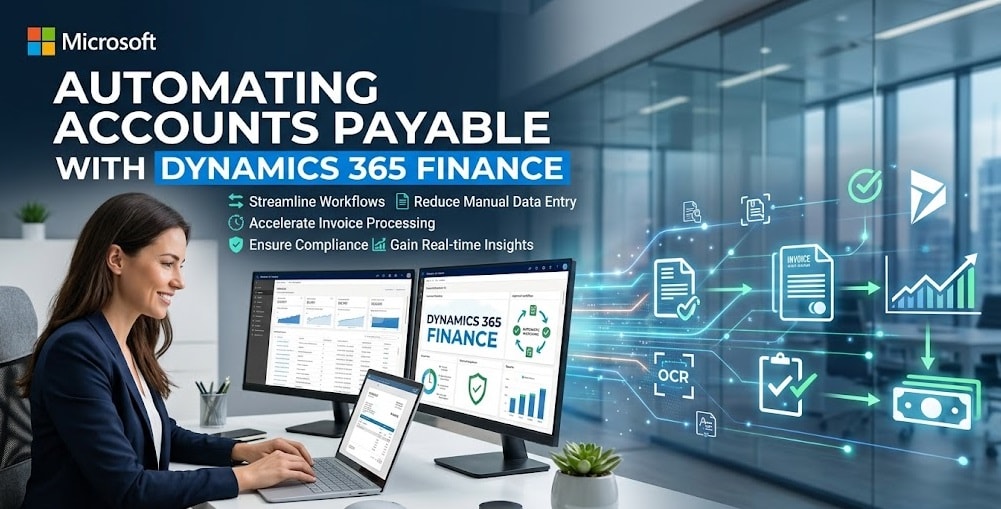
With Dynamics 365 Finance, invoice processing, approvals, payments, and supplier information can be managed through one connected process instead of being spread across multiple files, emails, and systems.
What is Accounts Payable Automation?
Accounts payable automation helps businesses handle supplier invoices and payments with less manual work.
Instead of entering invoice details manually, sending approval emails, or tracking payment status in spreadsheets, teams use software to manage those tasks through a connected workflow.
People are still involved in the process. Finance teams review invoices, approvers sign off payments, and suppliers continue submitting invoices as usual.
The difference is that much of the routine admin work happens automatically in the background.
For most businesses, the goal is not to automate everything. It is simply to make invoice processing easier to manage and less dependent on manual effort.
Why Businesses Need AP Workflow Automation
Accounts payable often becomes more complicated as businesses grow.
More suppliers mean more invoices. More departments mean more approvals. More locations usually mean more variation in how invoices are handled.
At first, teams often work around these challenges.
Someone follows up by email. Someone updates another spreadsheet. Someone keeps a personal tracker to make sure invoices are not missed.
That approach can work for a while, but eventually it becomes difficult to maintain consistency.
Approvals get delayed. Duplicate invoices become harder to spot. Finance teams spend too much time answering questions about payment status.
This is where accounts payable workflow automation becomes useful.
Instead of relying on individual people to keep everything moving, businesses can establish standard approval and processing workflows inside the system.
Challenges of Manual Accounts Payable Processes
Many finance teams already know where the bottlenecks are.
The challenge is that those bottlenecks often appear in small ways rather than one major failure. Let's know more about them.
Approval Delays
One of the common challenges is approval delays. Invoices frequently sit in inboxes waiting for someone to review them.
Sometimes approvers are unavailable. Sometimes emails simply get missed.
Manual Data Entry
Invoice details often need to be entered manually into finance systems.
This not only takes much time, but manual entry also increases the risk of mistakes.
Limited Visibility
Finance teams often struggle to answer simple questions quickly, such as:
- Has the invoice been approved?
- Who currently has it?
- When is payment due?
The information may exist, but it is not always easy to find and share it promptly.
Duplicate Processing
Duplicate invoices can occasionally enter the process when you lack proper controls, which usually results in creating unnecessary payment risks.
Reporting Challenges
When information stays across spreadsheets, emails, and different systems, reporting becomes harder to prepare accurately.
How Dynamics 365 Finance Streamlines Invoice Processing
Invoice processing often becomes complicated long before anyone notices.
Invoices arrive through emails, PDFs, supplier portals, and sometimes even paper documents. One person checks the details, another approves it, and someone else updates the finance system later.
Nothing seems wrong at first.
But when invoice volumes increase, keeping track of everything becomes harder. Finance teams spend more time checking invoice status or following up internally than they would like.
D365 F&O brings those steps into one process. Instead of jumping between inboxes, spreadsheets, and different systems, teams can track invoices, approvals, and payment status from the same place.
If an invoice is waiting for approval, it is easier to see where it is stuck. If something is missing, finance teams can spot it sooner rather than finding out days later.
The process itself does not change dramatically.
What usually changes is the amount of manual chasing required to keep things moving.
Key AP Automation Features in Dynamics 365 Finance
Most businesses adopt AP automation because they want fewer delays and less manual administration around invoice processing.
Dynamics 365 Finance includes several features that support that goal.
Automated Invoice Capture
Instead of typing invoice details manually, invoices can be imported and processed digitally, which saves time when volumes start increasing.
Approval Workflows
Invoices can follow predefined approval routes automatically. Teams spend less time sending reminders or checking who needs to approve next.
Supplier Invoice Management
Finance teams can review invoice activity, approval status, exceptions, and payment information without looking through multiple systems.
Payment Processing
Once approvals are complete, invoices move into payment processing without requiring as much manual handling.
Audit Trails
Changes, approvals, and workflow activity are recorded automatically, making invoice history easier to review later.
Reporting and Visibility
Managers can get a clearer picture of invoice backlogs, payment timelines, and outstanding liabilities without manually collecting information first.
AI & OCR in Accounts Payable Automation
A few years ago, processing invoices often meant someone opening a document and typing the details into the finance system manually.
OCR has changed a lot of that.
The software can read information from supplier invoices and pull details such as invoice numbers, dates, amounts, and supplier names automatically.
AI builds on top of that by helping spot missing information or highlighting invoices that look different from the usual pattern.
For finance teams handling a large number of invoices each month, even saving a few minutes on every invoice can free up a surprising amount of time over the course of a year.
Dynamics 365 Finance Accounts Payable Automation Features
Businesses often evaluate Dynamics 365 Finance because of the wider finance capabilities around automation.
Accounts payable processes benefit from features such as:
- Automated invoice capture
- OCR-based data extraction
- Workflow approvals
- Invoice matching
- Supplier management
- Payment processing automation
- Real-time status tracking
- Reporting and analytics
- Audit trail visibility
- Integration with broader finance operations
Individually, these features solve specific problems.
Together, they create a more structured and manageable accounts payable process.
Benefits of Accounts Payable Automation
Most benefits do not appear overnight.
Usually, finance teams notice small improvements first.
An invoice gets approved faster. Payment status becomes easier to find. Reporting requires fewer manual checks.
Over time, those small improvements add up.
Faster Invoice Processing
Invoices spend less time waiting between approval stages.
Less Manual Work
Finance teams spend less time entering data, following up on approvals, or tracking invoice status manually.
Better Visibility
Invoice activity becomes easier to monitor throughout the approval and payment process.
Improved Accuracy
Automation helps reduce errors that can occur during manual processing.
Stronger Compliance
Approval history and workflow activity remain easier to audit and review.
Better Supplier Relationships
Suppliers receive more consistent communication and timely payments.
Accounts Payable Automation with Dynamics 365 Finance
Many businesses initially focus on invoice processing when discussing AP automation.
But the wider benefit usually comes from connecting accounts payable with the rest of finance operations.
Invoice approvals, payment processing, supplier management, reporting, and financial controls all operate inside the same environment.
That reduces the need for separate tracking systems and helps finance teams work with more consistent information.
As invoice volumes grow, those efficiencies become more noticeable.
Common Considerations Before Automating AP Processes
Automation improves processes, but it does not automatically fix every underlying issue.
Businesses should still review:
- Approval structures
- Supplier master data
- Existing workflow bottlenecks
- Invoice exceptions
- Internal controls
- Reporting requirements
The cleaner the process before automation, the better the long-term results tend to be.
Why Work with a Dynamics 365 Finance Partner?
Most businesses already have an invoice process before any automation project starts.
The challenge is that not everyone follows it in exactly the same way.
One department may approve invoices through email. Another may keep separate trackers. Some steps exist only because somebody created a workaround years ago and everyone still follows it.
Those differences usually become visible during implementation.
That is why many businesses work with a Dynamics 365 Finance partner during implementation.
The software is only one part of the challenge.
Businesses also need to look at how invoices are approved, tracked, and processed today. A Dynamics 365 Finance partner like 'Dynamics Square UK' can help review those processes, set up practical workflows, and make sure the system works for the teams using it every day.
That usually makes the transition much smoother once the new system goes live.
Final Words
Most businesses do not prioritise accounts payable automation when everything is running smoothly, or because they want more technology. They do it when everyday tasks leave them feeling frustrated.
An invoice sits waiting for approval longer than expected. A payment status takes too long to find. Finance teams spend more time chasing information than actually processing invoices.
None of those things seems major on their own.
But when they happen repeatedly, they create unnecessary work and slow down the process.
That is why many businesses start looking at accounts payable automation.
The goal is not simply to automate invoices.
More often, it is about making the entire process easier to manage, easier to track, and less dependent on manual follow-ups as the business grows.
If you are considering Dynamics 365 Finance for accounts payable automation, Dynamics Square UK can help you evaluate your current process and plan the right implementation approach.