Accounts payable is one of those areas that rarely gets attention early on. At the beginning, it usually feels manageable. A few invoices come in, someone checks them, approvals happen over email, and payments are processed. Nothing too complicated, then things start to grow. More suppliers come in. Invoice volumes increase. Approval layers get added, sometimes without much planning. What used to be a simple flow turns into something slightly harder to keep track of.
Table of Contents
- Why Accounts Payable Becomes a Constraint Over Time
- What AP Automation for Business Central Actually Changes
- How Invoice Processing Automation Works in Practice
- The Role of OCR in AP Automation
- Approval Workflows in Dynamics 365 Business Central
- Why AP Automation Matters for UK SMEs
- Common Patterns Before Automation
- Choosing the Best AP Automation Solution for Business Central
- Dynamics 365 Business Central AP Automation in Real Use
- When Should Businesses Consider AP Automation?
- Working with the Right Partner
It does not break things, but it slows down.
And most of the time, that slowdown is not obvious straight away.
There is also a measurable side to this. Research by Gartner highlights that finance teams still spend a big portion of their time on transactional activities such as invoice handling, data entry, and approvals, instead of analysis.
Those numbers sound significant, but in practice, the change is not sudden; it is gradual.
That is where AP Automation for Business Central tends to come in, not as a major transformation at first, but as a way to reduce friction in processes that already exist.
Why Accounts Payable Becomes a Constraint Over Time
Most businesses do not intentionally design complex AP processes.
They evolve them.
A few suppliers turn into dozens. A manageable number of invoices becomes something that needs tracking. Approval rules become slightly more layered as financial control increases.
Over time, what used to work starts requiring more effort.
Finance teams end up spending more time entering data than reviewing it. Approvals depend on who is available rather than how the process is structured. Visibility into what is pending or overdue becomes less clear.
None of this feels like a failure, but it certainly does create friction.
And that friction is usually what leads businesses to look at accounts payable automation Business Central, not because something is broken, but because it is no longer efficient.
What AP Automation for Business Central Actually Changes
There is often an assumption that automation replaces processes completely.
That is not really what happens.
With Dynamics 365 Business Central AP automation, the steps remain largely the same. Invoices still come in. They are reviewed, approved, and paid.
What changes is how those steps connect.
Data capture becomes less manual.
Approvals follow a more defined path.
Tracking happens inside the system rather than across multiple tools.
It is not a dramatic shift on day one.
But over time, it changes where effort is spent.
Teams spent less time on input.
More time on checking and decision-making.
That is usually where invoice automation in Business Central starts to show its value.
How Invoice Processing Automation Works in Practice
When businesses first look at Business Central invoice processing automation, there is sometimes an expectation that everything becomes fully automated.
In reality, it is more structured than automatic.
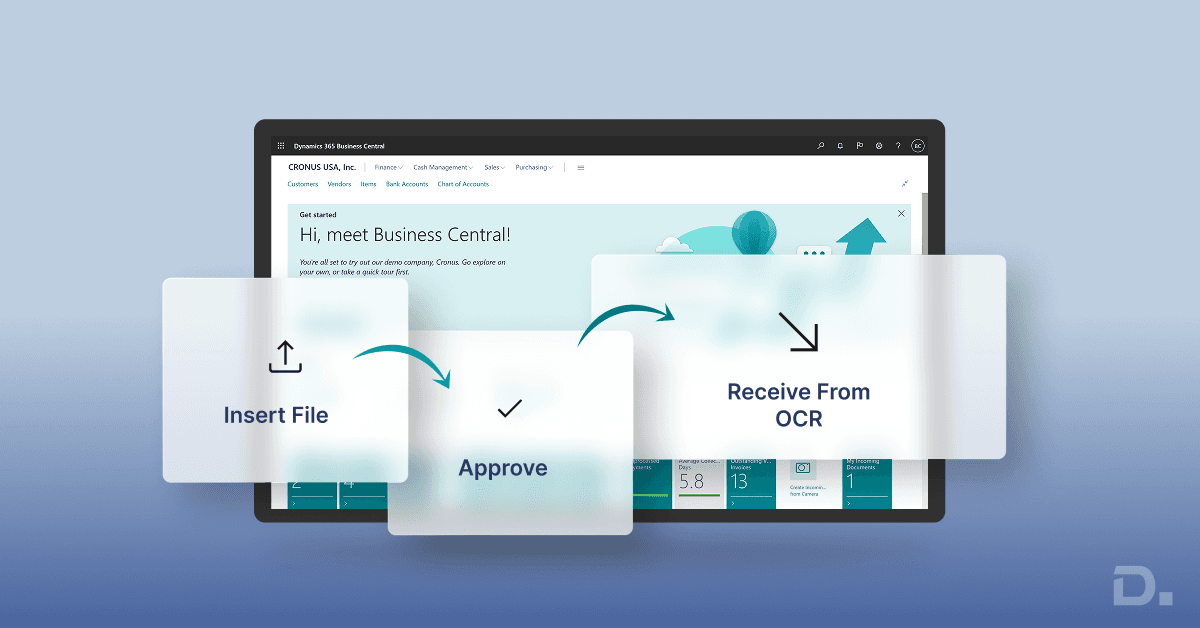
Invoices can come in through different channels. Some are uploaded. Some arrive via email. Others are scanned.
The system captures key information from those documents and brings it into Business Central.
From there, the data is checked.
It is matched against purchase orders,
And reviewed for duplicates,
And flagged if something does not look right.
Once that part is done, the invoice moves through an approval workflow.
What changes here is not the process itself, but how smoothly it runs.
Approvals are no longer dependent on someone remembering to forward an email or follow up manually. The system handles the routing based on rules that are already defined.
This is how businesses start to automate accounts payable in Business Central without losing visibility or control.
The Role of OCR in AP Automation
A big part of D365 AP automation comes down to something quite basic, which is how invoice data gets into the system in the first place.
That step is usually underestimated.
Most teams still rely on manual entry to some extent, even if other parts of the process are already structured. And while that works, it also introduces small inconsistencies that are not always visible immediately.
OCR (Optical Character Recognition) changes that, but not in a dramatic way.
It simply reduces how much needs to be typed.
The system reads invoice data from PDFs, scans, or attachments and extracts key fields like supplier names or invoice totals. It does not always get everything perfect, but it removes most of the repetitive input work.
Tools like Continia Document Capture build on this by using OCR inside Business Central to capture invoice data and move it into the workflow, reducing manual effort along the way.
There is some data behind this as well. Research suggests that OCR-based capture can speed up invoice processing significantly, in some cases up to 80 per cent faster than manual entry.
What tends to matter more in practice is consistency.
Once data starts coming in a similar format, even if small corrections are needed, the rest of the process becomes easier to manage.
Approval Workflows in Dynamics 365 Business Central
Approvals are often where delays build up.
Not always in a noticeable way, but enough to affect timelines.
With a Dynamics 365 Business Central invoice approval workflow, approvals become part of the system rather than something handled outside it.
Rules define how invoices move.
Who needs to approve them?
At what value thresholds?
What will be the sequence?
Approvers are notified within the system, and actions are recorded automatically.
This does not necessarily make approvals faster.
But it does make them more predictable.
And that predictability is often what businesses need as volumes increase.
Why AP Automation Matters for UK SMEs
For many SMEs, the challenge is not just efficiency.
It is the visibility.
Manual processes make it harder to answer simple questions with confidence, such as:
What invoices are outstanding?
What needs to be paid this week?
Where are approvals delayed?
With AP automation for UK SMEs, this information is easier to access because everything sits within the same system.
That alone transforms how finance teams operate.
It reduces reliance on spreadsheets and manual tracking, which tend to become less reliable as the business grows.
Common Patterns Before Automation
Before moving toward automation, most businesses notice similar patterns, such as:
Invoices are sitting in inboxes waiting for approval.
Duplicate entries appear occasionally.
Delays caused by missing or incomplete information.
Individually, these are small issues.
But together, they start affecting how smoothly the process runs.
That is usually when businesses begin exploring how to automate accounts payable in Dynamics 365 Business Central more seriously.
Choosing the Best AP Automation Solution for Business Central
Not every solution approaches automation in the same way.
Some focus mainly on invoice capture. Others extend into workflow management and reporting.
When looking for the best AP automation solution for Business Central, it helps to think beyond features.
How well does it integrate?
How flexible are the workflows?
How easily can it adapt to existing processes?
For UK businesses, compliance and local support also tend to play a role.
Dynamics 365 Business Central AP Automation in Real Use
In real use, D365 Business Central AP automation UK does not feel like a major shift at first.
Many steps are still the same there.
Invoices are reviewed. Approvals happen. Payments go out.
But the way everything connects starts to change.
Instead of moving between emails, spreadsheets, and the system, everything begins to sit in one place. That alone removes a noticeable amount of friction.
You also start to see where delays are coming from.
Sometimes it is missing information. Sometimes approvals take longer than expected. The difference is that these issues are visible earlier.
There is also a measurable aspect. Research from Ardent Partners shows that organisations using AP automation can process invoices several times faster than those relying on manual processes, while also reducing processing costs.
But day to day, it is less about those numbers.
It is more about fewer interruptions and less chasing.
When Should Businesses Consider AP Automation?
There is no clear timeframe when automation suddenly becomes necessary.
It tends to build over time.
Things start to feel slightly slower. Approvals take longer. Tracking becomes more manual than it should be.
At first, it is manageable.
Then it starts requiring more effort than before.
There is also a cost element. Manual invoice processing can cost anywhere between £8 to £20 per invoice, depending on the level of manual work involved. Automation can reduce that significantly, but most businesses do not switch because of cost alone.
They switch because the process becomes harder to manage.
That is usually when exploring how to automate accounts payable in Dynamics 365 Business Central starts to make sense.
Working with the Right Partner
Implementing Dynamics 365 Business Central AP automation is not just about switching features on.
It takes some setup to make sure workflows and approvals actually match how the business runs.
If you’re planning to move ahead, it helps to speak with Dynamics Square UK and see how it would work in your day-to-day processes.
Final Thoughts
Accounts payable do not usually fail clearly, it usually become heavier over time.
That means more steps, more checks, more follow-ups.
At first, it is manageable. Then it starts taking more time than expected.
That is usually when teams begin to question whether the process itself needs to change.
Many finance teams still spend a large portion of their time on transactional work. That has not changed much, even with better systems available.
Automation helps, but not by removing responsibility. It makes things more consistent.
Invoices move more predictably. Approvals are easier to track. Data is slightly more reliable from the start.
Businesses that are already using Business Central often find it is less about adding something new and more about reducing the effort required to keep things running smoothly.
Some FAQs
1. What is AP automation in Dynamics 365 Business Central?
It refers to automating invoice capture, validation, approval, and payment processes within Business Central to reduce manual work.
2. How does AP automation for Business Central benefit UK SMEs?
It improves efficiency, reduces costs, and provides better visibility into financial workflows.
3. Can Dynamics 365 Business Central automate invoice approvals?
Yes, it supports configurable approval workflows.
4. Does Business Central support OCR for supplier invoice capture?
Yes, OCR tools can be integrated for automatic data extraction.
5. Is AP automation for Business Central suitable for growing businesses?
Yes, it helps scale finance processes without increasing manual workload.