A food and drink wholesaler in Leeds buys from 240 suppliers and gets about 1,000 invoices a month, most of them PDFs landing in a shared inbox. One clerk types them in. Another digs out the purchase order. Both spend their afternoons chasing budget holders for sign-off. Last month, three invoices sat unapproved for 40 days because nobody had the goods-received notes. And one email, sent from a domain one letter away from a real supplier's, asked the team to change that supplier's bank details.
AP automation software takes over the typing and matching. What's left for the team is the short list that needs a person: the missing paperwork, the price that doesn't match, the bank change that looks wrong.
Table of Contents
There's a regulatory push too. The Commercial Payments Bill, introduced to Parliament in May 2026, would cap payment terms at 60 days when large firms pay smaller suppliers and make late-payment interest of 8% above the Bank of England base rate mandatory. It isn't law yet. Government research already puts the cost of late payment to the UK economy at almost £11 billion a year.
Quick Answer
AP automation software reads supplier invoices, matches them to purchase orders and goods receipts, sends them for approval and lines them up for payment.
On Business Central, that's the Payables Agent. On Dynamics 365 Finance, it's Invoice capture plus vendor invoice automation.
For 1,000 three-line invoices a month, the Payables Agent uses 65,000 Copilot Credits: three prepaid packs at £461.40 in total.
Your supplier records, matching rules and approval controls set how many invoices go through untouched.
What Is AP Automation Software?
Accounts payable automation software does two linked jobs. Capture pulls the details off a PDF, scan, email or structured e-invoice using OCR and AI. Processing checks those details against the purchase order and goods receipt, applies your approval rules and gets the invoice ready to post and pay.
You need both. With capture alone, the Leeds team would stop typing but still match every line by hand and chase every missing document themselves.
In a full AP workflow, an invoice that fails a check drops into an exception queue with the reason attached. Those three invoices with no goods-received note would have been flagged on day one instead of surfacing on day 40.
Key Features of Accounts Payable Automation Software
Feature lists all look alike. Judge a product on how it copes with the invoices your team already struggles with.
| Feature | What it does | How to test it |
|---|---|---|
| Invoice capture (OCR and AI) | Extracts header and line details | Feed it your five hardest supplier layouts |
| Two- and three-way matching | Checks invoices against orders and goods receipts | Try a part delivery and a price difference |
| Non-PO invoice coding | Suggests G/L accounts and dimensions | Use a utility bill and a software subscription |
| Approval workflows | Routes invoices by value, cost centre or exception | Make an approver unavailable |
| Payment preparation | Groups invoices by due date and discount terms | Send a test Bacs file to your bank |
| Fraud controls | Flags duplicates and unusual bank-detail changes | Change a supplier's bank details, then try to approve the payment as the same user |
| Reporting | Tracks processing time, overdue invoices and approvals | Pull payment performance by supplier |
Fraud controls need the most scrutiny. In an invoice or mandate scam, a criminal poses as a supplier and asks you to update their payment details. UK Finance counted £41.3 million lost this way in 2025, £28 million of it from business accounts.
An alert can tell you a bank detail has changed. It can't tell you whether the change is genuine. For that, someone has to ring the supplier on a number you already hold, never the one in the email asking for the change.
Dynamics 365 Business Central AP Automation
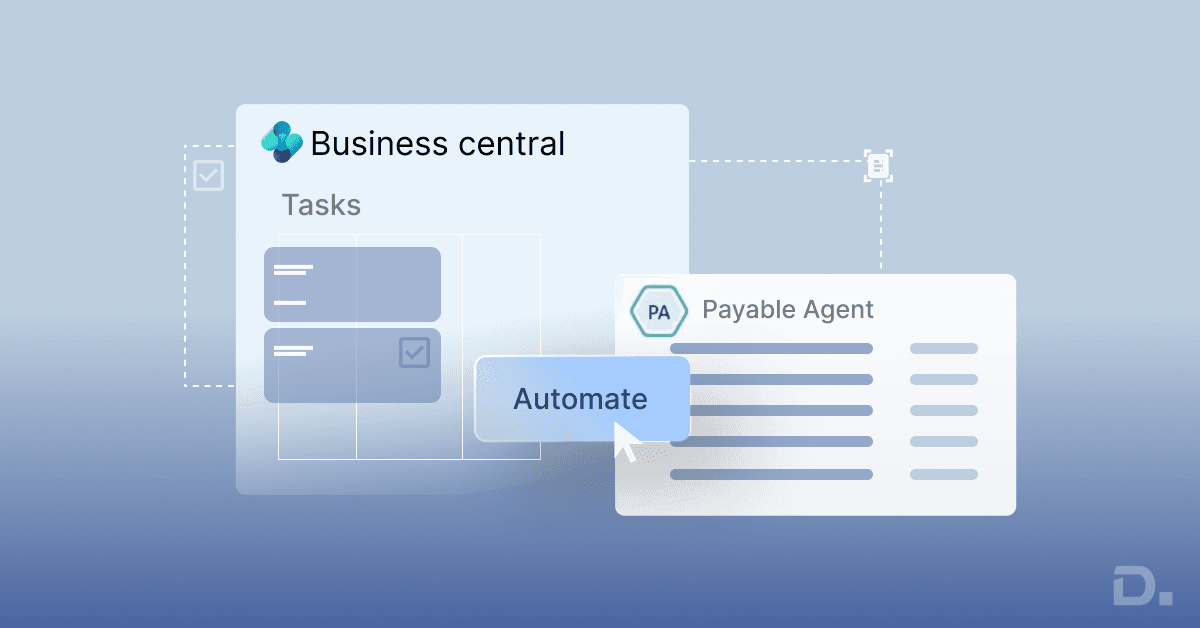
On Business Central online, the Payables Agent takes an invoice from the inbox to an unposted purchase invoice. Microsoft's documentation sets out the steps:
A supplier emails a PDF invoice to a dedicated Microsoft 365 mailbox.
The invoice becomes an inbound e-document, and Azure Document Intelligence extracts its details.
The agent identifies the supplier. If it can't do so confidently, it asks a person to review.
It drafts invoice lines from purchase history, G/L mappings and item references, then suggests purchase order matches.
A reviewer checks the draft and the agent's field-by-field explanations, including warnings on quantities, receipts, units of measure and prices.
Confirming the draft creates an unposted purchase invoice. The agent doesn't post it.
See Also - AP Automation for Business Central: A Complete Guide for UK SMEs
If the agent creates a supplier from an invoice, that supplier stays blocked until someone approves the record. A brand-new payee can't slip into a payment run unreviewed.
| Documented limit | Payables Agent |
|---|---|
| File type | |
| Attachments | Up to 10 per email |
| Invoice size | Up to 10 pages and 5 MB |
| Daily volume | 100 emails and 500 invoices |
| Language | Validated in English |
| Approvals | Business Central approval workflows after the draft is confirmed |
For the wholesaler, 1,000 invoices a month works out at 45 to 50 a working day, well under the cap.
Around the agent, Business Central runs purchase invoice approval workflows and builds payment journals with Suggest Vendor Payments. It exports payment files too, but whether your bank accepts the Bacs file depends on the bank format and the localisation or extension you use. Send a test file to your bank before the first live run.
Since June 2026, the UK localisation's Payment Practices page helps large companies with their statutory returns. It records the total value of payments, late payments against agreed terms and the share delayed by disputes, and exports it all to CSV. Submitting the return is still your job.
Copilot and the agents only work in Business Central online. If you regularly get more than 500 invoices in a day, or most arrive through supplier portals, a capture app from Microsoft AppSource will fit better. Our Business Central implementation team can help you choose.
Dynamics 365 Finance AP Automation
Business Central would cover the Leeds wholesaler comfortably. Dynamics 365 Finance comes in when the business gets more complicated. Say the wholesaler buys a second company in Scotland, starts invoicing between the two, and receives stock into four warehouses with a different person approving spend at each. Finance handles AP for that kind of group with two separate pieces.
The first is Invoice capture, Microsoft's own tool for reading invoices, which runs on the Power Platform and Dataverse. Every tenant gets 100 captured invoices a month at no extra charge. Beyond that, Microsoft Learn prices capacity at USD 300 per 1,000 transactions a month, paid on top of your Finance licences and any Power Apps licences for people without Finance. At 1,000 invoices, the wholesaler would need one block to cover the extra 900. Unused capacity doesn't carry over, so buy for your heaviest month.
Microsoft is also improving how it reads invoices. A set of Invoice capture enhancements went into public preview in September 2026 with Finance 10.0.49, and Microsoft plans general availability for February 2027. The update uses large language models for recognition, works out invoice header details more accurately, puts the invoice and purchase order side by side for review, and handles charges such as delivery fees better. Check with Microsoft or your partner that your environment has preview access before you count on any of it.
The second piece is vendor invoice automation, which takes over once the data is captured. Finance can apply a prepayment, match the invoice to its product receipt and send it into workflow on its own. If an invoice clears every condition you've configured, Finance posts it with nobody touching it. Your matching policies and tolerances set how strict those conditions are, and approved invoices drop straight into automated payment proposals.
At month-end, the Account Reconciliation Agent, currently a production-ready preview, checks the payables subledger against the general ledger and sends any differences to an accountant to resolve. It speeds up that one reconciliation. Your team still runs the rest of the close.
AP Automation Software Cost
Four things make up the cost: ERP licences, invoice processing, implementation and ongoing management.
1. ERP licences
Microsoft's UK list prices per user per month, paid yearly, excluding VAT:
| Licence | Monthly price |
|---|---|
| Business Central Essentials | £61.50 |
| Business Central Team Members | £6.20 |
| Dynamics 365 Finance | £161.50 |
Our licensing calculator estimates your user mix.
2. Invoice processing charges
For the wholesaler's 1,000 three-line invoices a month:
| Option | How it's charged | Monthly cost |
|---|---|---|
| Business Central Payables Agent, prepaid | 65 credits per invoice; 25,000 credits for £153.80 | £461.40 |
| Business Central Payables Agent, pay-as-you-go | $0.01 per credit through Azure | About $650 before conversion |
| Dynamics 365 Finance Invoice capture | 100 included, then USD 300 per 1,000 | USD 300 |
| Third-party AP software | Per invoice or subscription tier | Vendor quote |
The Payables Agent maths: 50 credits per invoice, plus 5 for each of three lines, comes to 65. A thousand invoices use 65,000 credits, which takes three 25,000-credit packs.
Sources: Microsoft agent billing and UK Copilot Studio pricing. Credits are pooled across the tenant, so count every agent and environment that draws on them. Prepaid credits you don't use expire at month-end. Pay-as-you-go bills actual use through an Azure subscription linked to the environment.
3. What could the wholesaler save?
Say each invoice takes seven minutes today. With automation, 70% need a two-minute review and the other 30% still take seven.
Monthly processing time drops from about 117 hours to 58. At £22 an hour, the 58 hours freed are worth roughly £1,283 a month, set against £461.40 in credits.
That's labour value, not money in the bank. It becomes a saving only if the team spends those hours on other work, and it leaves out implementation, licences and ongoing management.
Volume changes the picture quickly. At 150 invoices a month, the time freed is worth under £200, and one £153.80 pack leaves almost nothing to cover implementation.
4. Implementation and ongoing management
Implementation means cleaning supplier data, setting up the mailbox and capture, configuring matching tolerances and approval workflows, testing bank files and training staff.
The supplier master drives most of that effort. Preparing 240 clean supplier records is a short job. Untangling three records for the same supplier, or fixing payment terms that changed two years ago, takes much longer.
After go-live, give one person the exception queue and ask for three numbers each month:
share of invoices processed without correction
average time from receipt to approval
processing cost per invoice
AP Automation Implementation: A Step-by-Step Plan
For the Leeds wholesaler, we'd start with supplier invoices that already carry a PO number.
Record the baseline. Monthly volume, the share with a PO, days from receipt to approval and overdue payments.
Check 50 suppliers. Look for duplicates, invalid VAT numbers, wrong payment terms and old bank details. If more than five fail, clean the supplier master first.
Set matching rules. Agree which invoices need three-way matching, how much price and quantity variance you'll accept, and who deals with exceptions.
Separate duties. Whoever can change supplier bank details can't approve payments.
Verify bank changes. Ring the supplier on a number already on file.
Configure the system. Set up the dedicated mailbox, the Payables Agent or Invoice capture, approval workflows, and Copilot Credits or capture capacity.
Run both processes for two to four weeks. Compare accuracy, review time and cost.
Expand in stages. High-volume suppliers that quote PO numbers go first; non-PO invoices follow once the pass rate settles.
Three UK requirements need a place in the plan:
VAT records. Keep the details a valid VAT invoice needs, and meet Making Tax Digital record-keeping rules.
Payment terms. Compare your standard terms with the Commercial Payments Bill proposals, remembering they aren't law yet.
E-invoicing. From 1 April 2029, VAT-registered businesses will have to issue and receive VAT invoices as e-invoices, subject to exemptions, with Peppol as the UK framework. Make sure your AP software accepts structured invoices as HMRC publishes its technical guidance.
How Dynamics Square UK Helps
Dynamics Square UK implements Dynamics 365 Business Central and Dynamics 365 Finance for businesses across the UK. Our AP projects begin with a stack of your real invoices, awkward ones included.
First, we trace how invoices reach you and who signs them off, and we check a sample of supplier records for duplicates and out-of-date details. We run real documents through PO matching to see where they fail. With that in hand, we can tell you whether the Payables Agent, Finance Invoice capture or an AppSource capture app suits your volumes and invoice formats.
During implementation, we clean up supplier data, set the matching rules and approval controls, lock down bank-detail changes, test your payment files with the bank and run the old and new processes side by side. Once you're live, our Dynamics 365 support services team keeps watch on exceptions, pass rates and Copilot Credit use, and raises anything that starts to drift.
Book an AP Automation Assessment
Send us a month of invoice volumes and five sample invoices. Make one of them the part delivery or non-PO invoice your team dreads. We'll come back with how many of your invoices could be automated, which ones will still need a manual check, and an estimate of the monthly processing cost.
Frequently Asked Questions
For 1,000 three-line invoices a month, the Business Central Payables Agent costs £461.40 in prepaid Copilot Credits. Dynamics 365 Finance Invoice capture includes 100 invoices a month, then charges USD 300 per 1,000.
Yes. Business Central online includes the Payables Agent, which turns PDF invoices into draft purchase invoices with suggested PO matches, alongside approval workflows and Suggest Vendor Payments.
It blocks new suppliers until approved and flags duplicates and bank-detail changes. Confirming a change by phone, on a number already on file, is still a person's job.