A supplier invoice arrives in the finance team's shared mailbox. An employee downloads the PDF, checks the purchase order, compares the quantities, confirms the supplier details, and enters the invoice into the ERP system. If the figures do not match, the invoice goes back for investigation.
The ERP records the transaction and applies the company's approval rules, but employees still handle much of the work around it.
Table of Contents
Now consider an agent that reads the invoice, extracts its details, searches for a matching purchase order, and prepares a draft purchase document. It flags information that needs attention and leaves the finance team to review the result.
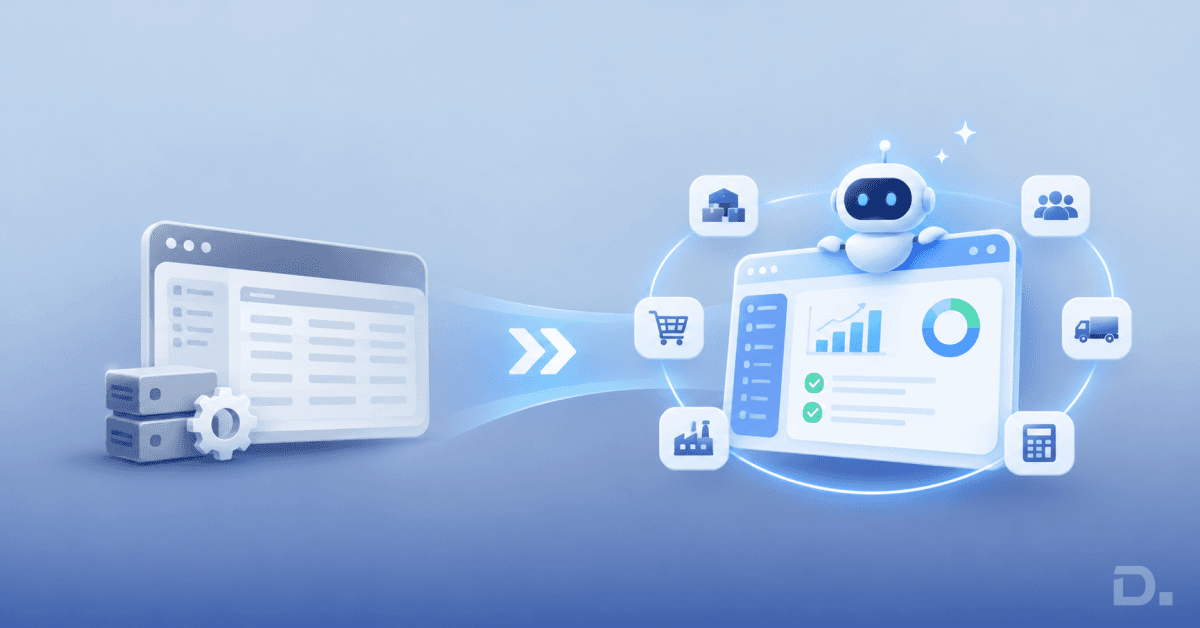
This is the idea behind Agentic ERP. AI agents work with business data and carry out defined tasks across business processes. They do not replace the ERP's financial controls or the people accountable for its records. They change how some of the work gets done.
For UK businesses, the practical questions are which processes justify agent automation, what controls are required and whether the current ERP can support it.
Quick Answer: What Is Agentic ERP?
Agentic ERP uses AI agents to interpret instructions, work with business data and complete permitted tasks across multiple steps.
Microsoft Dynamics 365 is introducing agent capabilities across Business Central, Finance and Supply Chain Management. Each feature has its own availability and technical requirements.
Implementation costs include ERP licences, agent consumption, integration, configuration and ongoing support.
The starting point should be a well-defined business process with reliable data, a named owner and measurable results.
What Is Agentic ERP and How Does It Work?
Traditional ERP systems already automate transactions, enforce business rules, run approval workflows and connect departments. Agentic ERP builds on those capabilities by allowing AI agents to interpret instructions, retrieve relevant information and coordinate permitted actions.
For example, a procurement agent could assess a supplier's request to change a delivery date. It might examine the purchase order, check affected production schedules and identify customer orders that could be delayed. The procurement manager receives the findings and decides whether to accept the change.
The distinction is how the system handles a task. A conventional workflow follows predefined conditions. An agent can use context to work through several steps, identify exceptions and recommend what should happen next.
That does not give an agent unrestricted authority. Access permissions, approval thresholds, audit records, and escalation rules remain essential.
Traditional ERP vs Agentic ERP: What Changes?
| Area | Traditional ERP | Agentic ERP |
|---|---|---|
| Task handling | Executes configured workflows and rules | Interprets instructions and coordinates permitted actions |
| Data use | Processes structured business records | Uses records and connected context to support tasks |
| Exceptions | Flags conditions covered by configured rules | Can investigate context and suggest next steps |
| Employee involvement | Employees initiate, review and approve workflow steps | Employees set boundaries and review decisions that need oversight |
| Control | Uses permissions, workflows and audit logs | Extends these controls to agent identities and actions |
Traditional ERP remains the foundation. Agents depend on its records, security model and transaction controls. Poor data or unclear business rules will undermine an agent just as they undermine conventional automation.
Which Microsoft Dynamics 365 Products Support Agentic ERP?
Microsoft is developing agent capabilities across its ERP applications. The following examples show where the products are heading and what businesses should check before deployment.
Dynamics 365 Business Central
Business Central is designed for small and medium-sized businesses managing finance, purchasing, inventory, sales and operations.
Its agent design experience reached general availability in October 2026. It allows users to design agents that work with Business Central data and operate within defined permissions.
The Payables Agent processes supplier invoice and credit note PDFs received through email. It extracts invoice information, identifies suppliers, suggests purchase order matches, and prepares draft purchase documents for review. It does not independently authorise payment or remove the finance team's responsibility for checking transactions.
Microsoft's Business Central 2026 release wave 2 update also brought general availability to improvements in purchase order matching and agent permission management. Version 29.1 is listed in the November 2026 update overview. Businesses should check their installed version and feature configuration before planning adoption.
Best suited to: SMEs looking to reduce manual finance and purchasing work without introducing a large enterprise ERP platform.
Dynamics 365 Finance
Microsoft Dynamics 365 Finance supports complex financial operations, including multi-entity accounting, accounts payable, accounts receivable, budgeting and financial reporting.
Microsoft's AI work in Finance covers several separate capabilities:
Finance Agent: Introduced in May 2026, it provides a Copilot experience for financial insights and interaction with ERP data. The availability of individual skills should be checked separately.
Account Reconciliation Agent: A production-ready preview that helps finance teams investigate reconciliation exceptions and suggested actions.
Variance Analysis: A preview capability that helps identify and explain movements between reporting periods.
These features address different finance activities. They should not be treated as one generally available agent package. Check the relevant Microsoft documentation, environment prerequisites and preview terms before including them in a production plan.
Best suited to: Larger organisations with complex financial processes, high transaction volumes or multiple legal entities.
Dynamics 365 Supply Chain Management
Supply Chain Management supports procurement, manufacturing, warehousing, inventory and distribution. Microsoft's AI capabilities address supplier changes and demand planning.
Procurement Agent impact analysis is documented as a production-ready preview. It assesses proposed purchase order changes against related sales orders, production orders, transfer orders, and projected inventory. Procurement teams can use the findings to understand the operational impact before accepting a supplier's request.
Demand planning insights provide AI-assisted analysis of demand patterns, including seasonality and trends. Microsoft lists generative demand insights and AI explanations for forecast accuracy as generally available capabilities in its 2026 release information. Check the current AI at Work roadmap and product documentation for the precise feature and rollout status.
Supplier Engagement is a separate supplier-management solution, not an AI agent. It is in preview and supports supplier onboarding, supplier information, requests for quotation, purchase orders, and invoicing. Its deployment and licensing requirements should be assessed independently.
Best suited to: Manufacturers, distributors and procurement teams managing complex supplier relationships and operational commitments.
Checking Feature Availability Before Implementation
Microsoft retired its old Release Planner in November 2026. The AI at Work roadmap is now the primary public roadmap for new Dynamics 365 capabilities. Microsoft Learn remains the reference for released features and technical setup.
| Product | Capability | Status checked on 18 November 2026 |
|---|---|---|
| Business Central | Agent design experience | Generally available |
| Business Central | Payables Agent | Generally available |
| Finance | Finance Agent | Introduced in May 2026; check individual skills |
| Finance | Account Reconciliation Agent | Production-ready preview |
| Finance | Variance Analysis | Preview |
| Supply Chain Management | Procurement Agent impact analysis | Production-ready preview |
| Supply Chain Management | Generative demand insights | Listed as generally available in 2026 release information |
| Supply Chain Management | Supplier Engagement | Preview; separate solution, not an AI agent |
A preview is not the same as general availability. It may carry limitations, require specific environments and change before full release. Confirm the status and technical requirements for the organisation's tenant before committing to a deployment.
Can You Add AI Agents to an Existing ERP?
Replacing the ERP is not a prerequisite for every agent project. The right option depends on the platform's support status, data quality, integrations and the process being considered.
Extend the current ERP. If the system is supported and exposes the required data through suitable APIs or connectors, agents can be introduced around selected processes. A Business Central customer, for example, could start with invoice processing.
Modernise selected processes. A business might introduce a newer application for procurement or reporting while retaining its existing finance platform. This requires clear ownership of shared records so that connected systems do not create conflicting supplier, customer or transaction data.
Migrate to a new ERP. A replacement becomes more relevant when the existing platform is unsupported, expensive to maintain or unable to support the organisation's operating model. Migration is also an opportunity to remove obsolete customisations rather than carry every old process into the new system.
Microsoft introduced Dynamics 365 Activate in September 2026 to support AI-assisted migration planning. Its initial public preview focuses on Salesforce-to-Dynamics 365 CRM migrations. It should not be presented as a generally available ERP migration tool.
| Route | When it makes sense | Main consideration |
|---|---|---|
| Extend | The existing ERP is supported and integration-ready | Data access and technical limitations |
| Modernise | Selected processes need improvement | Ownership of records across systems |
| Migrate | The current platform is a long-term constraint | Data migration, process redesign and cost |
What Could an Agentic ERP Process Look Like?
Consider a UK manufacturer processing 1,000 supplier invoices each month. Finance employees currently open PDFs, identify suppliers, check purchase orders, and enter invoice details.
A controlled workflow using Business Central's Payables Agent could work as follows:
Receive the invoice: A supplier sends a PDF to the monitored mailbox.
Extract information: Payables Agent reads the document and identifies the supplier, invoice number, date, amounts and invoice lines.
Find purchasing records: It uses available Business Central information to identify the supplier and relevant purchase documents.
Suggest a match: Where the records support it, the agent proposes a purchase order match.
Prepare a draft: It creates a draft purchase document for finance to review.
Investigate exceptions: Employees check missing references, duplicate invoices, supplier discrepancies and price or quantity differences. Goods-receipt checks form part of the wider purchasing process where configured and supported.
Review and post: The finance team resolves exceptions and follows the normal approval and posting process.
Payables Agent does not guarantee that every invoice has passed a complete three-way match. Its role is to extract information, suggest matches and prepare draft documents. The business remains responsible for its validation and authorisation controls.
Other agents follow different processes. A procurement agent might assess a supplier's delivery-date change, while a reconciliation agent investigates differences between financial records.
What Should Businesses Check Before Adopting Agentic ERP?
Four areas deserve attention before an agent is connected to live business processes.
Data and Process Ownership
Check supplier, customer, item and financial records for duplicate accounts, incomplete fields and outdated information. Assign a business owner who defines the agent's task, handles exceptions and reviews performance.
Agent Identity and Permissions
An agent needs a recognised identity and access to the systems it uses. Microsoft's Procurement Agent setup, for example, includes a dedicated Microsoft Entra ID agent identity, access to Dataverse and Supply Chain Management, Copilot Studio configuration and checks on data loss prevention policies.
The exact requirements differ by application. Business Central Payables Agent has its own mailbox, environment, and Copilot billing configuration. Do not assume that deployment steps for one Dynamics 365 product apply to another.
Integration and Usage Monitoring
Map the systems the agent needs to access, including the ERP, document storage, supplier portals, and email. Confirm that the required connectors and permissions are supported.
Monitor consumption after deployment. Business Central Payables Agent uses Copilot Credits, and processing can stop if the available capacity is exhausted. Assign someone to review usage against invoice volumes and investigate unexpected increases.
UK Data Protection
Where agents process personal data, businesses must consider UK GDPR requirements. Review what information is accessed, why it is needed, where it is processed and who can inspect the agent's actions. A Data Protection Impact Assessment may be necessary where processing is likely to create a high risk to individuals; it is not automatically required for every ERP agent.
How Much Does Agentic ERP Cost?
There is no single Agentic ERP price. The investment depends on the ERP platform, user licences, agent consumption, integration requirements and implementation effort.
| Cost area | What to include |
|---|---|
| ERP licences | Business Central, Finance or Supply Chain Management licences |
| Agent consumption | Copilot Credits, Copilot Studio usage and additional capacity |
| Implementation | Assessment, configuration, integration, data preparation and testing |
| Ongoing costs | Support, monitoring, licence reviews and process changes |
Illustrative Payables Agent Cost Model
Microsoft's published Payables Agent consumption model specifies 50 Copilot Credits per invoice and 5 additional credits per invoice line.
For 1,000 invoices per month, assuming three lines per invoice:
| Calculation | Credits |
|---|---|
| 1,000 invoices × 50 | 50,000 |
| 3,000 invoice lines × 5 | 15,000 |
| Estimated monthly consumption | 65,000 |
This is a consumption estimate, not a price in pounds. The business must check its Copilot Credit capacity and billing arrangement to establish the actual charge.
Now consider the employee time involved. Assume initial invoice handling currently takes 12 minutes per invoice. At 1,000 invoices a month, that equals 200 hours. At an illustrative loaded labour cost of £30 per hour, the time is valued at £6,000.
Suppose a pilot demonstrates that agent-assisted processing reduces average employee handling to five minutes per invoice. That leaves 83.3 hours of employee time, valued at approximately £2,500.
The difference is 116.7 hours, or £3,500 in monthly labour value. Five minutes is an assumption to test, not a guaranteed result. Released capacity is not automatically a cash saving; it becomes one only if the business reduces paid hours or avoids recruitment. Otherwise, employees can use that time for supplier queries, exception handling and financial control.
Calculating Payback
Use the measured results from the pilot to calculate the investment case:
Monthly net benefit = Labour value released − Monthly agent and operating costs
Payback period = Initial implementation cost ÷ Monthly net benefit
For illustration, if the measured labour value released is £3,500 and monthly agent and support costs are £1,000, the net benefit is £2,500. With an initial implementation cost of £10,000, the simple payback period is four months.
These figures are hypothetical. They exclude any costs or benefits not included in the assumptions. A business processing only 100 invoices a month might find that a conventional workflow or document-processing tool is more economical.
How Dynamics Square UK Can Help with Agentic ERP
An agent project needs a clear business case and a realistic view of the existing ERP environment. Dynamics Square UK provides Dynamics 365 implementation services across Business Central, Finance, Supply Chain Management and related Microsoft applications.
For an organisation assessing Agentic ERP, the work should start with one process. We can help scope the assessment around five deliverables:
Current-state review: Document the existing workflow, ERP customisations, integrations and manual work.
Use-case shortlist: Rank possible agent applications by transaction volume, business value, complexity and risk.
Readiness findings: Identify data issues, version requirements, integration gaps and access requirements.
Control design: Define agent identity, permitted actions, approval points and exception ownership.
Pilot and cost plan: Specify the transactions to test, performance measures, expected consumption, implementation effort and ongoing costs.
The result is a practical recommendation: extend the current ERP, modernise a specific process or consider a wider migration. It should also identify where standard ERP workflows are sufficient and where an AI agent offers a genuine advantage.
Bring a process map, a sample of recent transactions and an estimate of employee handling time to an initial discussion. This gives the assessment a measurable starting point.
Contact Dynamics Square UK to discuss an Agentic ERP readiness assessment for one business process.
Frequently Asked Questions
No. AI-powered ERP includes features such as forecasting, document recognition and natural-language assistance. Agentic ERP uses agents to interpret goals, coordinate multiple steps and carry out permitted actions.
No. Agents rely on ERP data, transactions and security controls. Businesses can introduce them into a supported existing environment or as part of a wider modernisation project.
Microsoft is developing agent capabilities across Business Central, Finance and Supply Chain Management. Some are generally available; others remain in preview. Check each feature's status and technical requirements separately.
Payables Agent can extract invoice information, suggest purchase order matches and prepare draft purchase documents. Employees remain responsible for reviewing drafts, resolving exceptions and following the organisation's posting and payment controls.
There is no fixed price. Costs depend on licensing, agent consumption, integration, data preparation, implementation complexity and support. A pilot provides a more reliable estimate than a generic price range.
Not necessarily. If the current platform is supported and provides reliable data and suitable integration options, extending it or modernising selected processes may be sufficient. Migration is more relevant when the existing system cannot meet future requirements.