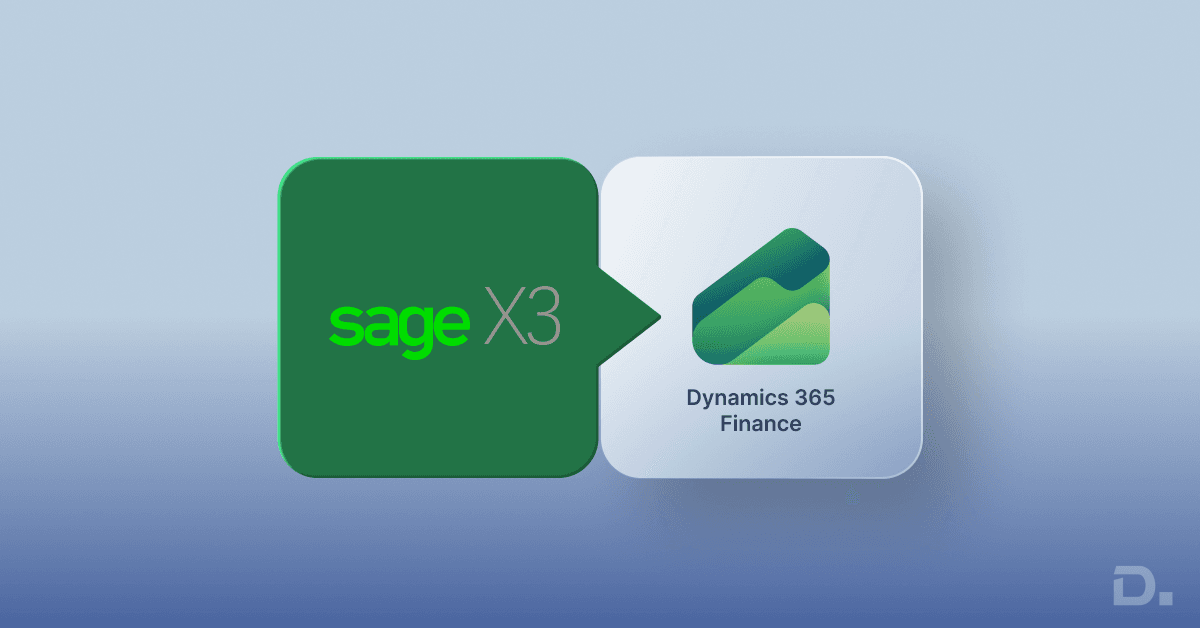
Moving from Sage X3 to Microsoft Dynamics 365 Finance is a significant ERP transformation project. For businesses that have outgrown existing processes, rely heavily on manual reporting, or need stronger integration with the Microsoft ecosystem, migration can provide a structured path towards a more connected finance platform.
However, a successful migration is not simply a matter of transferring data from one ERP system to another. Businesses need to assess existing processes, cleanse and map data, review integrations and customisations, configure Dynamics 365 Finance, test the new environment and prepare users for the change.
Table of Contents
- Why Do Businesses Consider Moving from Sage X3?
- Why Consider Microsoft Dynamics 365 Finance?
- Sage X3 vs Dynamics 365 Finance: What Should Businesses Compare?
- What Data Can Be Migrated from Sage X3 to Dynamics 365 Finance?
- Sage X3 to Dynamics 365 Finance Migration Process
- How Long Does a Sage X3 to Dynamics 365 Finance Migration Take?
- How Much Does Sage X3 to Dynamics 365 Finance Migration Cost?
- Common Sage X3 Migration Challenges
- 7 Common Mistakes to Avoid During Sage X3 Migration
- When Should a Business Consider Migrating from Sage X3?
- How to Choose a Sage X3 to Dynamics 365 Finance Migration Partner
- Plan Your Sage X3 to Dynamics 365 Finance Migration
- Frequently Asked Questions
This guide explains the key stages of a Sage X3 to Dynamics 365 Finance migration, including data migration, process mapping, implementation considerations, costs, timelines, common challenges and practical steps UK businesses should consider before starting an ERP migration.
Sage X3 to Dynamics 365 Finance Migration: Quick Overview
Source ERP: Sage X3
Target ERP: Microsoft Dynamics 365 Finance
Typical scope: Configuration, master data, open transactions, financial data and selected historical data, depending on project requirements
Key stages: Discovery, data assessment, mapping, configuration, migration, testing, training, cutover and post-go-live support
Main challenges: Data quality, process differences, integrations, customisations, testing and user adoption
Cost drivers: Data volume, number of entities, integrations, customisations, migration scope and implementation requirements
Why Do Businesses Consider Moving from Sage X3?
Sage X3 can support finance, operations and other core business processes, but an organisation's requirements can change as it grows. Reporting requirements may become more demanding, integrations can become more complex, and teams may rely on manual workarounds to connect information across systems.
For some organisations, these challenges create a reason to reassess their ERP platform rather than continuing to extend an existing environment.
Common reasons for considering a move from Sage X3 include:
Increasing demand for real-time financial visibility
Growing requirements for integration with Microsoft business applications
Complex or difficult-to-maintain customisations
Manual reporting and data consolidation
Requirements for improved financial and operational scalability
Need for a more connected cloud ERP environment
Difficulty maintaining legacy integrations and processes
The decision should be based on the organisation's current processes, future requirements, data landscape and total cost of ownership rather than on ERP features alone.
Why Consider Microsoft Dynamics 365 Finance?
Microsoft Dynamics 365 Finance is a cloud ERP application designed to support financial management and related business processes. It also forms part of the wider Microsoft business application ecosystem.
For organisations already using Microsoft technologies, the ability to connect finance data and processes with other Microsoft applications can be an important consideration.
Depending on the solution architecture and business requirements, organisations can also use Microsoft technologies such as Power BI and Power Automate alongside Dynamics 365 to support reporting, analytics and workflow automation.
The objective of a migration should not simply be to replace Sage X3 with another ERP system. The project should identify which existing processes should be retained, improved, redesigned or removed.
Sage X3 vs Dynamics 365 Finance: What Should Businesses Compare?
Before starting a migration, businesses should compare the existing Sage X3 environment with their target Dynamics 365 Finance solution across processes rather than looking only at individual features.
| Area | What to Assess |
|---|---|
| Financial management | General ledger, accounts payable, accounts receivable, budgeting and financial reporting |
| Master data | Customers, vendors, products and other core records |
| Transactions | Open balances, open orders and other transactions included in the migration scope |
| Reporting | Existing reports, management reporting and analytics requirements |
| Integrations | Third-party applications, banking, CRM, ecommerce and other connected systems |
| Customisations | Custom fields, workflows, reports and extensions that may need to be redesigned |
| Security and roles | User access, permissions and segregation of duties |
What Data Can Be Migrated from Sage X3 to Dynamics 365 Finance?
Data migration is one of the most important parts of an ERP migration project. Microsoft distinguishes between configuration data and migrated business data. Depending on the implementation, migrated data can include master data and open transactions such as customers, vendors, products, open sales orders, open purchase orders, stock on hand and open balances.
For a Sage X3 migration, the exact data scope should be agreed during the discovery and data-mapping stages rather than assuming that every record in the legacy ERP needs to be transferred.
| Data Category | Migration Consideration |
|---|---|
| Customers | Review, cleanse and map customer records to the target structure |
| Vendors | Validate vendor master data, payment details and required fields |
| Chart of accounts | Map the existing financial structure to the target finance configuration |
| Open balances | Validate opening balances and reconciliation requirements |
| Open transactions | Determine which open sales, purchase and financial transactions need to be migrated |
| Products and related records | Assess required master data, fields and relationships |
| Historical data | Decide whether history should be migrated, archived or retained separately |
| Custom data | Review custom fields and determine whether they are still required |
Data should be cleansed and validated before migration. Poor-quality source data can create reporting errors, reconciliation problems and delays during testing and go-live.
Sage X3 to Dynamics 365 Finance Migration Process
A structured migration methodology helps reduce risk and gives business and technical teams clear responsibilities throughout the project.
1. Discovery and Current-State Assessment
The first stage is to understand the existing Sage X3 environment and how the organisation actually uses it.
This assessment should cover business processes, legal entities, users, financial structures, customisations, integrations, reports, master data and transaction volumes.
The objective is to document the current state before deciding what should be moved to Dynamics 365 Finance.
2. Data Assessment and Cleansing
Data should be reviewed before any migration activity begins. This includes identifying duplicate records, incomplete information, obsolete records and inconsistent formats.
Businesses should also define which historical records need to remain accessible and which data does not need to be migrated into the new ERP environment.
3. Data Mapping and Migration Design
Data mapping defines how information in Sage X3 will correspond to the structures required by Dynamics 365 Finance.
This stage should document source fields, target fields, transformation rules, validation requirements and any data that requires manual review.
4. Dynamics 365 Finance Configuration
The target environment is configured according to the agreed business requirements. This can include financial structures, legal entities, currencies, tax-related configuration, workflows, security roles and other required settings.
Configuration should be based on the future operating model rather than simply recreating every existing Sage X3 setting.
5. Test Migration and Data Validation
A test migration allows the project team to identify issues before the final cutover.
Migrated data should be validated against the source system. Financial balances, master records and relevant transactions should be reconciled according to the agreed migration scope.
6. User Acceptance Testing and Training
Business users should test the processes they rely on in their day-to-day work. Testing should cover realistic scenarios rather than only technical data validation.
Training should also be completed before go-live so that users understand the new processes, responsibilities and workflows.
7. Cutover and Go-Live
The final migration requires a controlled cutover plan. This should define when the legacy system stops accepting new transactions, when the final data extraction takes place, when data is loaded and when users can begin operating in Dynamics 365 Finance.
Post-migration validation should be completed before the project is considered fully operational.
How Long Does a Sage X3 to Dynamics 365 Finance Migration Take?
There is no fixed migration timeline that applies to every Sage X3 implementation. The duration depends on the size and complexity of the organisation and the scope of the target solution.
Key factors that can affect the timeline include:
Number of legal entities
Volume and quality of source data
Number of users and business processes
Historical data requirements
Number of integrations
Existing customisations
Reporting requirements
Testing and user acceptance requirements
Training and change management requirements
Cutover and go-live planning
A realistic timeline should therefore be established after a proper discovery and migration assessment rather than using a generic number of weeks or months.
How Much Does Sage X3 to Dynamics 365 Finance Migration Cost?
The cost of migrating from Sage X3 to Dynamics 365 Finance depends on the scope and complexity of the project. A simple data migration and a multi-entity ERP transformation are likely to have very different implementation requirements.
Common cost factors include:
ERP discovery and implementation consulting
Data assessment, cleansing and migration
Dynamics 365 Finance configuration
Customisation or development requirements
Third-party integrations
Reporting and analytics requirements
User training
Testing and quality assurance
Cutover and go-live support
Post-go-live support
Microsoft licensing and other software requirements
For this reason, businesses should request a project assessment based on their actual Sage X3 environment rather than relying on a generic migration cost estimate.
Common Sage X3 Migration Challenges
Most migration challenges can be reduced through proper planning, but several areas require particular attention.
Data Quality
Legacy ERP data can contain duplicate records, outdated information and inconsistent structures. Migrating this data without cleansing can transfer existing problems into the new system.
Customisations
Not every existing Sage X3 customisation needs to be recreated. Each customisation should be assessed against the future business requirement before deciding whether it should be retained, replaced or removed.
Integrations
Existing integrations need to be documented and reviewed. The migration project should identify which integrations are still required and how they will connect with Dynamics 365 Finance.
Financial Reconciliation
Finance teams need confidence that migrated balances and transactions are accurate. Reconciliation should therefore form part of the testing and cutover process.
User Adoption
A technically successful migration can still create operational problems if users are not prepared for changes in processes and workflows. Training and user acceptance testing should therefore be treated as core migration activities.
7 Common Mistakes to Avoid During Sage X3 Migration
Migrating everything without assessing the data. Not every historical record or legacy field needs to be moved into the new environment.
Ignoring data cleansing. Duplicate and incomplete records can create problems after migration.
Recreating every customisation. Existing customisations should be reviewed against current business requirements.
Underestimating integrations. Third-party systems should be documented and included in migration planning.
Leaving reconciliation until the end. Financial validation should be included throughout testing.
Skipping realistic user testing. Business users should validate the processes they actually perform.
Planning go-live without a detailed cutover process. Data extraction, final migration, validation and user access should have clearly defined steps and ownership.
When Should a Business Consider Migrating from Sage X3?
Migration should be considered when the current ERP environment no longer aligns effectively with the organisation's operational and financial requirements.
Potential indicators include increasing manual work, reporting limitations, difficult-to-maintain integrations, extensive legacy customisations, changing business processes or requirements for a more connected cloud ERP environment.
However, migration is a significant business decision. Before committing to a project, organisations should assess their existing processes, data, integrations, costs and future requirements.
How to Choose a Sage X3 to Dynamics 365 Finance Migration Partner
The migration partner should understand both the technical and operational aspects of ERP transformation.
When assessing a potential partner, consider their experience with:
Microsoft Dynamics 365 Finance implementation
ERP data migration
Finance and accounting processes
Data mapping and validation
Integration planning
Testing and user acceptance
Cutover and go-live support
Post-go-live Dynamics 365 support
A good migration assessment should result in a clear understanding of the existing environment, migration scope, risks, data requirements and expected implementation approach.
Plan Your Sage X3 to Dynamics 365 Finance Migration
Moving from Sage X3 to Dynamics 365 Finance should be treated as a business transformation project rather than a simple data-transfer exercise. A structured approach to discovery, data quality, process mapping, configuration, testing and user adoption can help businesses reduce migration risks and prepare for a controlled transition.
If your organisation is considering a move from Sage X3 to Dynamics 365 Finance, Dynamics Square UK can help you assess your current ERP environment, migration requirements and implementation approach.
Contact Dynamics Square UK to discuss your Sage X3 to Dynamics 365 Finance migration requirements.
Frequently Asked Questions
Sage X3 to Dynamics 365 Finance migration is the process of moving agreed business data, financial information, configurations and relevant processes from Sage X3 into a Dynamics 365 Finance environment.
Businesses may consider migration when they need improved financial visibility, stronger integration capabilities, greater scalability or a more connected cloud ERP environment. The specific business case depends on the organisation's existing systems and requirements.
The migration scope can include configuration data, master data and selected open transactions. Depending on the project, this may include customers, vendors, products, open orders, stock information and financial balances. The exact scope should be defined during data assessment and mapping.
Historical data can be assessed as part of the migration strategy, but businesses do not necessarily need to migrate every historical record. The decision should consider reporting, audit, compliance, performance and data-access requirements.
The timeline depends on factors such as data volume, number of entities, integrations, customisations, testing requirements and the overall implementation scope. A project-specific timeline should be established after a detailed assessment.
There is no single migration price that applies to every business. Costs depend on data migration, implementation, configuration, integrations, customisations, testing, training, licensing and support requirements.
Existing customisations should be assessed individually. Some may no longer be required, while others may need to be redesigned or replaced in the Dynamics 365 Finance environment.
A migration partner can help assess the existing ERP environment, plan data migration, configure Dynamics 365 Finance, manage testing and support the business through cutover and post-go-live activities.