Many UK businesses still rely on on-premises ERP systems to manage finance, inventory, purchasing, sales and daily operations. While these systems may have supported business growth for years, maintaining older infrastructure can become increasingly challenging as operational requirements change.
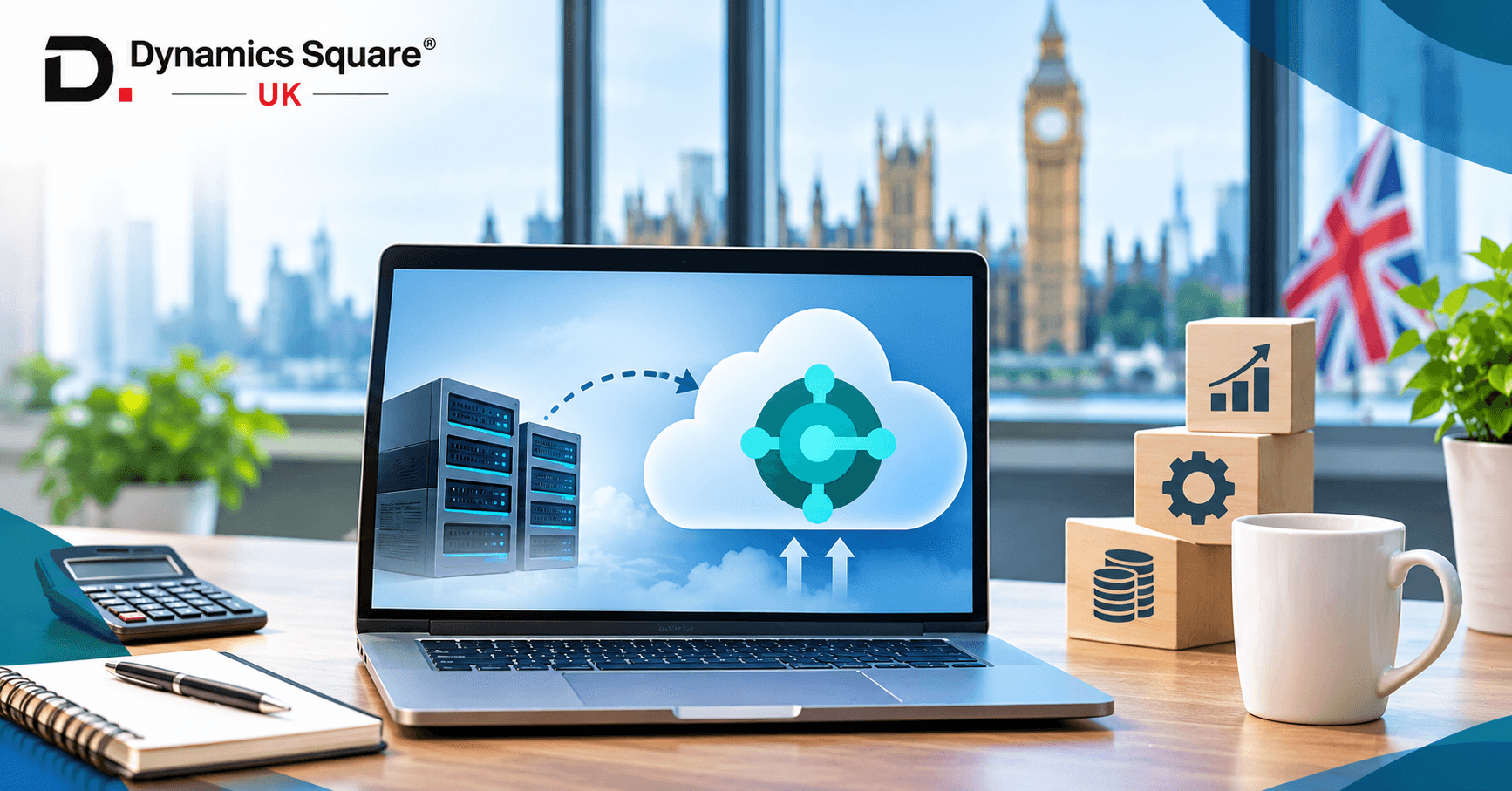
Microsoft Dynamics 365 Business Central Cloud offers businesses an opportunity to move their ERP operations to Microsoft's cloud environment, reduce dependence on locally managed infrastructure and access regular application updates.
Table of Contents
- Key Takeaways
- What Is Business Central Cloud Migration?
- Why Are UK Businesses Moving Business Central to the Cloud?
- Business Central Cloud vs On-Premises: What Is the Difference?
- How Much Does Business Central Cloud Migration Cost in the UK?
- Business Central Cloud Migration Process: Step by Step
- Dynamics NAV to Business Central Cloud Migration
- Common Business Central Cloud Migration Challenges and How to Avoid Them
- Why Choose Dynamics Square UK for Business Central Cloud Migration?
- Ready to Move Business Central to the Cloud?
- Final Thoughts
- Frequently Asked Questions
However, moving to the cloud requires more than transferring business data. Organisations need to consider their existing ERP version, customisations, integrations, data quality, licensing and employee requirements.
So, how does Business Central cloud migration work, how much does it cost and what should UK businesses consider before making the move?
At Dynamics Square UK, we help businesses plan their Microsoft Dynamics 365 migration and implementation projects. This guide explains the migration process, associated costs, benefits and important considerations for organisations planning to move to Business Central Cloud.
Key Takeaways
Business Central cloud migration allows businesses to move from an on-premises ERP environment to Microsoft-hosted Business Central Online.
Organisations using Dynamics NAV or Business Central On-Premises may need to complete version upgrades and address customisation compatibility before migration.
Migration costs depend on database size, existing ERP versions, customisations, integrations and historical data requirements.
Business Central Cloud provides Microsoft-managed infrastructure, regular application updates and access to cloud-based capabilities.
Data cleansing, migration testing and integration validation are essential before going live.
Businesses should assess their existing ERP environment before selecting a migration approach.
Dynamics Square UK provides Business Central migration, implementation, integration, customisation and ongoing support services.
What Is Business Central Cloud Migration?
Business Central cloud migration is the process of moving an existing ERP environment and its relevant business data from an on-premises system to Microsoft Dynamics 365 Business Central Online.
In an on-premises deployment, businesses manage their ERP infrastructure using locally hosted or self-managed servers. This means they are responsible for activities such as infrastructure maintenance, server management, backups and certain technical updates.
With Business Central Cloud, the application runs on Microsoft's cloud infrastructure. Microsoft manages the underlying service infrastructure and delivers application updates as part of the SaaS offering.
Cloud migration can help businesses modernise their ERP environment while maintaining access to important business information and processes.
Depending on the existing system, businesses may migrate from:
Business Central On-Premises.
Older ERP platforms.
Other supported SQL-based business systems.
Existing accounting and business management applications.
The migration approach depends on the source application, its version, database structure, extensions and business requirements.
Why Are UK Businesses Moving Business Central to the Cloud?
Cloud migration is becoming an important consideration for businesses looking to modernise their ERP infrastructure.
Here are some reasons why organisations consider moving to Business Central Online.
1. Reduced Infrastructure Management
With an on-premises ERP deployment, businesses need to manage server infrastructure, database maintenance, hardware requirements and certain technical operations.
Business Central Cloud reduces the need to maintain the underlying ERP server infrastructure because Microsoft manages the cloud service.
This can reduce the internal infrastructure management burden and allow IT teams to focus on business priorities.
2. Access to Regular Microsoft Updates
Microsoft manages Business Central Online updates, providing customers with regular application improvements, security updates and new functionality.
Businesses can access new capabilities without managing the underlying application infrastructure themselves.
However, organisations should still review extensions, integrations and business processes to ensure they remain compatible with updates.
3. Remote Access and Business Flexibility
Business Central Online can be accessed through supported web browsers and mobile applications, subject to appropriate user permissions and connectivity.
This allows authorised employees to work with business information from different locations.
For organisations with multiple offices or remote employees, cloud access can support more flexible working arrangements.
4. Integration with Microsoft Cloud Services
Business Central Cloud works with other Microsoft services, helping businesses connect different operational processes.
Examples include:
Microsoft 365.
Microsoft Power BI.
Microsoft Power Apps.
Microsoft Power Automate.
Microsoft Teams.
These integrations can help businesses improve reporting, automate workflows and make information more accessible across departments.
5. Business Scalability
As businesses grow, their ERP requirements may change.
They may introduce additional users, expand operations, establish new legal entities or require additional reporting and integration capabilities.
Business Central Cloud provides a managed cloud environment that can support changing business requirements, subject to licensing, capacity and service limits.
Business Central Cloud vs On-Premises: What Is the Difference?
Before planning migration, businesses should understand the differences between Business Central Cloud and On-Premises.
| Comparison area | Business Central Cloud | Business Central On-Premises |
|---|---|---|
| Infrastructure | Microsoft-hosted cloud service | Customer-managed or hosted infrastructure |
| Server maintenance | Managed by Microsoft | Managed by the organisation or hosting provider |
| Application updates | Microsoft-managed update schedule | Organisation manages update deployment |
| Accessibility | Browser and supported mobile access | Depends on deployment and configuration |
| Customisation | AL extensions and supported cloud capabilities | AL extensions and supported on-premises capabilities |
| Database management | Managed by Microsoft | Greater direct database administration control |
| Integration | APIs, extensions and supported connectors | APIs, extensions and supported connectors |
| Infrastructure responsibility | Primarily Microsoft | Customer or hosting provider |
The right deployment depends on business requirements, technical dependencies, regulatory considerations and existing ERP architecture.
For many organisations, Business Central Cloud offers an opportunity to reduce infrastructure management and modernise their ERP environment.
How Much Does Business Central Cloud Migration Cost in the UK?
Business Central cloud migration costs vary depending on the existing ERP environment and the amount of work required to prepare it for the cloud.
There is no single fixed migration price because every business has different requirements.
For example, migrating a standard Business Central On-Premises environment with limited customisation may involve less work than migrating an older Dynamics NAV installation with modified objects, third-party extensions and complex integrations.
The overall migration budget generally includes the following components.
1. Migration Assessment and Planning
Before migration, the existing ERP environment needs to be reviewed.
This assessment helps identify:
Current ERP version.
Database size.
Number of companies.
Existing customisations.
Third-party extensions.
Integration dependencies.
Data migration requirements.
Potential compatibility issues.
A detailed assessment helps establish the migration scope and identify technical risks before the project begins.
2. Data Migration Costs
Data migration involves preparing and transferring relevant business information into Business Central Online.
The cost depends on:
Number of records.
Database size.
Number of companies.
Historical transaction requirements.
Data cleansing requirements.
Custom table structures.
Migration complexity.
Businesses with large databases or multiple companies may require additional planning and migration testing.
3. Customisation and Extension Upgrades
Older Dynamics NAV and Business Central On-Premises environments may contain custom functionality developed for specific business processes.
Some of these customisations may need to be redesigned or upgraded before moving to the cloud.
For example, older Dynamics NAV systems using C/AL customisations generally require conversion to AL extensions as part of the supported upgrade path to modern Business Central versions.
The effort depends on the number of modifications, extension dependencies and technical complexity.
4. Third-Party Integration Costs
Businesses often use external applications alongside Business Central.
These may include payroll platforms, banking systems, eCommerce applications, warehouse management software and reporting tools.
During cloud migration, these integrations may need to be reconfigured or redeveloped to work with Business Central Online.
5. Testing and Employee Training
Migration testing and employee training should also be included in the project budget.
Businesses need to validate financial information, inventory records, workflows, reports and integrations before going live.
Employees may also require training to understand changes to the new cloud environment.
6. Business Central Cloud Licensing
Microsoft Business Central uses subscription-based licensing.
The published UK list prices are:
| Licence | Price per user/month |
|---|---|
| Essentials | £61.50 |
| Premium | £84.60 |
| Team Members | £6.20 |
Microsoft UK list prices, based on annual billing and excluding VAT. Confirm current pricing and licence eligibility before purchasing at Dynamics Square UK.
Essentials includes core financial and business management functionality. Premium adds manufacturing and service management, while Team Members provides limited access for eligible users.
These subscription fees are separate from migration and implementation services.
You can explore our Microsoft Dynamics 365 Business Central services to understand the available ERP capabilities.
How to get an accurate migration cost
The best way to establish your migration budget is to assess your current ERP environment.
Dynamics Square UK can discuss your existing system, migration requirements, customisations and integration needs to help establish the project scope.
Business Central Cloud Migration Process: Step by Step
A successful migration requires proper planning, technical preparation and business validation.
Microsoft provides cloud migration capabilities for supported on-premises environments. The migration process generally involves the following stages.
Step 1. Assess Your Existing ERP Environment
Start by reviewing your current Dynamics NAV or Business Central On-Premises deployment.
Identify:
Current ERP version.
SQL Server database configuration.
Database size.
Number of companies.
Customisations and extensions.
Third-party integrations.
Existing business processes.
This assessment helps determine whether your environment meets the technical prerequisites for migration.
For older Dynamics NAV environments, an upgrade to a supported Business Central version may be necessary before proceeding with the standard cloud migration process.
Step 2. Prepare Your Data and Customisations
Data preparation is one of the most important stages.
Review existing information to identify duplicate records, outdated data and inconsistencies.
The preparation process may include:
Cleaning customer and supplier records.
Reviewing financial transactions.
Validating inventory information.
Archiving obsolete data where appropriate.
Reviewing modified tables and objects.
Checking extension compatibility.
Businesses should also identify which historical information needs to be available in the new cloud environment.
Step 3. Prepare the Business Central Cloud Environment
The target Business Central Online environment needs to be prepared before migration.
This involves reviewing the required licences, environment configuration, user access and technical prerequisites.
Microsoft's cloud migration setup establishes the connection and data pipeline between the existing SQL database and the Business Central Online environment.
For supported SQL Server sources, Microsoft's migration process uses Azure Data Factory and a self-hosted Integration Runtime to transfer data securely.
Step 4. Configure Cloud Migration and Data Replication
Once the environment is ready, configure the cloud migration connection and select the companies that need to be migrated.
Data replication transfers relevant business information from the source environment to the target cloud environment.
Microsoft supports repeated replication runs in applicable migration scenarios.
This allows businesses to perform initial migrations, identify issues and run subsequent replications to capture changes made in the source environment.
Importantly, the existing on-premises system remains the operational environment until the migration is completed.
Step 5. Perform Migration Testing and Validation
After data replication, validate the migrated information in the target environment.
Testing should cover:
Customer and supplier records.
General ledger information.
Opening balances.
Inventory quantities.
Sales and purchase transactions.
Financial reports.
Custom extensions.
Third-party integrations.
Business users should participate in testing to confirm that important processes work as expected.
Microsoft recommends using sandbox environments for migration dry runs and validation rather than risking existing production data.
Step 6. Complete Data Upgrade and Go-Live Preparation
Depending on the source and target Business Central versions, a data upgrade may be required after replication.
Once the upgrade is completed successfully, the team can prepare the target environment for production use.
This includes:
Setting up user permissions.
Configuring integrations.
Reviewing workflows.
Validating reports.
Confirming security settings.
Preparing employees for the transition.
The final migration should be planned around an agreed downtime window and a documented cutover procedure.
Step 7. Go Live and Monitor the Cloud Environment
Once all migration activities and business validations are completed, the organisation can switch to Business Central Online.
After go-live, monitor the environment for:
Data discrepancies.
Application errors.
Integration issues.
User access problems.
Workflow failures.
Reporting inconsistencies.
The implementation team should also remain available during the initial stabilisation period.
This helps address problems quickly and supports employees as they begin using the cloud environment.
Dynamics NAV to Business Central Cloud Migration
Businesses still using Microsoft Dynamics NAV may need additional preparation before moving to Business Central Online.
Dynamics NAV is an older generation of Microsoft's ERP platform. Moving to Business Central Cloud may involve both an ERP version upgrade and a cloud migration.
The process depends on the existing NAV version and the customisations used by the organisation.
A typical migration approach includes:
Reviewing the existing Dynamics NAV version.
Assessing database structure and custom objects.
Identifying third-party add-ons and dependencies.
Upgrading to a supported Business Central On-Premises version where required.
Converting applicable C/AL customisations into AL extensions.
Testing the upgraded environment.
Preparing the Business Central Online environment.
Migrating and validating business data.
Reconnecting integrations.
Completing go-live.
Microsoft also documents a Business Central 14 reimplementation approach for eligible scenarios where businesses want to move essential business data rather than migrate all historical data and customisations.
The appropriate approach depends on the source version, business requirements and migration objectives.
If your organisation is still using Dynamics NAV, explore our Dynamics 365 migration services to discuss your migration requirements.
Common Business Central Cloud Migration Challenges and How to Avoid Them
Although cloud migration offers several advantages, businesses should prepare for potential technical and operational challenges.
Here are some common issues to consider.
1. Legacy Customisation Compatibility
Older ERP systems may contain custom objects and modifications that are not directly compatible with Business Central Online.
How to avoid it: Review existing customisations and identify which functionality can be replaced with standard features, extensions or supported development.
2. Poor Data Quality
Duplicate records, incorrect financial information and outdated inventory data can create problems during migration.
How to avoid it: Clean and validate business data before running migration tests.
3. Integration Failures
Some integrations may depend on local servers, older authentication methods or unsupported components.
How to avoid it: Document existing integrations and test their cloud compatibility before go-live.
4. Unexpected Migration Downtime
Large databases and complex environments may require additional migration time.
How to avoid it: Run migration dry runs, measure replication duration and prepare a cutover plan.
5. User Adoption Problems
Employees may need time to understand the new cloud environment and updated workflows.
How to avoid it: Provide role-based training, practical demonstrations and post-migration support.
6. Insufficient Storage Planning
Business Central Online has storage capacity considerations that should be reviewed before migration.
How to avoid it: Estimate the required online storage, review historical data and plan additional capacity where necessary.
Why Choose Dynamics Square UK for Business Central Cloud Migration?
Moving an ERP system to the cloud requires technical knowledge, migration planning and an understanding of existing business processes.
Dynamics Square UK helps organisations assess their existing ERP environments and plan their transition to Microsoft Dynamics 365 Business Central.
Our services include:
Business Central Migration Assessment
Review your existing ERP version, database, customisations and integrations to understand migration requirements.
Dynamics NAV to Business Central Migration
Plan the transition from legacy Dynamics NAV environments to modern Business Central.
Business Central On-Premises to Cloud Migration
Assess existing on-premises deployments and plan the migration to Business Central Online.
Data Migration and Validation
Prepare business information, plan migration activities and validate data after transfer.
Customisation and Integration
Review existing extensions and integrations and help adapt relevant functionality for the cloud environment.
Business Central Implementation
Configure Business Central according to your business requirements and operational processes.
Ongoing Support and Maintenance
Get assistance with troubleshooting, system optimisation and ongoing ERP requirements.
Dynamics Square UK works with businesses across manufacturing, wholesale, distribution, retail and other industries.
Our focus is on understanding your existing ERP environment before recommending a suitable migration approach.
Ready to Move Business Central to the Cloud?
Continuing with an on-premises ERP environment may become increasingly challenging as business requirements, infrastructure needs and integration expectations change.
Business Central Cloud provides an opportunity to modernise your ERP environment while accessing Microsoft's managed cloud service and regular application updates.
However, a successful migration starts with understanding your current system, identifying technical dependencies and preparing a structured migration plan.
At Dynamics Square UK, we help businesses assess their existing ERP systems and plan their transition to Business Central Cloud.
Whether you are using Dynamics NAV or Business Central On-Premises, our team can discuss your migration requirements and the appropriate next steps.
Planning a Business Central cloud migration in the UK?
Contact Dynamics Square UK to discuss your existing ERP environment and request a migration assessment.
Final Thoughts
Business Central cloud migration can help UK businesses modernise their ERP infrastructure, reduce the burden of managing on-premises servers and access Microsoft's cloud-based business management capabilities.
However, moving to the cloud requires more than transferring data. Organisations need to review existing ERP versions, customisations, integrations, data quality and operational requirements before starting the project.
A structured migration approach helps businesses identify technical risks, validate their data and prepare employees for the transition.
If your organisation is considering moving from Dynamics NAV or Business Central On-Premises to the cloud, Dynamics Square UK can help you assess your existing environment and plan the next steps.
Contact Dynamics Square UK to discuss your Business Central cloud migration requirements and get guidance from our Dynamics 365 team.
Frequently Asked Questions
Business Central cloud migration is the process of moving an existing on-premises ERP environment and its relevant business data to Microsoft Dynamics 365 Business Central Online. It involves technical assessment, data preparation, migration, testing and go-live planning.
The cost depends on the existing ERP version, database size, number of companies, customisations, integrations and data migration requirements. Licensing and migration services are separate expenses. An assessment is required to establish an accurate project estimate.
Yes. Microsoft provides cloud migration capabilities for supported Business Central On-Premises environments. The process involves preparing the source environment, establishing the migration connection, replicating data, completing any required data upgrade and validating the target environment.
Yes. Businesses can migrate from supported Dynamics NAV environments to Business Central Online. Depending on the NAV version, an intermediate upgrade to a supported Business Central On-Premises version and conversion of customisations may be required.
There is no fixed migration timeline. It depends on database size, number of companies, source version, customisations, integrations, data quality and testing requirements. Businesses should conduct migration dry runs to establish realistic timings.
Data migration requires careful preparation and validation. Businesses should maintain appropriate backups, perform test migrations, verify migrated information and establish a cutover and recovery plan before switching to the cloud environment.
Not all existing customisations can be transferred directly. Their compatibility depends on the source version, development approach, extensions and cloud platform requirements. Some functionality may need to be redesigned or converted into supported AL extensions.
Microsoft manages the underlying cloud infrastructure and Business Central Online service. Businesses still need to manage user access, permissions, application configurations, extensions, integrations and their own operational processes.
Yes. Dynamics Square UK provides migration assessment, Business Central migration, implementation, customisation, integration, training and ongoing support services. Our team can review your existing ERP environment and discuss an appropriate migration approach.