.jfif&w=3840&q=75&dpl=dpl_5ADMd8uijaLzKafRcnn1fwBvcZab)
Quick answer: AI agents in Business Central are autonomous AI workers that can handle defined finance, sales and operational tasks with minimal human input. Unlike traditional automation, agents can work with business context, take actions within configured boundaries and involve users when review or approval is required.
Microsoft Business Central now includes AI agents for practical business processes such as sales order processing, accounts payable and expense management. Businesses can also extend Business Central with custom AI solutions where their processes require additional automation.
Table of Contents
- What are AI Agents in Business Central?
- How Do AI Agents Work in Business Central?
- AI Agents vs Copilot in Business Central
- AI Agents Available in Business Central
- What Can AI Agents Do in Business Central?
- Business Central AI Agent Use Cases
- AI Agents for UK Businesses Using Business Central
- AI Agents in Business Central for Different Industries
- Benefits of AI Agents in Business Central
- Are Business Central AI Agents Secure?
- What are the Challenges of Using AI Agents in Business Central?
- How to Implement AI Agents in Business Central
- How Much Do AI Agents in Business Central Cost?
- AI Agents vs Traditional Business Central Automation
- Why Businesses are Moving Towards Agentic ERP
- How Dynamics Square UK Can Help with Business Central AI Agents
- Related Business Central Resources
- Frequently Asked Questions
For organisations already using Dynamics 365 Business Central, the shift towards AI agents is less about adding another AI tool and more about automating repetitive ERP processes while keeping people involved where judgement, approval or exception handling is required.
Considering AI agents for Business Central?
Dynamics Square UK can help you identify suitable business processes, assess your Business Central environment and plan an AI automation strategy.
What are AI Agents in Business Central?
AI agents in Business Central are autonomous software agents designed to perform specific business tasks with limited human intervention. They can analyse information, follow a defined objective, take actions and return work to a user when attention or approval is required.
This is different from a conventional chatbot or simple workflow. An agent is designed around a business process rather than just answering a question.
For example, instead of simply showing a salesperson information about an incoming customer request, an AI agent can process the request, check relevant Business Central information, prepare a sales document and ask the user to review or confirm the next step.
Microsoft describes agents in Business Central as autonomous AI workers that can independently handle tasks while keeping their work transparent and reviewable and keeping people involved as work progresses. Microsoft Learn provides the current overview of AI capabilities in Business Central.
How Do AI Agents Work in Business Central?
An AI agent typically works around a defined business objective. Instead of waiting for a user to complete every individual step, it can analyse relevant information and perform supported actions within the permissions and boundaries configured for the process.
A simplified Business Central AI agent workflow looks like this:
Business event or request: A customer email, invoice or other business activity starts the process.
Context: The agent accesses relevant Business Central data and process information.
Reasoning: The agent evaluates the request against the available information and business rules.
Action: The agent performs supported tasks such as preparing an order or processing invoice information.
Human review: The user can review, approve, modify or intervene where required.
Completion: The process continues based on the configured workflow and user input.
This approach can reduce repetitive work without removing human oversight from processes where accuracy and approval are important.
AI Agents vs Copilot in Business Central
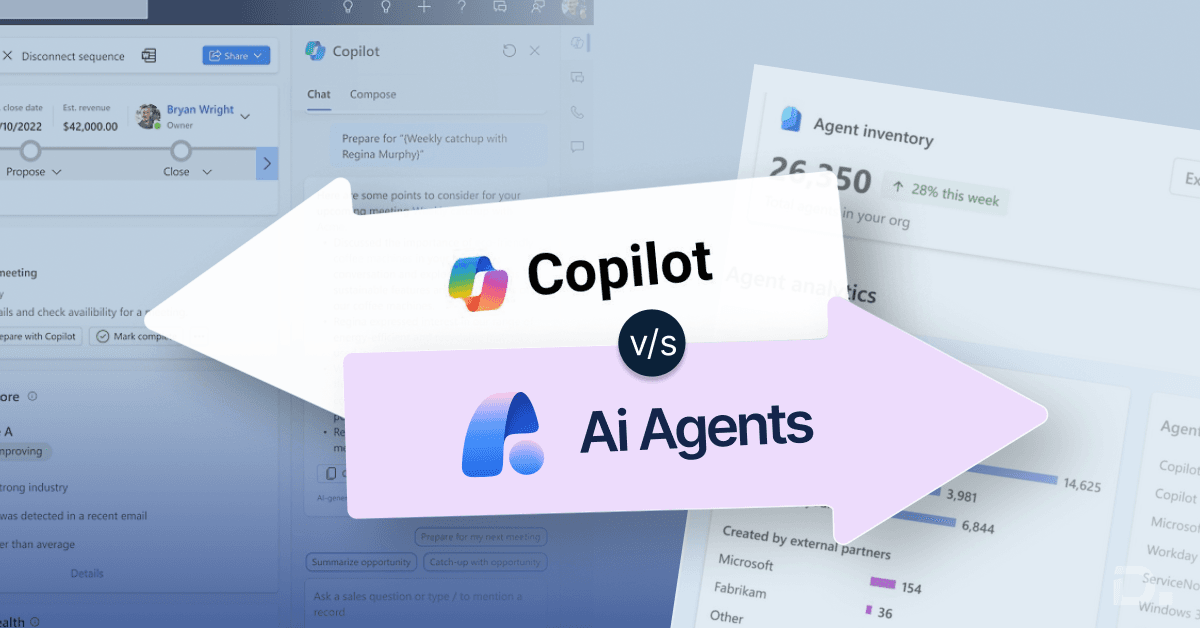
AI agents and Microsoft Copilot are related but they serve different purposes.
| Feature | Copilot | AI Agents |
|---|---|---|
| Primary role | Assists users with tasks, information and analysis | Handles defined business processes with greater autonomy |
| User involvement | Usually starts with a user request | Can operate with minimal human input within defined boundaries |
| Process automation | Supports users completing work | Can execute multiple steps in a business process |
| Human oversight | User-led | Can include review, approval and intervention points |
| Typical use | Summarising, analysing, suggesting and assisting | Order processing, invoice processing and other defined workflows |
Microsoft describes Copilot as an AI-powered assistant that works collaboratively with users, while agents are designed to independently handle specific tasks with minimal human input. Both capabilities are part of the wider AI experience in Business Central.
AI Agents Available in Business Central
Microsoft has moved AI agents from a general concept towards specific business processes. The available capabilities can change by release, country, language and licensing requirements, so organisations should verify availability before planning a production deployment.
Sales Order Agent
The Sales Order Agent helps automate the handling of customer requests received by email. It can identify a customer, understand a request, check item availability, prepare a sales quote and support the process of converting the quote into an order.
Users can monitor the agent's tasks and review work that requires attention. Microsoft documentation also provides controls for reviewing and assisting with the agent's work.
This makes Sales Order Agent particularly relevant for businesses that receive a high volume of sales enquiries and manually transfer order information from emails into Business Central.
Payables Agent
The Payables Agent focuses on accounts payable processes. It can process incoming vendor invoices, extract relevant information, match invoices against purchase orders and receipts, and prepare exceptions or invoices for approval.
This can reduce manual invoice entry and help accounts payable teams spend less time on repetitive document processing.
Microsoft's current documentation describes Payables Agent as supporting invoice processing and matching while keeping human oversight within the process.
Expense Agent
The Expense Agent helps automate expense management. It can capture information from receipts, identify details such as merchant, amount and date, and check expenses against company policies before submission.
Expense Agent availability can vary by country and release status, so businesses should check Microsoft's current regional and licensing information before planning deployment.
Custom AI Agents
Businesses with more specific requirements can also explore custom AI solutions for Business Central. Custom agents can be considered where a standard agent does not cover a particular business process.
This could include processes involving finance, operations, customer management or industry-specific workflows, provided the required capabilities, data access, permissions and governance controls are available.
What Can AI Agents Do in Business Central?
The practical value of AI agents comes from applying them to repetitive processes rather than using AI simply for general information retrieval.
Potential areas include:
Processing customer sales requests.
Preparing sales quotes and orders.
Checking product availability during sales processes.
Processing and matching supplier invoices.
Supporting accounts payable workflows.
Capturing and checking employee expenses.
Monitoring defined business processes.
Supporting exception-based workflows.
Connecting AI capabilities with wider Business Central processes.
The exact tasks an agent can perform depend on the specific agent, its supported functionality, Business Central version, permissions, region and configuration.
Business Central AI Agent Use Cases
Sales Order Processing
Businesses that receive customer orders through email often spend time reading messages, identifying customers, checking products and manually creating sales documents.
Sales Order Agent can automate supported parts of this process and allow sales teams to focus on customer interactions and exceptions rather than repetitive order entry.
Accounts Payable
Finance teams can spend significant time processing supplier invoices and checking them against purchase orders and receipts.
Payables Agent can support this workflow by extracting invoice information, performing matching and routing work for review or approval.
Learn more about AP Automation for Business Central.
Expense Management
Employees and finance teams often deal with receipts, expense submissions and policy checks manually. Expense Agent can automate supported parts of this process and reduce repetitive administration.
Customer and Sales Operations
AI agents can also support sales-related workflows where customer requests need to be interpreted and connected with Business Central records.
Finance and Operations
As Microsoft expands agent capabilities, businesses can evaluate where autonomous processing makes sense across finance and operational workflows while retaining appropriate human controls.
AI Agents for UK Businesses Using Business Central
For UK businesses, the right starting point is not the technology itself. It is the business process that is consuming time or creating avoidable manual work.
For example, a UK distributor receiving hundreds of customer order emails may have a different AI opportunity from a manufacturer dealing with supplier invoices and purchase orders.
Before introducing an AI agent, consider:
How much manual work is involved in the process?
How frequently does the process occur?
How structured is the available data?
What decisions require human approval?
What level of automation is appropriate?
Which Business Central users need access?
How will exceptions be handled?
This process-led approach can help businesses identify practical AI opportunities rather than adopting AI simply because the technology is available.
AI Agents in Business Central for Different Industries
Manufacturing
Manufacturers can evaluate AI agents for sales order processing, purchasing and finance workflows where repetitive data handling creates delays.
Explore our Dynamics 365 solutions for manufacturing to see how Business Central can support wider manufacturing processes.
Wholesale and Distribution
Wholesale businesses often process high volumes of customer orders, product enquiries and supplier invoices. AI agents can be particularly relevant where repetitive order and invoice processing takes significant staff time.
Read more about Business Central for wholesale and distribution.
Retail
Retail organisations can evaluate AI capabilities alongside inventory, sales, purchasing and finance processes. The appropriate use case depends on the organisation's transaction volumes and existing Business Central configuration.
Professional Services
Professional services businesses can assess AI automation across finance, expenses, customer administration and other repetitive processes where structured Business Central data is already available.
Benefits of AI Agents in Business Central
Reduce repetitive manual work
Agents can automate supported steps in repetitive processes, allowing employees to spend more time on exceptions, customer interactions and higher-value activities.
Process work around the clock
Some agent scenarios can continue processing defined tasks without requiring a user to initiate every individual step.
Improve process consistency
When an agent follows a defined process, businesses can reduce variations caused by manual data entry and repetitive administrative work.
Help teams respond faster
Sales and finance teams can spend less time moving information between emails, documents and ERP records when supported agent capabilities automate parts of the process.
Keep people involved where needed
AI agent automation does not have to mean removing people from the process. Review and approval steps can remain part of the workflow where business judgement is required.
Are Business Central AI Agents Secure?
Security is an important consideration because Business Central contains financial, customer, supplier and operational information.
Microsoft's AI capabilities are integrated into the Business Central environment and are designed around Microsoft's security, privacy and responsible AI principles. Access to business information and actions still depends on the relevant permissions and configuration.
Businesses should nevertheless define appropriate controls before deploying an AI agent, including:
User permissions.
Data access.
Approval requirements.
Human review points.
Exception handling.
Monitoring and audit requirements.
Process-specific governance.
For financial or customer-facing processes, organisations should test agent behaviour thoroughly before moving from a controlled environment into production.
What are the Challenges of Using AI Agents in Business Central?
Data quality
AI agents depend on the quality and consistency of the information available to them. Poor master data can create problems regardless of how capable the AI technology is.
Process variation
If different departments follow different processes for the same task, an agent may require more configuration and governance before it can be used effectively.
Human oversight
Not every business process should be fully autonomous. Organisations should determine which actions can be automated and which require human approval.
Permissions and governance
Agent permissions need to be aligned with the tasks the agent is expected to perform. Businesses should avoid giving an agent broader access than its process requires.
Integration complexity
Businesses with heavily customised Business Central environments or multiple third-party systems may need additional technical assessment before introducing AI agents.
Feature availability
AI agent capabilities can have different availability, language, licensing or regional requirements. Always check the current Microsoft documentation before committing to a specific agent or implementation plan.
How to Implement AI Agents in Business Central
A successful AI agent project should start with a business process rather than with the AI technology itself.
Step 1: Identify a suitable process
Look for repetitive, high-volume processes where employees spend significant time reviewing or transferring information.
Step 2: Check whether a standard agent exists
Review Microsoft's current Business Central AI capabilities to determine whether Sales Order Agent, Payables Agent, Expense Agent or another supported capability addresses the requirement.
Step 3: Review your Business Central environment
Check your Business Central version, online environment, data quality, customisations, integrations and user permissions.
Step 4: Define human approval points
Decide which actions can be performed automatically and where users need to review or approve the agent's work.
Step 5: Test the process
Use representative business scenarios to test normal cases, incomplete information, exceptions and incorrect inputs.
Step 6: Monitor performance
After deployment, monitor the agent's output, exceptions and user feedback. Use this information to improve the process and determine whether the scope of automation should be expanded.
If you are planning a wider Business Central automation project, our Business Central support services can help with ongoing optimisation and technical assistance.
How Much Do AI Agents in Business Central Cost?
The cost of using AI agents depends on the specific Business Central licensing, agent capability, usage model, implementation requirements and whether additional customisation is required.
Some Business Central AI capabilities are available as part of eligible Business Central licensing, while agent usage can also involve Copilot Credits or other applicable requirements. Microsoft licensing terms and agent availability can change, so pricing should be checked against the current Microsoft licensing documentation before making an investment decision.
For businesses considering implementation, the total project cost can include:
Business Central licensing.
Applicable AI or Copilot usage.
Business process analysis.
Configuration.
Customisation or development.
Integration with other systems.
Testing and deployment.
User training.
Ongoing support.
If you want to understand the likely scope for your business, speak to a Dynamics 365 specialist before estimating the implementation cost.
AI Agents vs Traditional Business Central Automation
| Traditional automation | AI agents |
|---|---|
| Usually follows predefined rules | Can work with business context |
| Often starts from a defined trigger | Can work towards a defined business objective |
| Best for predictable processes | Useful for supported processes involving variable information |
| Limited ability to interpret unstructured input | Can interpret supported natural-language or document-based requests |
| Usually requires workflows to be explicitly designed | Can perform multiple supported steps within an agent workflow |
| Behaviour is primarily rule-driven | Uses AI within configured boundaries and permissions |
Traditional automation remains useful. AI agents are not a replacement for every workflow or Business Central automation scenario. In many organisations, both approaches can work together.
Why Businesses are Moving Towards Agentic ERP
The wider shift towards agentic ERP is about moving from systems that simply record business activity to systems that can participate more actively in business processes.
Business Central already contains information about customers, products, orders, invoices, suppliers and financial transactions. AI agents can use this business context to automate specific processes instead of requiring employees to manually move information from one stage to another.
The opportunity is therefore not simply to “add AI” to Business Central. It is to identify processes where autonomous or semi-autonomous work can create measurable operational value.
How Dynamics Square UK Can Help with Business Central AI Agents
AI agent implementation should begin with a clear understanding of your existing Business Central processes, data and business objectives.
Dynamics Square UK can help businesses assess Business Central environments, identify suitable automation opportunities and plan Dynamics 365 solutions around their operational requirements.
Our team can support businesses with Business Central implementation, configuration, integration, optimisation and ongoing support, helping you evaluate where AI agents can fit into your wider ERP strategy.
Ready to explore AI Agents in Business Central?
Talk to Dynamics Square UK about your Business Central environment and identify the processes where AI-powered automation could deliver practical value.
Related Business Central Resources
Looking to automate Business Central processes with AI? Contact Dynamics Square UK to discuss your requirements.
Frequently Asked Questions
AI agents in Business Central are autonomous AI workers designed to handle defined business tasks with minimal human input. They can analyse relevant information, perform supported actions and involve users when review or approval is required.
AI agents work towards a defined business objective by using relevant Business Central information, evaluating the available context and performing supported tasks within configured permissions and boundaries. Human users can remain involved where review or approval is required.
Microsoft currently provides Business Central AI agents including Sales Order Agent and Payables Agent, while Expense Agent is also available in supported scenarios and regions. Microsoft is also expanding the ability to build or extend AI solutions for Business Central.
Copilot primarily assists users with tasks such as analysis, suggestions, summaries and other activities. AI agents are designed to handle defined business processes more autonomously, with minimal human input and appropriate review or approval points.
Yes. Sales Order Agent can process supported customer requests received through email, identify relevant information, check item availability, prepare sales quotes and support the process of converting confirmed quotes into sales orders.
Yes. Payables Agent can support accounts payable by processing vendor invoices, extracting information, matching invoices against purchase orders and receipts, and preparing work for approval.
Microsoft provides AI agents as part of its Business Central AI capabilities. Availability can depend on the specific agent, Business Central online environment, country or region, language, licensing and current product status.
AI agents are designed to perform supported tasks with greater autonomy than traditional assistants, but autonomy depends on the specific agent and process. Businesses can retain human review and approval points for actions that require oversight.
Microsoft is expanding capabilities for makers, developers and partners to extend Business Central with custom AI solutions. The available options and product status should be checked against the latest Microsoft documentation when planning a custom agent project.
The cost depends on Business Central licensing, the specific agent, applicable AI or Copilot usage, implementation requirements and any customisation or integration work. Microsoft licensing and availability can change, so current licensing information should be checked before estimating total cost.
AI agents can be used for supported financial processes, but businesses should define permissions, approval points, data access, exception handling and monitoring before deployment. Financial workflows should be tested carefully and should retain appropriate human oversight.