.png&w=3840&q=75&dpl=dpl_BmTcRbuQWaqryfkWHP9yeSuVw4id)
Walk into any manufacturing facility, and you'll notice products are moving constantly.
Raw materials arrive from suppliers. Components move between workstations. Finished goods head into the warehouse before being shipped to customers. Most of those movements happen without anyone giving them much thought.
Table of Contents
Until something goes wrong.
A supplier reports a quality issue. A customer raises a complaint. A routine audit asks where a particular batch came from or which customers received it.
That's when traceability becomes more than an operational process.
It becomes a business requirement.
Many manufacturers still rely on spreadsheets, paper records, or separate systems to record batch and lot numbers. Those methods can work when production is relatively simple. As product ranges expand, supplier networks grow, and customer expectations increase, finding the right information becomes much more time-consuming.
Microsoft highlights traceability as an important part of manufacturing because businesses often need to trace products backwards to suppliers and forwards to customers for quality investigations, regulatory compliance, and product recalls.
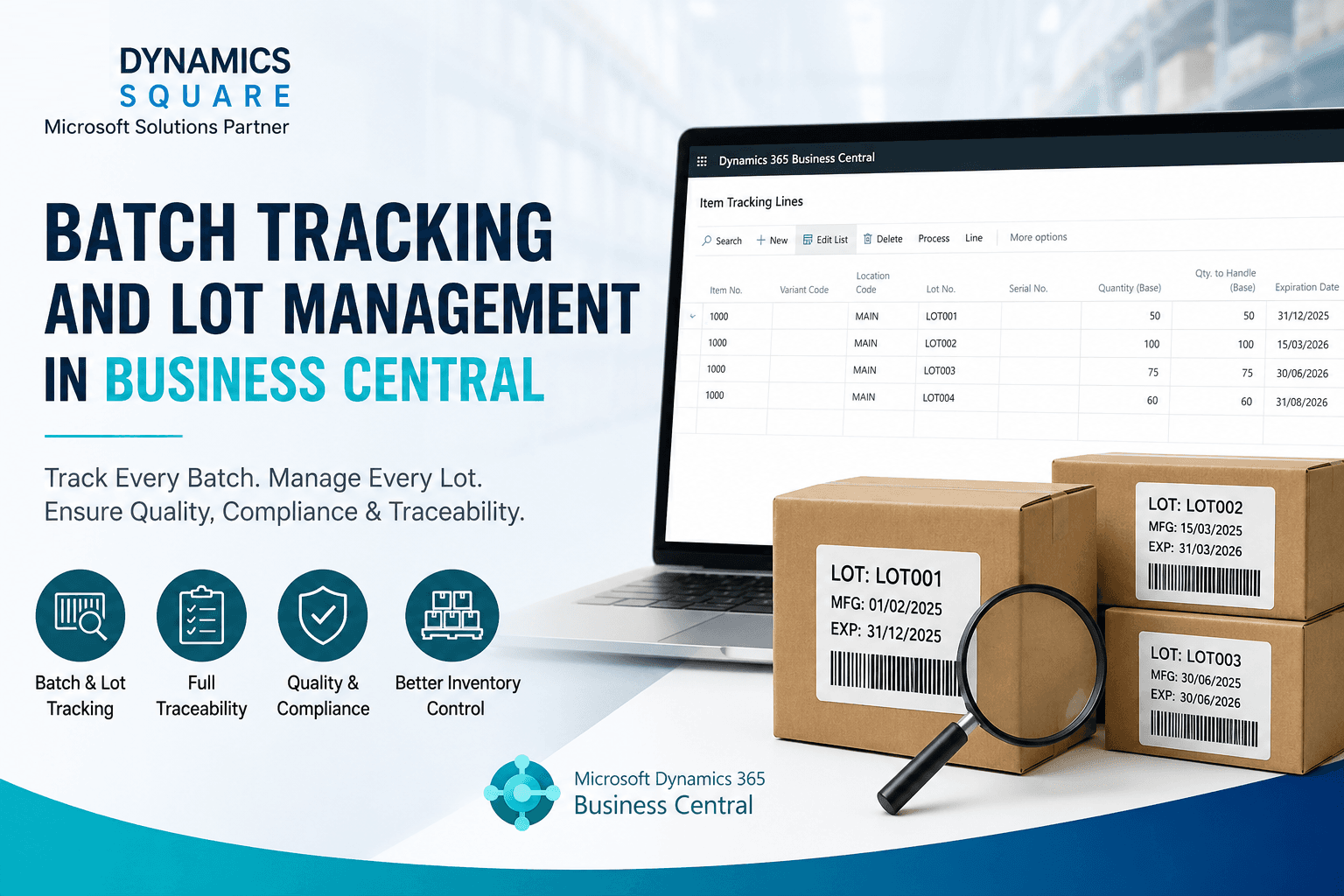
That's where Business Central Batch Tracking becomes useful. Instead of recording traceability as a separate activity, Microsoft Dynamics 365 Business Central captures batch and lot information as products move through purchasing, production, inventory, and warehouse operations.
In this article, we'll explore how Business Central batch tracking and Business Central lot management improve product traceability, strengthen inventory management, and help manufacturers respond more confidently when quality issues occur.
Why Batch and Lot Tracking Become More Important as Businesses Grow
Most manufacturers don't start with complex traceability requirements.
When production is relatively small, it's possible to remember where materials came from or search through paperwork when questions come up.
But when Growth takes place, it changes that.
A second production line is introduced. More suppliers come on board. Product ranges expand, and inventory starts moving between multiple warehouse locations. Information that once kept in one place is now spread across different departments.
Finding a single batch suddenly takes much longer than anyone expects.
Imagine a supplier calling to report an issue with a raw material delivered earlier that week. Production needs to know which manufacturing orders used it. Warehouse teams need to check current stock. Customer service may already be speaking to customers who received finished products containing the same material.
None of those teams can afford to work from varied records.
That's why inventory traceability becomes part of everyday manufacturing rather than something that's only reviewed during audits or recalls.
What Batch Tracking and Lot Tracking Actually Mean
The terms batch tracking and lot tracking are often used interchangeably, which can make them seem like the same thing.
In practice, they describe slightly different ways of identifying products.
A batch usually refers to products manufactured together during the same production run. A lot identifies a group of products that share common characteristics, such as the same raw materials, supplier, manufacturing date, or quality inspection.
Some manufacturers work almost entirely with batches.
Others rely on lots.
Many use both, depending on the products they make and the regulations they need to follow.
The terminology isn't really the important part.
What matters is being able to answer questions quickly.
Where did this material come from?
Which production order used it?
Has it already been shipped to customers?
Can we identify every affected product without checking several systems?
Those are the questions Business Central lot tracking and Business Central batch tracking are designed to answer.
Why Spreadsheets and Manual Records Eventually Create Problems
Spreadsheets have supported manufacturing businesses for years.
Many companies still use them to record batch numbers, quality checks, warehouse movements, and supplier information.
There's nothing unusual about that.
The difficulty appears when information needs to be shared quickly between departments.
A production supervisor updates one spreadsheet. Purchasing records supplier information somewhere else. Warehouse teams maintain their own stock records. Quality documents are stored separately again.
Everything looks organised until someone needs one answer immediately.
A customer reports an issue with a finished product. The quality team starts checking production records while warehouse staff search inventory movements. Purchasing is trying to confirm which supplier delivered the original material.
By then, everyone is looking in different places.
That's one reason many manufacturers move towards batch management software and ERP batch tracking. The objective isn't simply to replace spreadsheets. It's to make manufacturing traceability part of normal operations instead of relying on separate records whenever questions arise.
How Business Central Batch Tracking Works
Most manufacturers don't spend much time thinking about batch numbers during a normal production day.
That changes when someone needs an answer.
A customer wants to know when a product was made. The quality team is checking whether the same raw material was used elsewhere. Purchasing needs to confirm which supplier delivered a particular batch.
Those questions are much easier to answer when the information has been recorded from the start.
With Business Central Batch Tracking, batch and lot information is captured as materials move through purchasing, production, inventory, warehousing, and sales. Teams aren't updating separate traceability records later because the information is already part of the normal workflow.
By the time someone asks a question, the product's journey is already stored from the supplier through production and into customer deliveries.
Improving Product Traceability Across the Supply Chain
Products rarely stay in one place for long.
Raw materials arrive from suppliers. They move into production, become finished goods, and eventually leave the warehouse for customers. Every step adds another piece of information to the product's history.
That works well when everyone is using the same information.
It becomes much harder when purchasing, production, and warehouse teams are all working from different records.
Microsoft Dynamics 365 Business Central keeps those activities connected. Purchasing can trace materials back to suppliers. Production can see where they were used. Warehouse teams know where finished products are stored, while sales can identify which customers received a particular batch.
Microsoft has also expanded traceability capabilities across Dynamics 365, making it easier for manufacturers to trace products both backwards and forwards through the supply chain whenever any quality issues arise.
The result is stronger product traceability, inventory traceability, and warehouse traceability without creating extra work for operational teams.
Batch Tracking, Lot Tracking, and Product Recalls
No manufacturer wants to deal with a product recall.
Even so, most know it can happen.
Imagine a supplier calling late on Thursday afternoon. A batch of ingredients delivered earlier that week may have a quality issue. Some finished products are still in the warehouse. Others have already been shipped.
Before anyone decides what to do next, they need a clear picture.
Which production orders used those ingredients? Is any affected stock still on site? Which customers have already received products from that batch?
Without reliable lot traceability, finding those answers can take far longer than anyone would expect.
With Business Central lot management, that information is already shared. Teams can identify affected batches, check inventory, and review customer shipments without searching through paper records or several spreadsheets.
Compliance Without Extra Administration
For many manufacturers, traceability is simply part of the job.
Businesses working in food, pharmaceuticals, and medical devices often need detailed product records. They may need to show the entire product lifecycle, where products came from, how they moved through production, and where they were supplied. In the UK, those records can also support requirements set by organisations such as the Food Standards Agency (FSA) or the Medicines and Healthcare products Regulatory Agency (MHRA).
As production grows, keeping those records manually becomes much harder.
With Microsoft Dynamics 365 Business Central, batch and lot information is recorded as products move through purchasing, production, inventory, and warehousing. Much of the information needed for audits is already handy, so teams spend less time pulling records together when someone asks for them.
Which Industries Benefit Most?
Batch and lot tracking isn't limited to one type of manufacturer.
It's valuable anywhere products need to be traced from raw materials to finished goods.
That includes food and beverage, pharmaceuticals, chemicals, cosmetics, medical devices, electronics, automotive suppliers, and industrial manufacturing.
Some businesses introduce Business Central Batch Tracking because of regulatory requirements.
Others simply reach the point where spreadsheets can no longer provide the visibility they need across production and inventory.
The reasons may differ, but the outcome is often the same. Teams spend less time searching for information and more time keeping production moving.
Final Thoughts
Most manufacturers don't think much about batch numbers during a normal production day.
They become important when someone asks a question that requires a fast response.
Which supplier delivered this material? Which customers received these products? Is there any affected stock still in the warehouse?
The faster those answers are available, the easier it becomes to protect production, respond to customers, and meet compliance requirements.
If you're looking at Business Central Batch Tracking, the goal isn't simply better record keeping. It's giving every team access to the same information when it matters most.
At Dynamics Square, we help manufacturers use Microsoft Dynamics 365 Business Central to improve traceability, inventory visibility, and day-to-day manufacturing operations. So, Connect with us Today!
Some FAQs
1. What is batch tracking in Business Central?
Business Central Batch Tracking records products by batch number, making it easier to trace materials from receipt through production and customer delivery.
2. How does Business Central manage lot tracking?
Business Central Lot Management tracks lot numbers across purchasing, production, inventory, warehousing, and sales to improve product traceability.
3. What is the difference between batch tracking and lot tracking?
Batch tracking identifies products made during the same production run, while lot tracking groups products with shared characteristics, such as raw materials or production dates.
4. Why is batch traceability important?
Batch traceability helps manufacturers identify affected products quickly, improve quality control, support compliance, and respond faster to recalls.
5. Can Business Central track product batches?
Yes. Business Central tracks batch information throughout purchasing, production, inventory, warehouse management, and customer shipments.
6. How does Business Central improve inventory traceability?
It connects inventory movements, production records, warehouse transactions, and batch information within one ERP system.
7. Which industries need batch and lot tracking?
Industries including food and beverage, pharmaceuticals, chemicals, medical devices, cosmetics, electronics, and manufacturing commonly require batch and lot tracking.
8. Does Business Central support product recalls?
Yes. Business Central helps manufacturers trace affected batches and identify related inventory or customer shipments much more quickly.
9. How does Business Central ensure compliance?
It records batch and lot information throughout the manufacturing process, making compliance reporting and audits easier to manage.
10. Can Business Central track expiry dates?
Yes. Business Central supports expiry date tracking alongside batch and lot information, helping manufacturers manage inventory more effectively.