Deciding on an ERP isn’t something companies rush into. It affects the way teams work every day, from finance to operations. That’s why most businesses prefer to see the system in action before signing up. A Microsoft Business Central ERP demo does exactly that. It gives you an idea of how the software works, how it does its job, and how it can work with the way your business already works.
A Dynamics 365 Business Central demo is like a guided tour. You can walk through the features, try out a few workflows, and see if the system feels like it will work for you.
Table of Contents
Why a Business Central ERP Demo Matters
A demo isn’t just about clicking through slides. It’s about finding out whether the ERP actually lines up with your company’s goals. In a Business Central ERP demo, you’ll usually get to:
Check how finance, inventory, sales, and supply chain tasks are handled in one system.
Try out a demo environment that reflects the way your industry works.
See how automation removes some of the repetitive manual tasks your team may be stuck with today.
Build confidence in your choice by testing scenarios before rolling out the system.
Did you know? Research from Panorama Consulting found that more than 80% of companies said ERP demos helped them sharpen their requirements and make better decisions.
What’s Inside a Microsoft ERP Demo?
A proper Microsoft ERP demo gives you a hands-on experience. Instead of a slide deck, you’ll be walked through how the software works in day-to-day use. Common areas covered include:
Finance – Invoicing, reconciliations, and live reporting.
Inventory & Supply Chain – Demand forecasting, reordering, and stock tracking.
Sales and CRM – Customer data, quotes, and order management.
Projects – Budget control, scheduling, and resource planning.
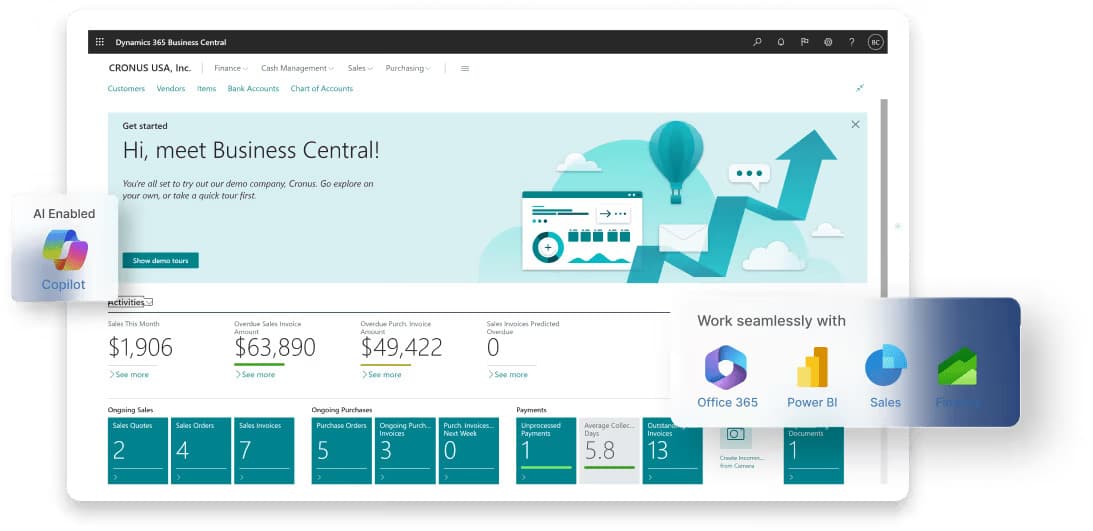
Integrations – How Business Central works with tools like Power BI, Power Apps, and Power Automate.
This way, you’re not just hearing about features, but you’re seeing how they actually work in real.
Dynamics 365 Business Central Demo: A Walkthrough
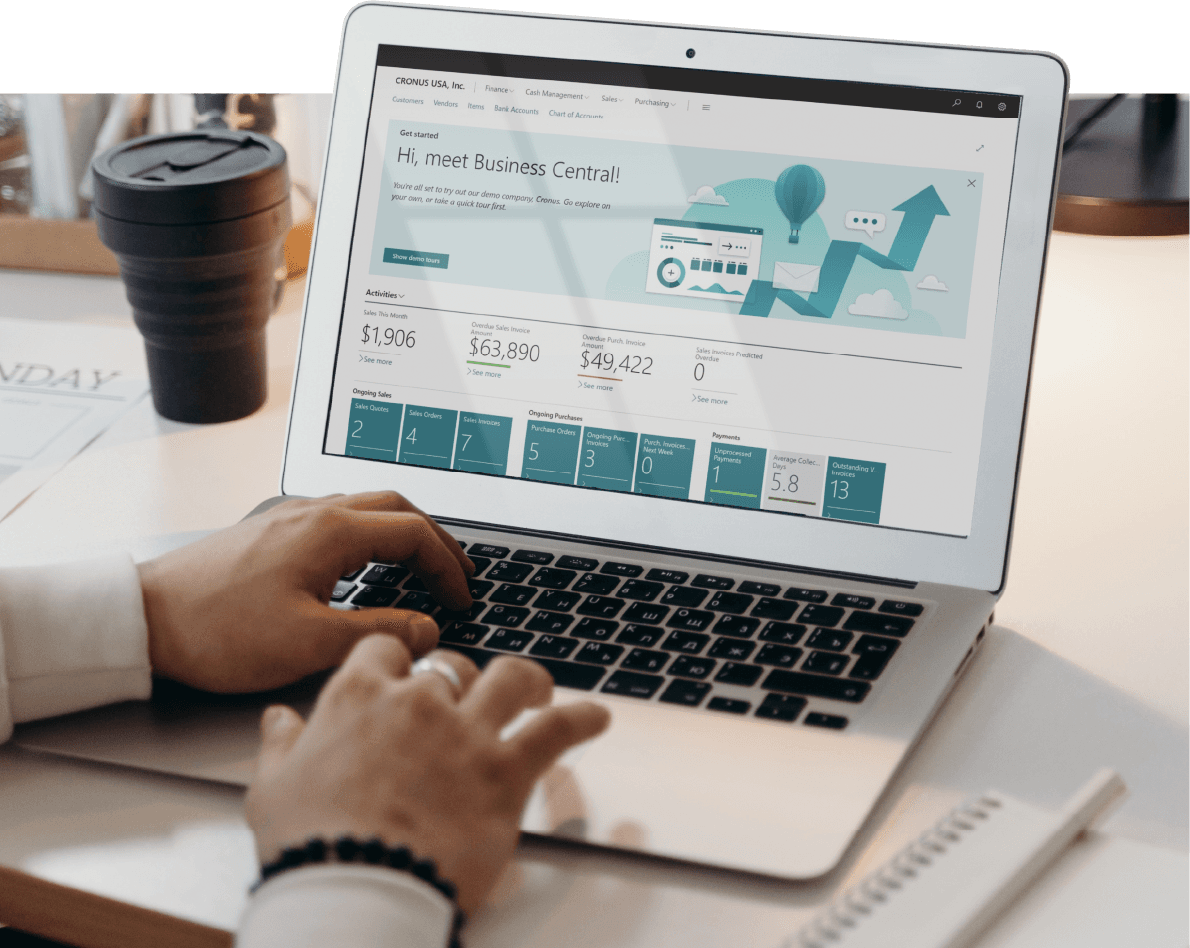
A Microsoft Business Central walkthrough usually starts with a dashboard view, showing KPIs like cash flow, sales performance, and overdue invoices.
From there, the demo explores different workflows. For example:
A finance manager may review how to close monthly books faster.
A warehouse manager might check how real-time stock updates reduce delays.
A sales representative could use Outlook integration to send a quote directly to a customer without leaving their inbox.
By stepping into these roles during the demo, you see how Business Central adapts to different job functions.
Real-Life Demo Example
A UK-based distribution company recently trialled Business Central using the demo environment. Their goal was to test if the ERP could handle complex inventory tracking across multiple warehouses.
In the demo, they uploaded sample product and vendor data. Using role-based dashboards, warehouse staff could instantly track shipments, reorder levels, and vendor delivery times. Managers noted that routine reporting — which previously took days — could be completed within hours.
This practical demo convinced leadership that the system could scale with their operations while reducing inefficiencies.
Implementation Demo: What Rollout Looks Like
Once the features make sense, the next step is understanding how implementation works. A Business Central implementation demo gives a preview of rollout stages:
Discovery & Assessment – Mapping existing systems and workflows.
Solution Design – Configuring a demo environment around business needs.
Data Migration Preview – Importing sample customer or inventory data for testing.
Pilot & Training – A small group of employees test real scenarios in the demo.
Go-Live Planning – Defining timelines, budgets, and support plans.
What makes this part of the demo valuable is that you will not just see software features, but you will get a picture of what the actual usability will look like. For example, a mid-sized professional services firm in Manchester ran a demo focused on project billing and time tracking. Managers simulated expense entry and invoicing, quickly realizing they could cut approval times by 50%. By the time rollout began, their employees already had a feel for the system, making adoption far smoother.
An effective implementation demo also uncovers gaps early. If your finance team needs custom approval flows or your warehouse requires barcode scanning integration, those pain points surface before go-live. That saves both time and cost during the actual project.
Business Central Trial Version
If you’re not ready for a full demo with a partner, Microsoft also offers a Business Central trial version. This lets you explore core features on your own. It’s best suited for small businesses or teams who want hands-on experience before scheduling a partner-led demo.
ERP Demo for Small Businesses
Many small companies assume ERP systems are “too big” for them. The ERP demo for small businesses proves otherwise. Business Central’s scalability means you can start small with finance and grow into supply chain, project management, or advanced reporting when ready.
Why Choose a Demo Before Buying?
Seeing an ERP demo before buying helps answer critical questions:
Does the system fit your workflows without major customizations?
Will your team find the interface easy to use?
How well does it integrate with Microsoft tools you already own, like Excel or Teams?
Can it support future growth without constant upgrades?
By testing upfront, you reduce risks of misalignment later.
Dynamics Square: Your Official Demo Partner
A demo is only as good as the team guiding it. A certified Microsoft Business Central partner like Dynamics Square can set up a tailored demo, answer technical questions, and show industry-specific workflows.
Their consultants help you move from a demo environment to a structured Business Central implementation with minimal disruption.
Interested in a demo? Contact Dynamics Square to schedule a personalized walkthrough.
Conclusion
A demo isn’t just a box to tick before buying software. For many teams, it’s the point where theory turns into something real. You see the screens, try the workflows, and start picturing how it would actually work in your office. That’s often more convincing than any brochure.
Different people also take away different things. Finance leaders may notice how quickly reports come together. Operations managers might focus on stock visibility. Sales teams could be impressed by how customer data shows up in Outlook without extra effort. These small observations often spark bigger conversations about where the system could make life easier.
This is why working with a partner like Dynamics Square makes sense. Instead of running through a generic setup, they handcraft the demo that matches your processes. That way, you’re not just watching features — you’re testing how they would help you out in your day-to-day work. And that clarity can make the decision far less confusing.
FAQs
How to set up the Business Central demo?
If you wish to set up a Business Central Demo, you can sign up for a trial version through Microsoft or request a partner-led demo tailored to your industry.
What is Business Central used for?
It’s an ERP system that helps manage finance, supply chain, sales, projects, and reporting.
Is Business Central better than SAP?
It depends on business size. Business Central is often better suited for small to mid-sized businesses due to easier deployment and lower costs.
Is Business Central a good ERP?
Yes, it has been highly rated for usability, integration, and scalability.
How much does Business Central cost?
Essentials licence – ~ £61.50 per user/month.
Premium licence – ~ £84.60 per user/month (adds features like service management & manufacturing)
Team Member licence – ~ £6.20 per user/month (for limited access / read only etc.)
Pricing varies by license type. A partner can provide an accurate estimate based on your needs.
Is Business Central a CRM?
It includes basic CRM features but is primarily an ERP. For advanced CRM, it integrates with Dynamics 365 Sales.
Which database is used in Business Central?
Business Central runs on Microsoft’s cloud-based SQL database (Azure SQL).