.jpg&w=3840&q=75&dpl=dpl_BmTcRbuQWaqryfkWHP9yeSuVw4id)
Trying to run IT operations in one system and customer data in another feels manageable at first. Then the cracks show. Tickets get lost. Sales teams miss context. Support agents ask customers the same questions again and again. Not ideal.
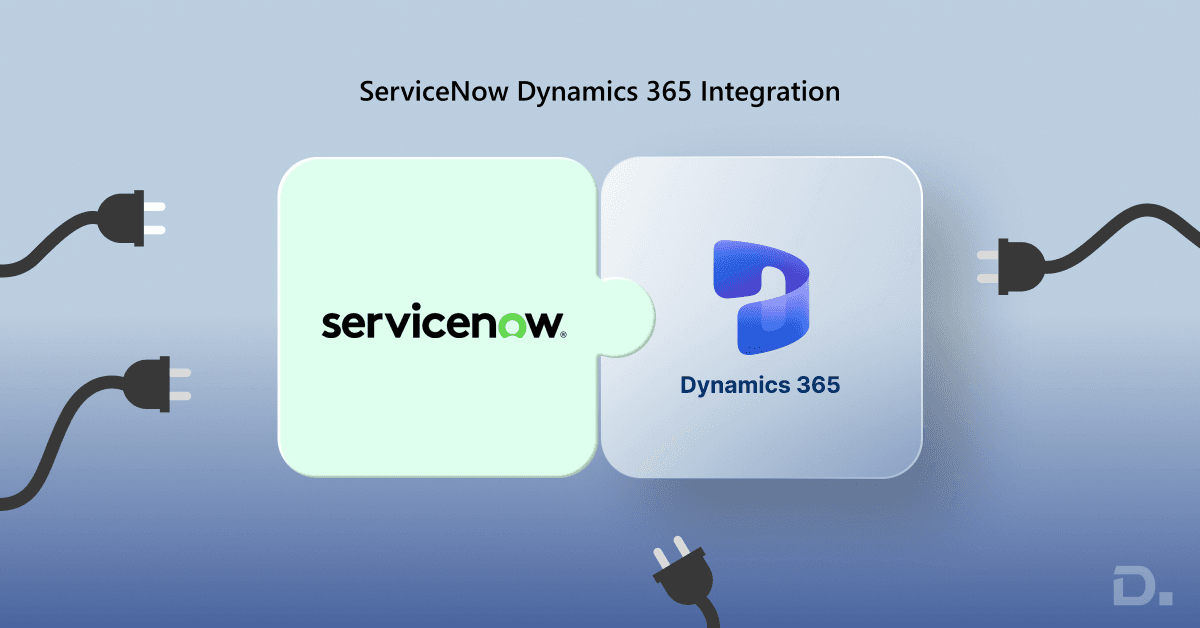
That’s exactly why ServiceNow and Dynamics 365 Integration has become such a big deal, especially for UK organisations dealing with complex workflows and high customer expectations.
Table of Contents
Let’s dig deeper this time. No fluff, just real insight, practical detail, and a bit of honest perspective.
What is ServiceNow and Dynamics 365 Integration?
ServiceNow Dynamics 365 Integration connects ServiceNow with Microsoft Dynamics 365 so data flows between them in real time.
Instead of switching between systems, your teams work with one connected environment where:
- Customer data feeds into IT service workflows
- IT incidents reflect in CRM records
- Business processes span across both platforms
It sounds simple, but the impact is massive when implemented properly.
What are the benefits of ServiceNow and Dynamics 365 Integration?
If you're in the UK and juggling operations, customer service, IT tickets, sales pipelines, compliance headaches… you already know the chaos. Different teams. Different tools. Nothing really “talks” to each other. That’s where ServiceNow Dynamics 365 Integration starts to feel less like a tech upgrade and more like a survival move.
So why does this integration actually matter?
Because switching between systems all day? It kills momentum. Your sales team lives in Dynamics 365. Your IT and service teams live in ServiceNow. And customers? They don’t care about your internal silos. They just want things fixed. Fast.
When you Integrate ServiceNow with Dynamics 365, you basically remove that invisible wall between departments. No more copy-pasting data. No more “let me check with another team.” Everything flows.
Simple idea. Big impact.
Let’s break it down a bit.
1. Customer experience stops falling apart
Right now, a customer raises an issue. Support logs it. Then maybe IT needs to step in. Then maybe sales needs context. It’s messy.
With ServiceNow Dynamics 365 Integration, everyone sees the same data. In real time.
That means:
- Faster responses
- Fewer dropped tickets
- No repeating the same story three times
Customers notice this stuff. They don’t say it out loud, but they notice.
2. Your teams stop working like separate companies
This one’s underrated.
Sales closes a deal in Dynamics 365. Great. But does operations know? Does support know what was promised?
Usually but not really.
When you Integrate ServiceNow with Dynamics 365, handoffs get smoother. Sales, service, IT, operations, they’re finally aligned. Not perfectly, but way better than before.
And honestly, that reduces internal friction more than anything else.
3. Automation actually starts doing something useful
Everyone talks about automation. Few actually benefit from it.
Here’s the difference.
With proper ServiceNow and Dynamics 365 Integration Benefits, automation connects workflows across platforms. Not just within one tool.
For example:
- A customer complaint in Dynamics 365 can automatically create a ServiceNow incident
- A resolved IT issue can update customer records instantly
- Escalations trigger without human intervention
Less manual work. Fewer mistakes. More time for actual thinking.
4. Compliance gets easier. And in the UK, that matters
GDPR. Data governance. Audit trails.
You can’t afford gaps.
Disconnected systems create exactly that. Gaps.
Integration helps keep everything consistent. Logged. Traceable. You know who did what, when, and why. That’s gold during audits.
5. Decision-making stops being guesswork
Data lives everywhere. Reports don’t match. Meetings turn into debates about “which number is right.”
Sound familiar?
With ServiceNow Dynamics 365 Integration, you get a more unified view of operations and customers. Not perfect, but much closer to truth.
And that means:
- Better forecasting
- Smarter resource allocation
- Faster decisions
No more spreadsheet wars.
But let’s be real for a second
Integration isn’t magic.
If your processes are broken, integration will just expose that faster. If your data is messy, it’ll sync messy data faster too.
So yeah, you still need:
- Clean workflows
- Clear ownership
- A bit of discipline
But once those are in place? That’s when ServiceNow and Dynamics 365 Integration Benefits really show up.
UK businesses are under pressure. Costs, competition, customer expectations, regulation, all rising at once.
You can’t afford inefficiency anymore.
And that’s really what this comes down to.
Integrate ServiceNow with Dynamics 365, and you remove friction. Across teams. Across systems. Across the entire customer journey.
It’s not flashy. It’s not trendy.
But it works.
What are the core components of ServiceNow Integration with Dynamics 365?
Let’s get into the nuts and bolts. Not the marketing fluff, but the actual moving parts behind ServiceNow Dynamics 365 Integration.
Because here’s the thing. Integration isn’t just “connect A to B.” It’s a small ecosystem. Several layers working together. Miss one, and things get clunky fast.
1. APIs. The backbone of everything
Nothing happens without APIs.
Both ServiceNow and Dynamics 365 expose APIs that let them send and receive data. Think of these as the conversation layer.
When you Integrate ServiceNow with Dynamics 365, APIs handle things like:
- Pulling customer data from Dynamics into ServiceNow
- Sending incident updates back to CRM
- Syncing tickets, contacts, accounts
No APIs, no integration. Simple as that.
2. Middleware (the translator in the middle)
Here’s where it gets interesting.
You can connect systems directly. But most businesses don’t. Why? Because it gets messy. Fast.
Middleware acts like a buffer. A translator. A traffic controller.
It:
- Transforms data formats
- Routes information between systems
- Handles retries when something fails
Tools like integration platforms (iPaaS) usually sit here. Without this layer, scaling your ServiceNow Dynamics 365 Integration becomes painful.
3. Data Mapping (the “what goes where” logic)
This is where many integrations quietly fail.
ServiceNow calls something an “incident.” Dynamics 365 might call it a “case.” Fields don’t always match either.
So you define mappings:
- Contact → Contact
- Account → Company
- Incident → Case
But it’s not always one-to-one. Sometimes you combine fields. Sometimes you split them.
Good data mapping = clean integration
Bad mapping = chaos with better speed
4. Workflow Automation
Now we’re talking real value.
This is where ServiceNow and Dynamics 365 Integration Benefits start to show.
Workflows define what happens when something happens.
For example:
- A support case in Dynamics 365 triggers an incident in ServiceNow
- A high-priority ticket auto-escalates across both systems
- Resolution in ServiceNow updates CRM status instantly
It’s not just data sharing anymore. It’s coordinated action.
5. Authentication & Security Layer
You can’t ignore this. Especially in the UK.
When systems talk to each other, they need to do it securely. That means:
- OAuth tokens
- API keys
- Role-based access control
This layer ensures only the right data gets shared, and only with the right permissions.
Without it, your integration becomes a liability.
6. Data Synchronisation (real-time vs batch)
Not all data needs to move instantly. But some definitely does.
This component decides:
- What syncs in real time
- What syncs periodically
- What only syncs on demand
For example:
- Customer updates → real-time
- Reports → scheduled batch
A well-designed sync strategy keeps your ServiceNow Dynamics 365 Integration efficient, not overloaded.
7. Error Handling & Monitoring
Things will break. That’s not pessimism, that’s reality.
So you need visibility.
- This component:
- Logs failures
- Sends alerts
- Retries failed transactions
- Tracks system health
Without monitoring, issues sit quietly in the background until they become big problems.
8. User Interface Integration (optional, but powerful)
Sometimes integration stays behind the scenes. Sometimes you bring it front and centre.
This could look like:
- Embedded dashboards
- Linked records between systems
- Unified views for agents
So instead of switching tabs all day, users get a smoother experience.
Small touch. Big productivity gain.
Bringing it all together
When you Integrate ServiceNow with Dynamics 365, you’re not just connecting two tools. You’re building a system where:
- APIs move the data
- Middleware manages the flow
- Mapping makes it meaningful
- Workflows make it useful
- Security keeps it safe
- Sync keeps it timely
- Monitoring keeps it reliable
That’s the real structure behind ServiceNow and Dynamics 365 Integration Benefits.
One honest takeaway
Most integration issues don’t come from technology. They come from unclear processes and rushed planning.
Get the components right. Think through how your teams actually work. Then build around that.
That’s when integration stops being a technical project and starts becoming a business advantage.
What are the challenges of ServiceNow integration with Dynamics 365?
Let’s be clear upfront. ServiceNow Dynamics 365 Integration can deliver serious value, but it is not plug-and-play. The challenges are real, and most of them show up after the kickoff meeting, not before.
Here’s what tends to trip businesses up when they try to Integrate ServiceNow with Dynamics 365.
Got it. Let’s talk about the challenges plainly, no keyword stuffing, no fluff.
1. Data doesn’t line up cleanly
You’d think customer data is customer data. It isn’t.
Different systems structure things differently. Fields don’t match. Definitions vary. One system allows something the other doesn’t.
So you end up with:
- Duplicate records
- Missing details
- Confusing inconsistencies
And here’s the catch. Once connected, bad data spreads faster.
2. Workflows get tangled
Each platform already has its own way of doing things. Now you’re stitching them together.
That creates questions like:
- Which system triggers what
- Who owns the process
- What happens when something changes midway
If this isn’t mapped properly, workflows collide. You might see tickets bouncing back and forth or getting stuck in limbo.
3. Real-time syncing is not always your friend
Everyone wants instant updates. Sounds great.
But real-time sync:
- Puts pressure on systems
- Increases chances of failure
- Can slow things down overall if not handled well
Sometimes slower, scheduled syncing works better. Figuring that out takes experience, not guesswork.
4. Security becomes more complicated
You are connecting systems that hold sensitive data.
Now you have to manage:
- Who can access what across both platforms
- How data moves securely
- Whether you’re still compliant with regulations
One small misconfiguration can expose more than you expect.
5. APIs have limits and quirks
Everything relies on APIs. And APIs are not perfect.
- They have rate limits
- They change over time
- They can fail or lag
If one side has issues, your integration feels it immediately. Sometimes in subtle ways that are hard to detect at first.
6. Errors don’t announce themselves
This is where things get quietly dangerous.
If a sync fails, you might not notice right away. Meanwhile:
- Data drifts out of sync
- Teams act on outdated information
- Trust in the system drops
Without proper monitoring, problems sit in the background and grow.
7. Customisation makes everything harder
Both systems are flexible. That’s great until it isn’t.
The more you customise:
- The more edge cases you create
- The harder it becomes to maintain
- The easier it is to break something during updates
At some point, complexity starts working against you.
8. It takes more time and money than expected
Most teams underestimate this.
It’s not just about building the connection. You need:
- Planning
- Testing
- Fixing edge cases
- Ongoing maintenance
It’s a project that sticks around, not a one-off task.
9. People don’t instantly adapt
Even if the tech works perfectly, people don’t.
- Teams are used to their own systems
- Some resist new workflows
- Others misuse the integration without realising it
Adoption takes time, training, and patience.
10. Ownership gets blurry
This one causes slow, frustrating problems.
When something breaks, who fixes it?
If that answer isn’t clear:
- Issues get delayed
- Small bugs pile up
- Accountability disappears
And the integration slowly becomes unreliable.
Bottom line
The hardest part isn’t connecting the systems. That’s doable.
The hard part is everything around it:
- Clean data
- Clear processes
- Ongoing ownership
If those aren’t in place, the integration exposes problems instead of solving them.
If they are in place, the challenges are manageable. Not easy, but manageable.
ServiceNow and Dynamics 365 Integration Use Cases
This is where things become tangible. Let’s explore detailed use cases.
ITSM and CRM Integration
This is the foundation. Linking IT service management with customer relationship management ensures that every ticket is tied to a real customer context.
ServiceNow Dynamics 365 Customer Service Integration
Customer service teams can:
- Automatically create ServiceNow incidents from Dynamics cases
- View ticket status directly within CRM
- Access full customer interaction history
This reduces response times and improves satisfaction.
ServiceNow Dynamics 365 Field Service Integration
Field engineers benefit massively here:
- Real-time updates from IT incidents
- Better scheduling based on live data
- Accurate job information without delays
No more outdated instructions or missed updates.
ServiceNow Dynamics 365 Sales Integration
Sales teams can:
- Identify customers facing ongoing issues
- Avoid pitching during service disruptions
- Use service insights to strengthen relationships
It creates a more informed and strategic sales approach.
ServiceNow Dynamics 365 Finance Integration
Finance teams gain visibility into:
- Service-related costs
- Billing linked to incidents
- Financial impact of outages
This leads to better forecasting and control.
ServiceNow Dynamics 365 Business Central Integration
For SMEs, integrating with Business Central creates a unified system for operations, finance, and service management without unnecessary complexity.
ServiceNow Dynamics 365 Workflow Automation
Automation is where integration starts paying for itself.
With ServiceNow Dynamics 365 Workflow Automation, you can:
- Trigger ticket creation from CRM events
- Automate escalations based on SLAs
- Sync status updates across systems
- Notify teams automatically when conditions change
It reduces dependency on manual processes, which are often the weakest link.
ServiceNow Tickets Connector Explained
A ServiceNow Tickets Connector is not just a technical add-on. It’s critical.
It ensures:
- Real-time ticket synchronisation
- Accurate status updates
- No duplication of records
Without a proper connector, integration becomes fragile. Things fall out of sync. Trust in the system drops quickly.
Choosing a ServiceNow Dynamics 365 Implementation Partner UK
Picking the right partner can make or break your project.
A strong ServiceNow Dynamics 365 Implementation Partner UK will:
- Understand both platforms inside out
- Offer tailored solutions, not generic templates
- Provide post-implementation support
- Help with compliance and security considerations
It’s tempting to go for the cheapest option. Usually not the best idea.
Ready to unlock the full potential of your Microsoft Dynamics 365 and ServiceNow ecosystems?
At Dynamics Square UK, we help businesses like yours break down silos, automate workflows, and drive smarter decision-making through seamless integration. Whether you're looking to enhance IT service management, improve customer experiences, or streamline operations — our experts are here to make it happen.
Let’s turn your integration vision into reality.
Speak to our specialists today and discover how a tailored ServiceNow–D365 integration can transform your business performance.
Get in touch with Dynamics Square UK now and start building a more connected, efficient future.
If you need any help, don't hesitate to reach out to us. You can give us a call at
+ 44 203 769 7689 or send us an email at info@dynamicssquare.co.uk.