Integration Between Dynamics 365 Finance and Third-Party Applications: Complete Guide

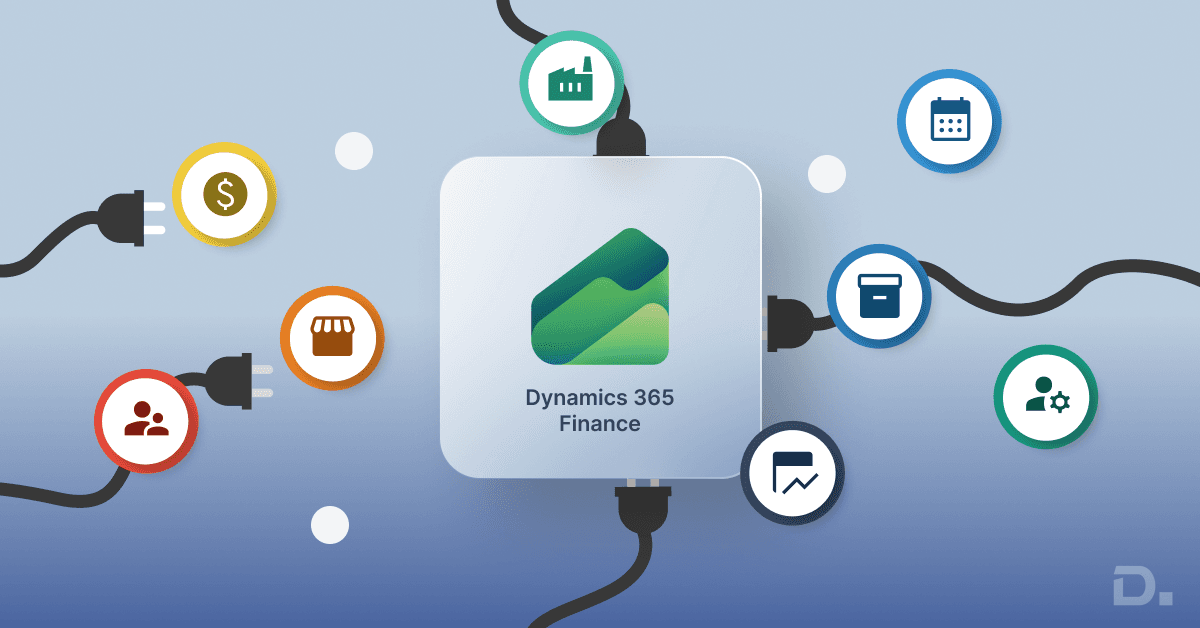
"Most businesses rely on several systems to run day-to-day operations. This guide explains Dynamics 365 Finance integration with external systems, including CRM, reporting, payroll, banking, inventory, and eCommerce applications, along with a few practical considerations before starting an integration project."
Most businesses do not run everything from one system anymore.
Table of Contents
Finance sits inside the ERP. Sales teams use a CRM. Payroll is managed somewhere else. Reporting often happens in Power BI, while inventory data may come from another application entirely.
Nobody usually plans it that way.
The systems get added over time. One department chooses a tool. Another team adopts something different. Before long, information is spread across multiple applications.
For a while, that is not a major problem.
Then someone asks for a report.
Finance has one set of numbers. Sales has another. Operations has a spreadsheet that says something different again.
That is usually when integration becomes a serious discussion.
Instead of moving information manually between systems, businesses start looking for ways to keep applications connected and data flowing more consistently.
That is where Dynamics 365 Finance integrations becomes useful.
Why Integrations Become Necessary
Most integration projects start because people are spending too much time working around systems.
Someone exports a file.
Someone imports it somewhere else.
A report gets updated manually every Friday.
Customer information is entered twice because two systems need the same data.
None of these tasks seem like a major problem individually.
The issue is that they happen every day.
As transaction volumes increase, the amount of manual work increases with them.
Teams spend more time maintaining information and less time using it.
That is often the point where businesses begin reviewing integration options.
The goal is not necessarily automation.
Most of the time, it is simply making information easier to access and easier to trust.
Signs Your Business Needs Better Integration
Some businesses know immediately that systems need to be connected.
Others do not notice until operational issues start appearing.
A few warning signs tend to show up repeatedly.
Teams Are Entering The Same Data More Than Once
This is probably one of the most common situations.
Customer information gets entered into the CRM.
Then somebody enters similar information into the ERP.
Later, another team updates the same details somewhere else.
The process works, but it creates unnecessary work and increases the chances of errors.
Reporting Takes Longer Than It Should
Many businesses still depend on spreadsheets to combine information from different systems.
Reports eventually get created.
The problem is the amount of effort required to build them.
If reporting regularly depends on manual exports and spreadsheet updates, integration is usually worth exploring.
Different Systems Show Different Information
This creates frustration very quickly.
Sales sees one number.
Finance sees another.
Operations sees something different again.
People spend more time debating which report is correct than discussing the information itself.
Employees Spend Time Moving Data Around
If employees regularly export files, update spreadsheets, copy information between systems, or perform manual imports, there is usually an opportunity to improve the process.
Growth Is Creating New Problems
A process that works for 20 employees may not work as well for 200.
As businesses grow, manual processes often become harder to manage.
Integration projects frequently begin after those limitations start becoming more visible.
How Dynamics 365 Finance Integrations Work
Many people assume every integration requires a large development project.
That is not always true.
In some cases, connecting systems can be fairly straightforward. In others, it takes more planning because several applications need to share information with each other.
It really depends on what the business is trying to achieve.
A finance team that only needs reporting data will have very different requirements from a company connecting CRM, payroll, banking, and inventory systems at the same time.
That is why integration projects rarely follow the exact same approach.
Once the requirements are clear, businesses can choose the method that makes the most sense for their systems and processes.
Common Integration Methods in Dynamics 365 Finance
There are several ways to connect Dynamics 365 Finance with external applications.
API-Based Integration
APIs allow applications to exchange information directly.
Many modern software platforms already support API connectivity, making this one of the most common integration approaches.
Microsoft Dataverse
Businesses already using Microsoft's wider ecosystem often use Dataverse to share information between applications.
This approach can simplify integration projects across multiple Microsoft solutions.
Power Platform Connectors
Power Automate and other Power Platform tools can connect Dynamics 365 Finance with many third-party applications.
For some businesses, this provides a practical way to automate processes without extensive development work.
Middleware Solutions
Larger organisations sometimes use middleware platforms to manage integrations between multiple systems.
This approach can become useful when large amounts of information need to move across different applications.
Common Systems Integrated with Dynamics 365 Finance
The systems businesses connect depend heavily on their operations.
Some integrations appear more frequently than others.
CRM Systems
Sales teams and finance teams often need access to the same customer information.
That sounds simple.
In reality, it can become difficult when both departments work inside different systems.
A CRM integration helps keep customer records, invoices, account details, and sales information more aligned.
Many businesses connect Dynamics 365 Finance with Dynamics 365 Sales or Salesforce for exactly this reason.
Power BI
Most finance teams eventually want better reporting.
The challenge is getting information into reports without constantly exporting spreadsheets.
Power BI is one of the most common integrations because it allows businesses to build dashboards and monitor financial performance more easily.
Instead of preparing reports manually every week, teams can work with information that updates automatically.
Shopify and eCommerce Platforms
eCommerce integrations are becoming increasingly common, especially for businesses selling online.
Take Shopify as an example.
Orders come in through the website. Payments get processed. Inventory changes. Customer information gets updated.
Without integration, somebody often has to move that information into the ERP manually.
That process may be manageable when order volumes are low.
Once sales increase, it quickly becomes difficult to maintain.
Connecting Shopify or other eCommerce platforms with Dynamics 365 Finance helps keep financial transactions, orders, and customer information more aligned without constant manual updates.
See Also - Shopify Connector for Microsoft Dynamics 365 Business Central
Banking System Integration
Banking integrations are often one of the first areas finance teams explore.
Manual bank reconciliations take time.
Payment information sits in one system while finance records sit somewhere else.
The work gets completed eventually, but it usually involves more manual effort than people would like.
Connecting banking systems with Dynamics 365 Finance can help simplify activities such as payment processing, reconciliation, and cash management.
For many organisations, it is simply about spending less time moving information around.
See Also - Yavrio Integration with Business Central
Payroll Integration
Payroll is another area where manual work tends to build up quietly.
HR updates employee information.
Payroll processes salaries.
Finance needs cost information for reporting and accounting purposes.
The process often involves exports, imports, spreadsheets, and manual adjustments.
Most teams get used to it.
That does not mean it is efficient.
Integrating payroll applications with Dynamics 365 Finance can reduce duplicate data entry and make payroll-related information easier to manage.
HR System Integration
Employee information changes constantly; New hires join, and People change departments.
Compensation gets updated, and Benefits information changes.
When HR and finance systems operate separately, keeping information consistent can become difficult over time.
That is one reason businesses often connect HR applications with Dynamics 365 Finance.
The goal is not necessarily to share every piece of information.
It is to ensure the right information reaches the right systems when needed.
Inventory and Warehouse Systems
Inventory data has a direct impact on finance.
Stock movements influence costs, and purchasing affects budgets.
Inventory valuations influence financial reporting.
If warehouse systems and finance systems operate independently, reporting can become more difficult than it needs to be.
Connecting inventory applications with Dynamics 365 Finance helps provide better visibility into stock levels, inventory costs, and operational activity.
For businesses with large inventories, this can make a significant difference.
Dynamics 365 Finance Integration Architecture
One mistake businesses sometimes make is focusing only on the connection itself.
The bigger question is how information should move between systems.
For example:
- Which system owns the customer record?
- How often should information update?
- Does the business need real-time updates?
- What happens if information changes in both systems?
These questions are often more important than the technology itself.
Good integration architecture helps prevent confusion later.
It also makes future integrations easier to manage as the business grows.
Common Challenges During Integration Projects
Most integration projects look straightforward in the beginning.
But over time, reality arrives, and a few challenges appear regularly.
Poor Data Quality
Older systems often contain duplicate records, missing information, or inconsistent formats.
Integrating poor-quality data usually creates more problems instead of solving them.
Legacy Applications
Not every system was designed with modern integration in mind.
Older applications sometimes require additional work before they can connect properly.
Different Data Structures
Two systems may store similar information in completely different ways.
Aligning that information often takes longer than businesses expect.
Security Requirements
Financial information needs protection.
Integration projects must consider access controls, compliance requirements, and data security from the beginning.
Unrealistic Expectations
Some businesses expect every integration to happen quickly.
In practice, successful integration projects usually involve planning, testing, adjustments, and ongoing refinement.
Common Mistakes Businesses Make
Technology is rarely the only challenge.
Process decisions can create problems as well.
Trying to Integrate Everything at Once
This happens more often than people think.
A business decides to connect every system simultaneously.
The project becomes larger, more expensive, and harder to manage.
Starting with the highest-priority integrations is often the better approach.
Ignoring Data Cleanup
Many organisations underestimate how much outdated or duplicated information exists inside their systems.
Cleaning data before integration usually saves time later.
Skipping Process Reviews
An inefficient process does not automatically become efficient because it is integrated.
Businesses should review workflows before connecting systems.
Unclear Ownership
Sometimes nobody knows which system should control specific information.
When ownership is unclear, data inconsistencies usually follow.
Why Work with a Dynamics 365 Finance Implementation Partner?
Connecting systems often sounds easier than it turns out to be.
A CRM needs data from finance. Payroll needs to share information with accounting. Reporting pulls data from several places at once. Before long, a fairly simple integration starts involving multiple teams and systems.
That is where an experienced implementation partner can help.
Dynamics Square UK works with businesses implementing Dynamics 365 Finance and connecting it with applications such as CRM systems, Power BI, payroll software, banking platforms, and eCommerce solutions.
The goal is not just to connect systems. It is to make sure information moves where it needs to go without creating extra work later.
Final Thoughts
Very few companies run everything from one system anymore.
Finance sits in one place. Sales works somewhere else. Reporting, payroll, and inventory often use different applications too.
That is why integrations matter.
The goal is not to connect systems just because you can.
It is to make everyday work a little easier and help teams spend less time chasing information across different platforms.
If you are reviewing Dynamics 365 Finance integrations, it is worth planning the approach carefully before any development work starts.