.jpg&w=3840&q=75&dpl=dpl_BmTcRbuQWaqryfkWHP9yeSuVw4id)
Managing a warehouse efficiently is no longer just about storage and stock control. In 2026, businesses across the UK are using Warehouse Management Software to improve inventory accuracy, organise warehouse activities, reduce manual work, and get better visibility across their operations. With growing order volumes and customer expectations for faster fulfilment, the right warehouse management system can make day-to-day operations easier to manage.
This guide explores 10 Warehouse Management Systems used by businesses in the UK. We look at their key features, strengths, limitations, and the types of businesses they may suit.
Table of Contents
- What is Warehouse Management Software?
- How Does Warehouse Management Software Work?
- 10 Warehouse Management Software UK
- What are the Key Features of Warehouse Management Software?
- What are the Benefits of Warehouse Management Software?
- Cloud-Based Warehouse Management Software
- Warehouse Management Software vs ERP
- How to Choose the Suitable Warehouse Management System for the UK Market?
- Is AI Useful in Warehouse Management?
- Final Thoughts
- Frequently Asked Questions
What is Warehouse Management Software?
Warehouse Management Software (WMS) is a system used to manage and control warehouse operations, from receiving goods and storing inventory to picking, packing, dispatching, and handling returns.
A warehouse management system gives businesses better visibility of where stock is stored and how it moves through the warehouse. Depending on the software, it can also automate warehouse tasks, support barcode and RFID scanning, and connect warehouse data with ERP, e-commerce, and transportation systems.
Key Functions of WMS
Inventory Management: Tracks stock across warehouse locations using tools such as barcodes, RFID, and mobile devices.
Order Processing: Supports picking, packing, dispatch, and fulfilment workflows.
Space Optimisation: Helps businesses organise storage locations and make better use of warehouse space.
Labour Management: Helps assign warehouse tasks and monitor operational activity.
Integration: Connects warehouse processes with ERP, e-commerce, transport, and other business systems.
How Does Warehouse Management Software Work?
Warehouse Management Software connects the main activities involved in receiving, storing, moving, and shipping inventory. The exact process depends on the system and warehouse, but a typical workflow includes the following:
1. Receiving
When goods arrive, warehouse staff record the incoming stock in the system. Barcode or RFID scanning can help reduce manual data entry and improve accuracy.
2. Putaway
Once goods are received, the system can help warehouse staff identify suitable storage locations based on available space, product type, and warehouse rules.
3. Inventory Tracking
Stock movements are recorded as inventory moves between locations. This gives warehouse teams a clearer view of available stock and where products are stored.
4. Picking
When an order is received, the WMS can create picking tasks for warehouse staff. Depending on the system, businesses may use methods such as batch, wave, or zone picking.
5. Packing and Dispatch
After picking, products are checked, packed, and prepared for shipment. Warehouse software can also connect with shipping and transport systems where required.
6. Returns
Returned products can be recorded and assessed before being put back into stock or moved to another process.
This connected approach helps businesses reduce manual processes and maintain more accurate warehouse records.
10 Warehouse Management Software UK
Now that you understand what Warehouse Management Software is and how it works, the next step is to compare the available options. Different WMS platforms are designed for different business sizes, warehouse processes, industries, and levels of complexity.
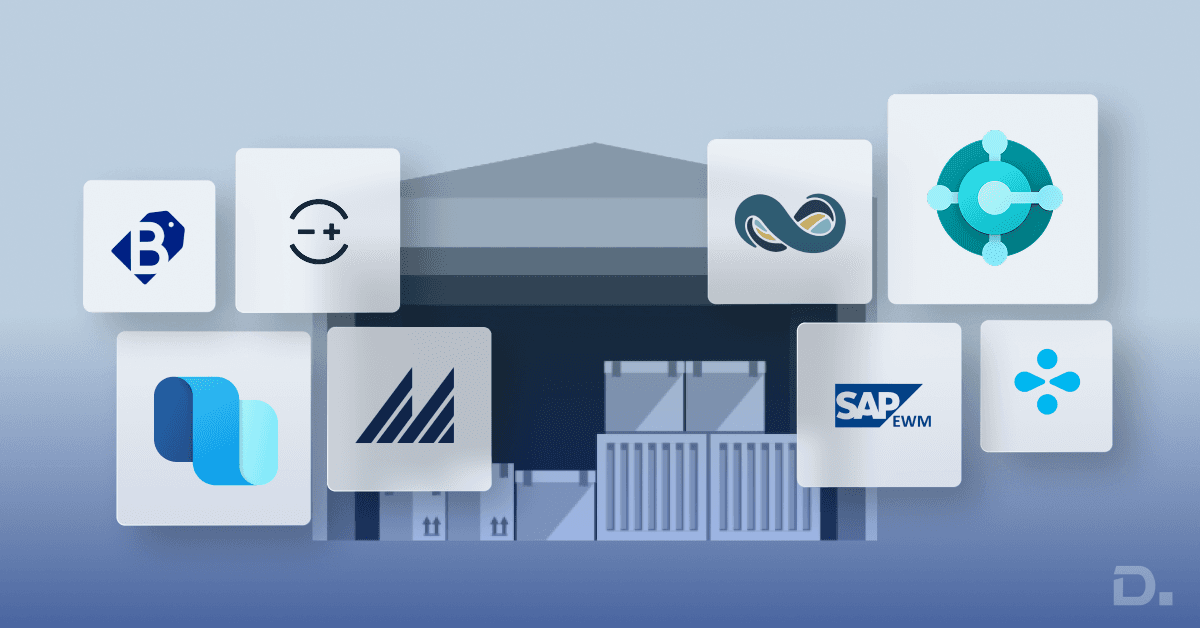
Here are 10 warehouse management software options that UK businesses can consider.
1. Dynamics 365 Supply Chain Management (SCM)
Dynamics 365 Supply Chain Management is an enterprise-grade solution that combines warehouse management with wider supply chain capabilities. It provides tools for inventory visibility, warehouse operations, planning, automation, and integration with other Microsoft applications.
Dynamics 365 Supply Chain Management – Suitable for Complex Warehouse Operations
Microsoft Dynamics 365 Supply Chain Management combines warehouse management with inventory, procurement, production, planning, and supply chain processes. It can be used by businesses managing complex warehouse operations, multiple locations, and larger supply chains.
Key capabilities:
Warehouse and inventory management
Integrated ERP and supply chain capabilities
Warehouse automation and advanced picking processes
Demand and supply planning
Integration with Power BI and other Microsoft applications
Support for multi-site and complex operations
Pros:
Wide range of warehouse and supply chain capabilities
Supports complex warehouse workflows
Strong integration with the Microsoft ecosystem
Cons:
Implementation can require specialist expertise
May be more than smaller businesses need
See Also: Compare ERP Systems for Your Business in 2026
2. Oracle NetSuite WMS
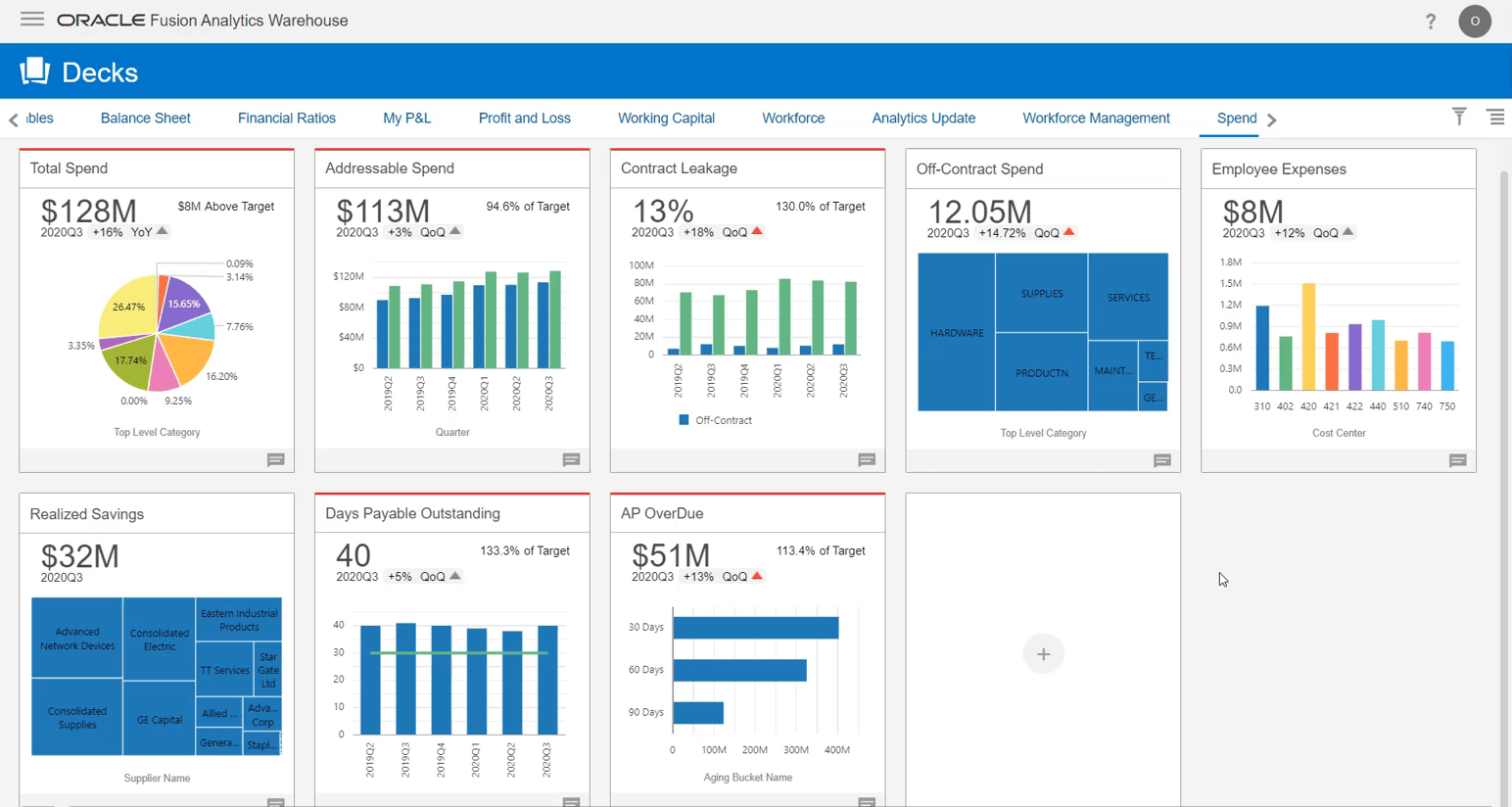
NetSuite WMS is a cloud-based warehouse management solution that supports inventory tracking, receiving, picking, packing, and fulfilment. It is connected with NetSuite ERP, allowing businesses to manage warehouse and wider business processes through the same platform.
Pros:
Warehouse functionality integrated with ERP
Real-time inventory visibility
Suitable for growing businesses
Cons:
May require significant configuration and training
Total costs can be higher for smaller businesses
3. SAP Extended Warehouse Management (EWM)
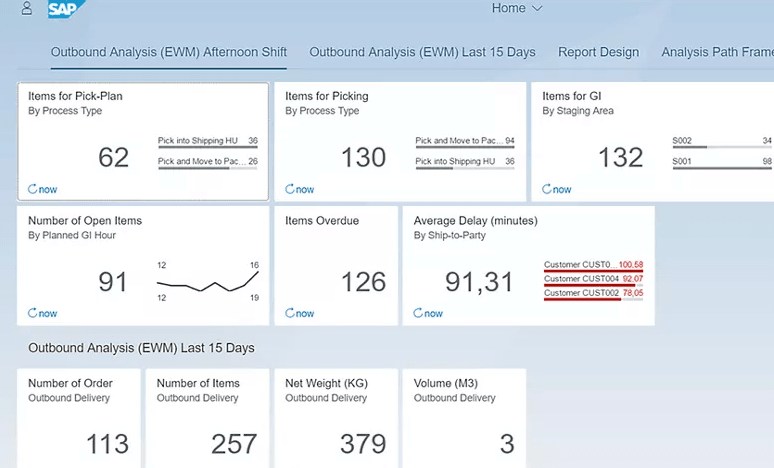
SAP Extended Warehouse Management (EWM) is designed for organisations with complex warehouse and logistics requirements. It supports detailed warehouse processes, automation, inventory management, and integration with SAP environments.
Pros:
Designed for complex warehouse operations
Supports advanced warehouse processes
Integrates with SAP environments
Cons:
Implementation can be complex
May require specialist SAP expertise
4. Dynamics 365 Business Central
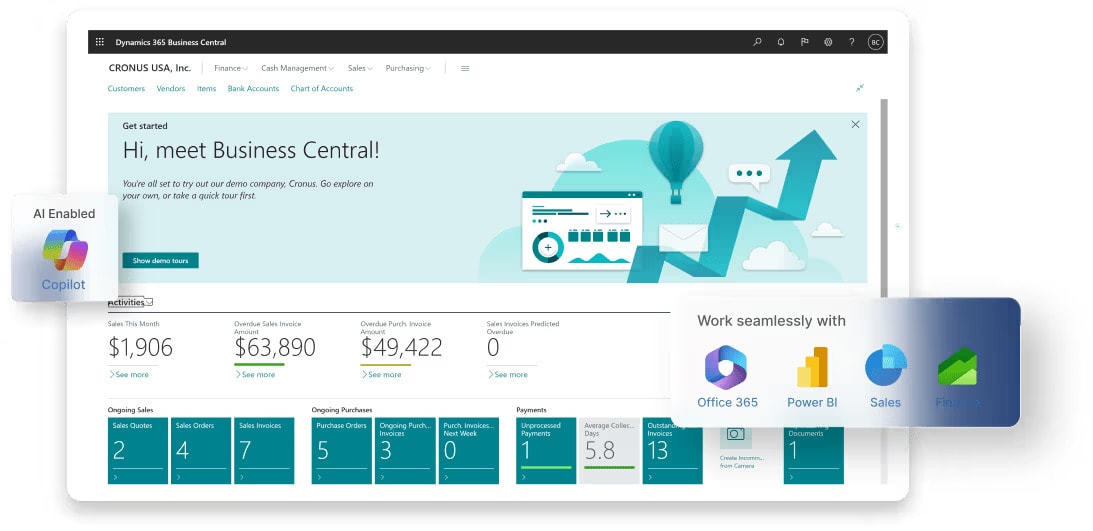
Dynamics 365 Business Central is a cloud ERP solution that includes warehouse and inventory management capabilities. It helps businesses manage stock, warehouse locations, replenishment, purchasing, sales, and other business processes from one system.
Features such as barcode scanning, bin management, inventory tracking, and integration with the wider Microsoft ecosystem can make Business Central suitable for growing businesses that need ERP and warehouse functionality together.
Pros:
Warehouse management integrated with ERP
Real-time inventory and stock updates
Barcode scanning and bin management
Integration with Microsoft applications such as Microsoft 365 and Power BI
Cons:
Requires suitable configuration and training
Businesses with highly specialised warehouse requirements may need additional functionality
See Also: Business Central vs SAP
5. Blue Yonder WMS
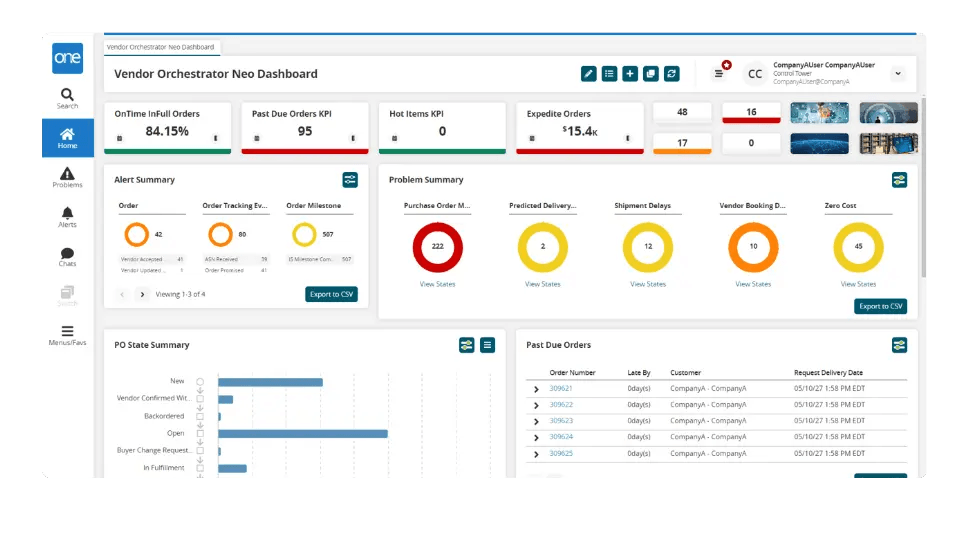
Blue Yonder provides warehouse management software for businesses managing complex fulfilment and distribution operations. Its capabilities cover areas such as inventory, labour, warehouse processes, and fulfilment, with automation and analytics features available for more advanced operations.
Pros:
Supports complex warehouse operations
Automation and analytics capabilities
Suitable for large-scale distribution and fulfilment
Cons:
May require specialist configuration
Can be more suitable for larger organisations
6. Manhattan Associates WMS
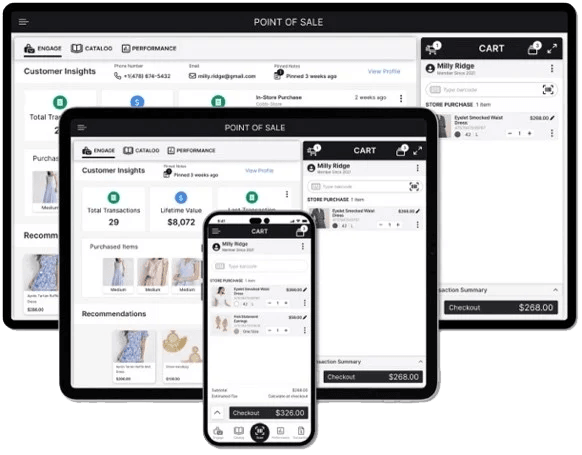
Manhattan Associates provides warehouse management software for high-volume and complex warehouse operations. Its platform supports warehouse execution, inventory management, fulfilment, automation, and omnichannel operations.
Pros:
Designed for complex warehouse environments
Supports automation and warehouse execution
Suitable for high-volume fulfilment
Cons:
Implementation can require significant resources
May not be necessary for smaller warehouse operations
7. Linnworks
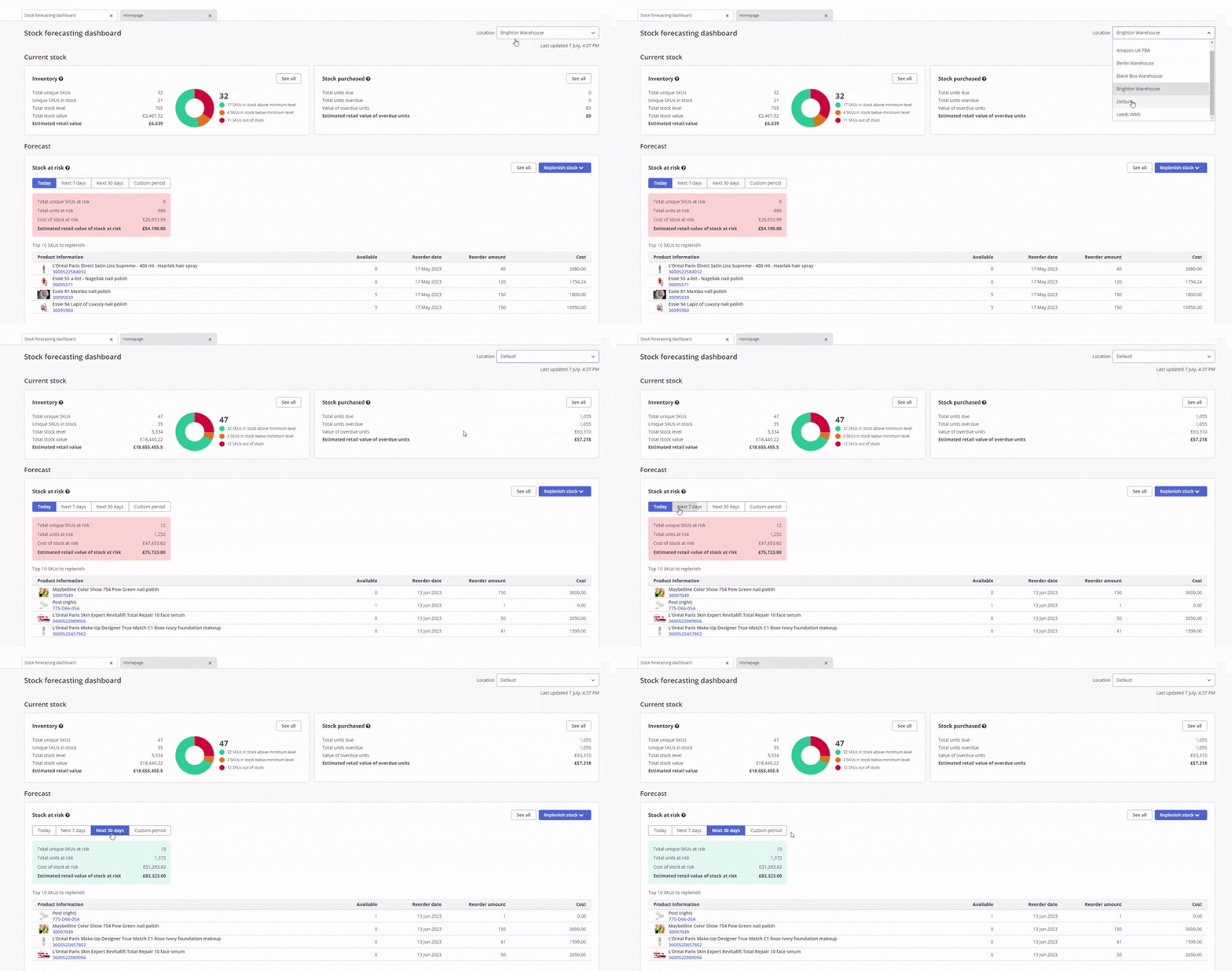
Linnworks is a multichannel inventory and order management platform aimed particularly at e-commerce businesses. It helps businesses manage stock, orders, and fulfilment across multiple sales channels.
Pros:
Useful for multichannel e-commerce
Centralised inventory and order management
Integration with major marketplaces and sales channels
Cons:
Not designed for every advanced warehouse automation requirement
Costs can increase as business requirements grow
8. Brightpearl
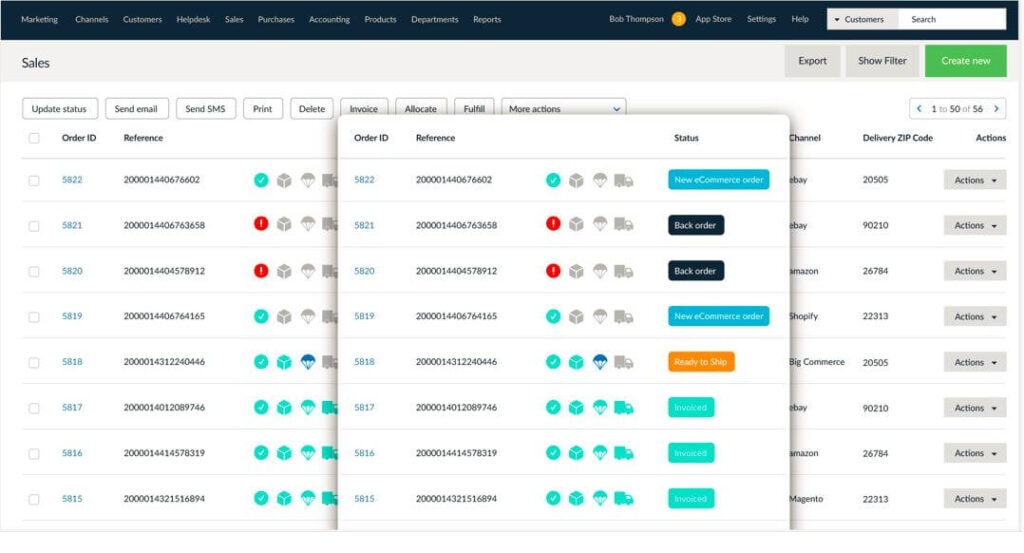
Brightpearl is a retail-focused business management platform that combines inventory, order management, fulfilment, financial management, and other operational processes.
Pros:
Designed with retail and wholesale businesses in mind
Connects inventory and order processes with financial information
Useful reporting and fulfilment capabilities
Cons:
May not suit highly specialised warehouse processes
Advanced requirements may need additional configuration
9. Zoho Inventory
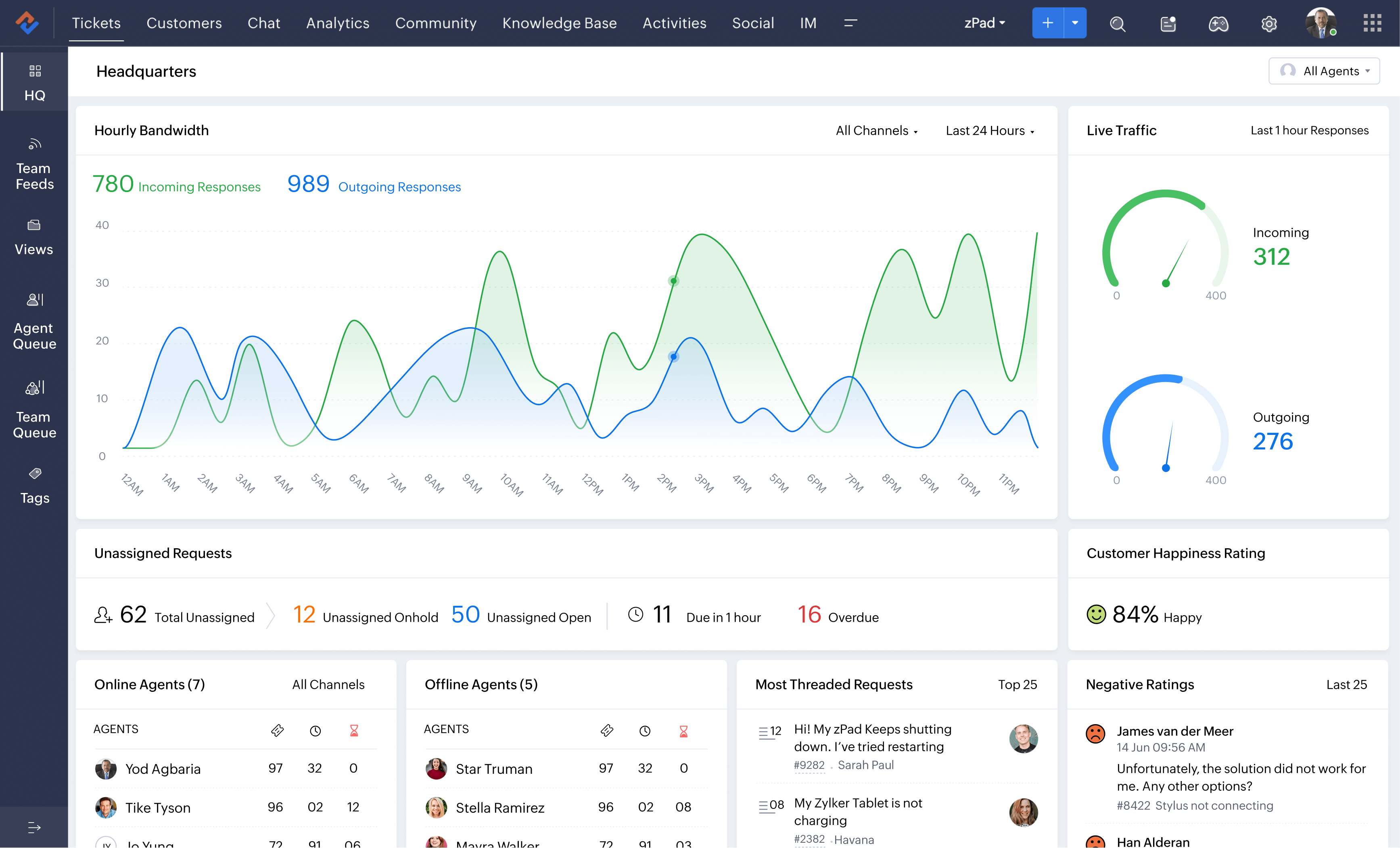
Zoho Inventory is a cloud-based inventory and order management solution aimed at small and growing businesses. It supports stock management, sales orders, purchase orders, fulfilment, and integrations with different sales channels.
Pros:
Suitable for smaller businesses
Cloud-based inventory and order management
Supports multiple sales channels
Cons:
May not provide the depth required by large warehouse operations
Advanced warehouse requirements may require other solutions
10. Fishbowl WMS

Fishbowl provides inventory and warehouse management capabilities for small and mid-sized businesses. It supports stock tracking, barcode scanning, inventory management, and integration with accounting systems such as QuickBooks.
Pros:
Suitable for small and mid-sized businesses
Inventory tracking and barcode scanning
Integration with QuickBooks
Cons:
May have limitations for highly complex warehouse operations
Advanced workflows may require additional configuration
What are the Key Features of Warehouse Management Software?
Warehouse Management Software is designed to organise warehouse activities and improve visibility across inventory and fulfilment processes. The features available vary between platforms, so businesses should compare them against their actual warehouse requirements.
1. Real-Time Inventory Tracking
Tracks stock levels and warehouse locations as inventory moves through the business. Barcode and RFID scanning can help keep inventory records up to date.
2. Order Management
Supports picking, packing, and shipping processes. Some WMS platforms also support batch, wave, and zone picking.
3. Warehouse Layout Optimisation
Helps businesses organise storage locations and make better use of available warehouse space.
4. Receiving and Putaway
Supports inbound warehouse processes by recording received goods and helping staff move products to the appropriate storage locations.
5. Labour Management
Helps warehouse managers assign tasks and monitor warehouse activity and productivity.
6. Integration Capabilities
Warehouse management systems can integrate with ERP systems, e-commerce platforms, accounting software, transport management systems, and other business applications.
For example, businesses using Microsoft Dynamics 365 can connect warehouse processes with other business functions to reduce duplicate data entry and improve visibility.
7. Reporting and Analytics
Provides information about inventory, order accuracy, fulfilment, warehouse activity, and other operational measures.
8. Returns Management
Helps businesses record returned products, assess their condition, and update inventory or fulfilment processes accordingly.
9. Mobile Accessibility
Mobile devices and warehouse scanners allow staff to record stock movements and complete tasks while working on the warehouse floor.
10. Compliance and Security
Warehouse systems should provide appropriate user access controls, audit trails, and security features. Businesses in regulated industries should also check whether the system supports their specific traceability requirements.
What are the Benefits of Warehouse Management Software?
Warehouse Management Software can help businesses improve inventory control, reduce manual work, and gain better visibility across warehouse operations. The actual benefits depend on how the software is implemented and the processes it is used to manage.
1. Improved Inventory Accuracy
Real-time stock updates can reduce inventory discrepancies.
Better stock visibility can help businesses manage overstock and stock shortages.
2. Enhanced Operational Efficiency
Automates repetitive warehouse tasks.
Provides structured picking, packing, and dispatch workflows.
3. Better Space Utilisation
Helps organise warehouse locations.
Can reduce unnecessary movement within the warehouse.
4. Cost Reduction
Reduces avoidable manual work and inventory errors.
Can help businesses make better use of warehouse resources.
5. Improved Customer Service
More accurate inventory information can support better order fulfilment.
Structured warehouse processes can help reduce fulfilment errors.
6. Real-Time Visibility
Provides information about stock and warehouse activity.
Helps managers identify issues and make decisions using current operational data.
7. Scalability
Can support additional warehouse locations and higher order volumes.
Allows businesses to introduce additional warehouse functionality as requirements change.
8. Compliance and Security
Supports controlled access to warehouse information.
Can help businesses maintain appropriate records and traceability.
Cloud-Based Warehouse Management Software
Cloud-based Warehouse Management Software is hosted in a cloud environment rather than being maintained entirely on local infrastructure. It can allow warehouse teams and managers to access the system from different locations, depending on the software and access controls.
Cloud WMS can also make it easier for businesses to scale users and locations as their requirements change. However, businesses should still assess connectivity, integrations, security, implementation, support, and the total cost before choosing a cloud-based system.
Warehouse Management Software vs ERP
Warehouse Management Software and ERP software serve different purposes, although they can work together.
A WMS focuses primarily on warehouse activities such as receiving, putaway, inventory movements, picking, packing, dispatch, and returns.
An ERP system manages wider business processes such as finance, purchasing, sales, inventory, supply chain, and operations. Some ERP platforms also include warehouse management capabilities.
For example, Dynamics 365 Business Central combines ERP functionality with inventory and warehouse management features. Larger organisations with more complex warehouse operations may require a dedicated WMS alongside their ERP.
The right approach depends on warehouse complexity, business size, operational requirements, and the systems already in use.
How to Choose the Suitable Warehouse Management System for the UK Market?
Choosing a Warehouse Management System (WMS) should start with your warehouse processes rather than simply comparing the number of features offered by each supplier.
Consider the following factors when comparing Warehouse Management Software UK options:
1. Understand Your Business Needs
Assess warehouse size, order volume, and operational complexity.
Identify problems such as stock inaccuracies, slow picking, or fulfilment delays.
Consider how your requirements may change as the business grows.
2. Consider UK Business Requirements
Check whether the software supports the financial, reporting, customs, and operational requirements relevant to your business.
For e-commerce businesses, consider integrations with marketplaces, delivery providers, and returns processes.
For regulated industries, check support for batch, expiry, and traceability requirements.
3. Integration Capabilities
Check integration with ERP systems such as Dynamics 365 and SAP.
Check compatibility with e-commerce platforms and transport systems.
Review API and integration options before implementation.
4. Deployment Options
Cloud-based WMS can provide easier access and scalability.
On-premises software can provide greater control over local infrastructure.
Compare both options based on your IT requirements, budget, security needs, and future plans.
5. Scalability
Check whether the system can support additional warehouses and higher order volumes.
Consider whether additional automation and functionality can be added later.
6. Automation and Advanced Features
Consider barcode and RFID scanning, mobile warehouse applications, and automated workflows.
For larger operations, check compatibility with technologies such as AGVs, AMRs, and automated storage systems.
Consider AI-based forecasting and analytics where they solve a specific business requirement.
7. Analytics and Reporting
Check whether the system provides useful warehouse KPIs.
Look for reporting around inventory accuracy, order fulfilment, warehouse activity, and stock movements.
8. User Experience and Support
Warehouse staff should be able to use the system without unnecessary complexity.
Consider implementation, training, documentation, and ongoing support.
9. Pricing and Total Cost
Compare subscription or licence costs.
Include implementation, configuration, integrations, training, hardware, and support in your cost assessment.
Consider the expected operational benefits rather than comparing software prices alone.
10. Vendor Experience
Review the supplier's experience with businesses similar to yours.
Look for relevant customer examples, implementation experience, and support capabilities.
Pro Tip for UK Businesses
If you operate in a regulated sector such as pharmaceuticals, food, or medical products, check whether the WMS supports the traceability, batch, expiry, and distribution requirements relevant to your business.
Is AI Useful in Warehouse Management?
AI is becoming part of modern warehouse and supply chain software, but its value depends on how it is used. Depending on the platform, AI can support demand forecasting, inventory planning, anomaly detection, and operational decision-making.
For example, AI-based forecasting can help businesses identify changes in demand and plan inventory more effectively. Other AI capabilities can help analyse operational data and identify patterns that may be difficult to spot manually.
When comparing warehouse management software, businesses should look at the actual use case for AI rather than choosing a system simply because it includes AI features.
Final Thoughts
The right Warehouse Management Software can help businesses improve inventory accuracy, reduce manual work, and gain better visibility across warehouse operations.
There is no single WMS that will suit every business. A small e-commerce business may need straightforward inventory and order management, while a manufacturer, distributor, or larger organisation may need more advanced warehouse and supply chain capabilities.
Before choosing a system, assess your current warehouse processes, integration requirements, expected growth, and the level of automation you actually need.
If you are considering Microsoft Dynamics 365 for warehouse management, Dynamics Square UK can help you assess your requirements and choose the right approach for your business.
Contact Dynamics Square UK to discuss your warehouse management requirements and explore Dynamics 365 WMS options.
Frequently Asked Questions
Warehouse Management Software is a system used to manage warehouse activities such as receiving, inventory tracking, putaway, picking, packing, dispatch, and returns. It helps businesses improve stock visibility and control warehouse operations.
A WMS focuses on warehouse operations, while an ERP manages wider business processes such as finance, sales, purchasing, inventory, and supply chain. Some ERP systems also include warehouse management functionality.
Cloud-based Warehouse Management Software is hosted in a cloud environment and accessed through the internet. It can provide easier access across locations and support businesses as their warehouse requirements grow.
Important features include inventory tracking, receiving and putaway, picking, packing, barcode scanning, warehouse location management, reporting, returns management, mobile access, and integration with ERP and e-commerce systems.
Yes. Small businesses can use WMS when manual stock control, spreadsheets, or basic inventory tools are no longer sufficient. The right system depends on warehouse size, order volume, inventory complexity, and future growth.
Yes. Many WMS platforms can integrate with ERP systems to exchange information about inventory, sales orders, purchasing, fulfilment, and warehouse movements. This can reduce duplicate data entry and improve visibility across business processes.
Dynamics 365 Business Central includes inventory and warehouse management capabilities alongside finance, sales, purchasing, and other ERP functions. It can be suitable for growing businesses that want warehouse and wider business processes in one system.
Yes. Dynamics Square helps UK businesses implement and support Microsoft Dynamics 365 solutions, including warehouse management capabilities within Dynamics 365 Supply Chain Management and Business Central.