.png&w=3840&q=75&dpl=dpl_BmTcRbuQWaqryfkWHP9yeSuVw4id)
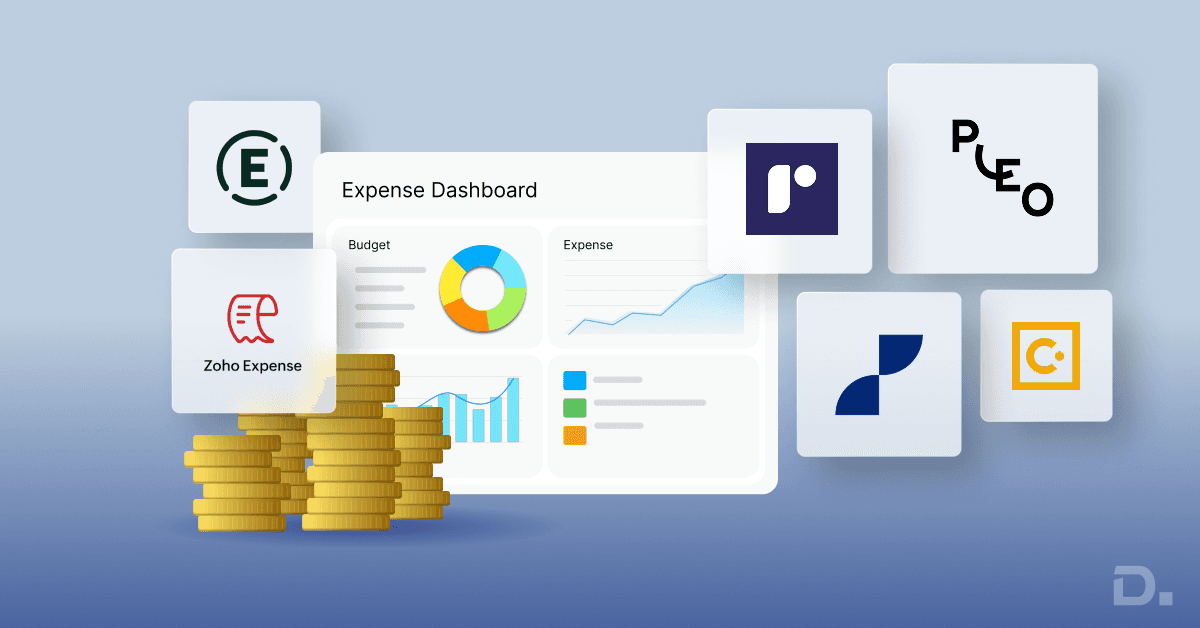
Expense management software helps UK businesses capture employee expenses, manage approvals, monitor company spending and maintain accurate financial records. The right solution can reduce manual administration, improve spending visibility and connect expense data with accounting or ERP systems.
However, not every expense management system serves the same purpose. Some focus on employee reimbursements and receipt capture, while others combine expenses with corporate cards, travel management, budgeting or enterprise financial controls.
Table of Contents
- Quick Comparison: Expense Management Software
- What is Expense Management Software?
- Why UK Businesses Need Expense Management Solutions
- 10 Expense Management Software Options in the UK for 2026
- Expense Management Software Comparison: Which Should You Choose?
- How to Choose Expense Management Software for Your Business
- How Dynamics 365 and Continia Can Support Expense Management
- Expense Management Software Trends to Consider in 2026
- Final Thoughts
- Frequently Asked Questions
For finance directors, CFOs, financial controllers and operations managers, the key decision is finding software that fits existing processes, integrates with the financial system and can support future business growth.
This guide compares 10 expense management software options for UK businesses in 2026, covering their main capabilities, intended use cases and important considerations before implementation.
Quick Comparison: Expense Management Software
For Microsoft Dynamics 365 Business Central users: Continia Expense Management is worth evaluating for its direct integration with Business Central.
For large organisations: SAP Concur and enterprise-focused expense platforms are worth considering when travel policies, international operations and complex approval structures matter.
For smaller businesses: Zoho Expense and Expensify are options to assess for digital expense reporting and receipt capture.
For company card and spend control: Pleo, Soldo and Spendesk are relevant options to compare.
The right choice depends on your accounting platform, business size, approval requirements, pricing and the level of financial control you need.
What is Expense Management Software?
Expense management software is a digital system that helps businesses record, submit, review, approve and report employee business expenses. Depending on the platform, it may also manage mileage claims, travel expenses, corporate card transactions and employee reimbursements.
Instead of relying on emailed receipts and spreadsheets, employees can submit expenses through a structured workflow. Managers review claims, finance teams check supporting evidence and approved transactions can be transferred to the relevant accounting or ERP system.
Common capabilities include:
Mobile receipt capture and expense submission.
Automated expense approval workflows.
Expense categorisation and policy checks.
Mileage and travel expense management.
Corporate card transaction reconciliation.
Expense reporting and spending analysis.
Integration with accounting software and ERP systems.
Feature availability varies by provider and subscription plan. Businesses should verify which capabilities are included before choosing a solution.
Why UK Businesses Need Expense Management Solutions
Manual expense processing can become difficult to manage as employee numbers, transaction volumes and approval requirements increase. Finance teams may spend significant time chasing receipts, checking claims, resolving coding errors and reconciling transactions at month-end.
An appropriate expense management system can help address these challenges by introducing consistent processes and improving access to spending information.
Key business benefits
Less manual administration: Digital submissions and automated workflows reduce repetitive data entry and follow-ups.
Better spending visibility: Finance teams can review submitted claims and available transaction data without relying exclusively on month-end spreadsheets.
Consistent approval processes: Defined approval rules help route expenses to the appropriate managers.
Improved record-keeping: Digital receipts, transaction details and approval histories support financial review and audit preparation.
More efficient reconciliation: Accounting integrations can reduce duplicate data entry and help match expense records with financial transactions.
Automation does not remove the need for financial controls. Businesses still need clear expense policies, appropriate approval permissions, supporting documentation and regular reviews.
10 Expense Management Software Options in the UK for 2026
The following platforms address different expense management requirements. This is a comparison shortlist, not a ranked performance assessment. The most suitable option depends on your existing systems, workflows, budget and integration needs.
1. Continia Expense Management
Continia Expense Management is designed for Microsoft Dynamics 365 Business Central environments. It supports expense submission, mileage and per diem management, approval processes and the handling of expense information within Business Central.
Its direct ERP integration makes it relevant to businesses that want expense processes connected to their financial records rather than managed entirely through a separate application.
Key capabilities include:
Mobile expense and receipt submission.
Expense approval workflows.
Mileage registration and Google Maps integration.
Per diem management, subject to configuration and applicable modules.
Expense information linked to Business Central.
Suitable for: Businesses using Business Central that want to connect employee expense processes with their ERP environment.
Consider before choosing: Check licensing, supported Business Central versions, required modules and implementation needs.
Explore Continia Expense Management services from Dynamics Square UK to understand the available implementation options.
2. SAP Concur
SAP Concur provides travel and expense management capabilities for organisations that need structured expense reporting, approval workflows and oversight of employee spending.
Its travel and expense offering is relevant to businesses managing formal travel policies, multiple approval levels or operations across different countries.
Key capabilities include:
Travel and expense reporting.
Configurable expense approval workflows.
Expense policy and audit controls.
Integration options for financial and business systems.
Suitable for: Mid-sized and large organisations with structured travel and expense requirements.
Consider before choosing: Assess implementation complexity, integration requirements, contract costs and the functionality included in your proposed package.
3. Microsoft Dynamics 365 Finance
Microsoft Dynamics 365 Finance is an enterprise finance application that supports financial management and related business processes. Its expense management capabilities can be relevant to organisations managing employee expenses as part of a broader finance and operations environment.
It should not be confused with Dynamics 365 Business Central, which is a separate ERP product with different capabilities and implementation requirements.
Areas to evaluate include:
Expense submission and approval processes.
Financial posting and reporting requirements.
Employee, project and organisational data requirements.
Integration with other finance and business applications.
Suitable for: Organisations evaluating expense management within an enterprise Dynamics 365 Finance environment.
Consider before choosing: Confirm the exact expense functionality, licensing, configuration and integration requirements for your version and deployment.
Businesses using Business Central should assess a compatible solution separately rather than assuming that all Dynamics 365 Finance capabilities are available in Business Central.
4. Expensify
Expensify provides expense reporting and spend management capabilities, including receipt scanning, expense categorisation and workflows for submitting and approving expenses.
Its digital expense processes can help businesses reduce reliance on manual receipt collection and spreadsheet-based reporting.
Key capabilities include:
Receipt capture and expense reporting.
Expense submission and approval workflows.
Corporate card and transaction management options.
Accounting integrations, depending on the connected system.
Suitable for: Small and growing businesses seeking a dedicated expense management application.
Consider before choosing: Verify UK-specific functionality, available integrations, reimbursement arrangements and the current subscription terms.
5. Rydoo
Rydoo focuses on expense automation, employee claims, approval processes and spending visibility. Its platform includes tools designed to help finance teams review expenses and identify claims that may require further attention.
Key capabilities include:
Digital expense submission.
Configurable approval workflows.
Expense policy controls.
Automated expense monitoring and reporting.
Suitable for: Organisations looking to standardise expense reporting across teams and locations.
Consider before choosing: Review integration coverage, policy configuration, reporting requirements and the pricing available for your organisation.
6. Zoho Expense
Zoho Expense provides expense reporting, receipt capture, mileage tracking and expense control features. Its UK pricing page also lists a free plan alongside paid options, although eligibility and functionality differ by plan.
Key capabilities include:
Receipt capture using optical character recognition (OCR).
Expense reports and mileage tracking.
Multi-currency expense management.
Corporate card and accounting integration options.
Suitable for: Small and medium-sized businesses looking for a digital expense management system with multiple subscription options.
Consider before choosing: Check user limits, plan restrictions, integration add-ons and whether the selected subscription covers your approval and reporting requirements.
For current plan details, consult the official Zoho Expense UK pricing page.
7. Pleo
Pleo combines company card management with expense administration and spending controls. It is particularly relevant to businesses that want greater visibility over employee purchases alongside their expense processes.
Key capabilities include:
Company card and transaction management.
Receipt collection and expense categorisation.
Spending controls and approval processes.
Expense information and reporting for finance teams.
Suitable for: Businesses seeking to manage company spending through cards and digital expense workflows.
Consider before choosing: Review card availability, account eligibility, supported accounting integrations and subscription limits.
8. Emburse
Emburse offers expense management solutions designed to support expense reporting, reimbursements, policy enforcement and financial oversight.
Its suitability depends on the specific Emburse product selected, as the provider offers different solutions for different business requirements.
Key capabilities include:
Digital receipt capture and expense reporting.
Expense policy controls.
Reimbursement workflows.
Accounting and business system integration options.
Suitable for: Businesses evaluating structured expense management for mid-market or enterprise operations.
Consider before choosing: Confirm the exact product, supported integrations, regional availability and commercial terms rather than assuming every capability is included across the portfolio.
9. Spendesk
Spendesk focuses on spend management, bringing together areas such as company cards, spending controls, expense handling and financial visibility.
This approach can be relevant when a business wants to manage employee purchases and departmental spending within a more structured process.
Key capabilities to evaluate include:
Company card and payment controls.
Spending approval processes.
Expense and receipt management.
Budget visibility and reporting.
Suitable for: Businesses seeking greater control over departmental spending and employee purchases.
Consider before choosing: Assess payment functionality, accounting integrations, country-specific availability and how the system handles employee reimbursements.
10. Soldo
Soldo provides spend management capabilities centred on company spending, payment cards and financial controls. Its relevance depends on whether a business needs card-based spending management, employee expense processes or both.
Key capabilities to evaluate include:
Company card and spending management.
Transaction visibility.
Receipt collection and expense administration.
Reporting and accounting integration options.
Suitable for: Organisations looking to improve visibility and control over spending across employees and departments.
Consider before choosing: Check supported payment arrangements, reimbursement functionality, accounting integrations and plan-specific features.
Expense Management Software Comparison: Which Should You Choose?
Use the following comparison to narrow down the options before arranging product demonstrations.
| Software | Main focus | Best suited to evaluating |
|---|---|---|
| Continia Expense Management | ERP-connected expense processes | Business Central users |
| SAP Concur | Travel and expense management | Organisations with complex travel policies |
| Dynamics 365 Finance | Enterprise financial management | Businesses using Dynamics 365 Finance |
| Expensify | Expense reporting and receipt capture | Small and growing businesses |
| Rydoo | Expense automation | Businesses standardising claims and approvals |
| Zoho Expense | Expense reporting and mileage | SMEs comparing subscription options |
| Pleo | Company cards and spending controls | Businesses managing employee purchases |
| Emburse | Expense reporting and policy controls | Mid-market and enterprise requirements |
| Spendesk | Departmental spend management | Businesses seeking centralised spending controls |
| Soldo | Company spending and card management | Businesses managing distributed expenditure |
This table compares the platforms by their general focus rather than assigning an independently tested ranking. Confirm product capabilities and availability with each provider before making a decision.
How to Choose Expense Management Software for Your Business
Before selecting a platform, assess how expenses are currently submitted, approved, recorded and reconciled. The aim is to solve the underlying process problems, not simply replace spreadsheets with another application.
1. Define your expense management requirements
Identify whether you need receipt capture, employee reimbursements, mileage claims, travel management, company cards or project-level expense tracking. Document which tasks should be automated and which require finance team approval.
2. Check accounting and ERP integration
Integration is especially important when expense data needs to flow into general ledger accounts, cost centres, projects or financial reports. Check whether the connection is native, provided through a third-party connector or dependent on custom integration work.
For businesses using Microsoft Dynamics 365 Business Central, a solution such as Continia may be worth assessing. Read more about expense management for Dynamics 365 Business Central.
3. Review UK requirements
Check how the software supports your expense policies, receipt retention, mileage claims, VAT documentation and approval controls. Refer to current HMRC guidance on business travel and mileage expenses when defining your processes.
Software can help organise records and apply configured rules, but using it does not automatically guarantee tax compliance. Your business remains responsible for appropriate policies, evidence and accounting treatment.
4. Compare the total cost
Do not assess subscription price in isolation. Consider implementation, additional modules, integration, training, support, transaction or user limits and the ongoing effort required to administer the system.
Pricing may depend on the selected plan, employee numbers, usage and contract terms. Request a quote where prices are not publicly listed, and compare the total expected cost over the intended contract period.
5. Test usability and reporting
Employees should be able to submit claims without unnecessary effort, while managers and finance teams need clear approval queues and useful reports. Test realistic scenarios before committing, including missing receipts, rejected claims, mileage expenses and month-end reconciliation.
How Dynamics 365 and Continia Can Support Expense Management
Businesses using Microsoft Dynamics 365 should select an expense management approach that matches their specific ERP product and financial processes.
For organisations running Business Central, Continia Expense Management provides an option for managing expenses, mileage and per diem processes within the Business Central environment. Its direct integration can help reduce the need to maintain separate expense records, subject to the selected configuration and modules.
For organisations using Dynamics 365 Finance, the assessment should focus on the expense capabilities and configuration available in that application, alongside any additional integration requirements.
An implementation assessment should consider:
Existing expense policies and approval hierarchies.
General ledger, department, cost centre and project coding.
Receipt capture, mileage and reimbursement requirements.
Integration with corporate cards and banking systems.
Reporting, audit trails and access permissions.
Employee training, testing and ongoing support.
Dynamics Square UK helps businesses assess their Microsoft Dynamics environment and identify suitable implementation or integration options based on their financial workflows.
Expense Management Software Trends to Consider in 2026
Expense management platforms continue to develop, particularly in automation, transaction processing and spend analysis. When reviewing newer features, businesses should assess their practical value rather than selecting software simply because it includes AI.
AI-assisted receipt processing
Receipt recognition and automated data extraction can reduce manual entry. Finance teams should still review exceptions and verify that extracted information is accurate.
Automated expense policy checks
Configured rules can flag claims that exceed limits or lack required information. Their effectiveness depends on policy quality, system configuration and appropriate human oversight.
Connected company spending
Integrating card transactions, expense claims and accounting records can improve visibility across different spending channels and help finance teams investigate discrepancies earlier.
More accessible financial reporting
Centralised expense data can help managers understand spending by employee, department, project or category, provided the underlying records are complete and consistently coded.
Looking to Connect Expense Management with Your ERP?
Speak to Dynamics Square UK about your Business Central or Dynamics 365 Finance environment, expense workflows and integration requirements.
Final Thoughts
Choosing expense management software requires more than comparing feature lists or subscription prices. UK businesses should consider how the system fits their existing accounting processes, approval structures, spending controls and future requirements.
Standalone applications can suit businesses looking for dedicated expense reporting or company card management. Organisations already using an ERP may benefit from evaluating solutions that connect expenses directly to their financial processes.
For Microsoft Dynamics 365 Business Central users, Continia Expense Management is one option to assess. Businesses using Dynamics 365 Finance should evaluate the expense capabilities and integration requirements of their specific environment.
Dynamics Square UK helps businesses assess Microsoft Dynamics solutions, implementation requirements and integration options. Contact Dynamics Square UK to discuss an expense management approach aligned with your business processes.
Frequently Asked Questions
The right option depends on your business requirements. Continia is relevant to Business Central users, SAP Concur is worth assessing for complex travel and expense needs, while Zoho Expense and Expensify are options for businesses seeking digital expense reporting. Compare functionality, integration, pricing and UK requirements before deciding.
Small businesses can compare Zoho Expense and Expensify for expense reporting, or Pleo and similar platforms when company cards and spending controls are priorities. Businesses should check user limits, plan features and accounting integrations before selecting a subscription.
Yes. Integration options depend on the software. Continia Expense Management is designed to integrate directly with Business Central and supports expense-related workflows, including mileage and per diem management. Check supported versions and required modules before implementation.
No. Business Central and Dynamics 365 Finance are separate Microsoft ERP applications with different capabilities and implementation requirements. Confirm that an expense management solution supports the specific product your organisation uses.
Costs vary by provider, subscription plan, user numbers, functionality and implementation requirements. Some providers publish subscription prices, while others require a quote. Include integration, training, support and additional modules when calculating the total cost.
It can help organise receipts, maintain expense records and apply configured approval or reporting rules. However, software alone does not guarantee HMRC compliance. Businesses must follow applicable tax rules, maintain appropriate evidence and review their expense policies regularly.
Review expense policies, approval workflows, accounting integration, receipt retention, mileage requirements, access controls, reporting and employee training. Test common expense scenarios before deployment and confirm that the chosen system meets your operational and financial requirements.