A legacy system can keep a business running for years. The trouble starts when the business changes but the software struggles to keep up.
Take a UK distributor running stock, purchasing and sales through an older ERP system. Checking inventory across three warehouses means opening several reports and a spreadsheet. Finance spends time rebuilding month-end figures, and connecting a new e-commerce platform requires another integration project.
Table of Contents
- Key Takeaways
- What Does Legacy to Cloud Migration Involve?
- Why Are UK Businesses Replacing Legacy Systems?
- Should You Upgrade, Move or Replace the Existing System?
- Is Legacy ERP to Cloud ERP the Right Move?
- How to Plan a Legacy ERP Migration
- Common Risks in Cloud ERP Migration
- What Affects the Cost of Legacy ERP Replacement?
- UK Considerations Before Moving to the Cloud
- Moving from a Legacy ERP System to Dynamics 365
- Final Thoughts
- Frequently Asked Questions
Replacing the system might seem straightforward. The harder questions come next: what should the business keep, which processes need to change, and how much historical data actually needs to move?
That is what legacy to cloud migration involves. It is not just about changing where software runs. For many businesses, it means deciding how work should be done in the future and choosing a system that supports those requirements without carrying every old limitation forward.
Key Takeaways
Identify the problem first: An upgrade, infrastructure move and ERP replacement solve different problems.
Review data early: Separate essential records and open transactions from historical information that may be better kept in an archive.
Check integrations and customisations: Establish what the new system must connect to and which existing features are still necessary.
Choose the right ERP: Dynamics 365 Business Central may suit growing small and medium-sized businesses; larger or more complex operations may need other applications.
Budget for the whole project: Include migration, integrations, testing, training and post-go-live support.
Check UK obligations: Consider applicable data protection, VAT, record-keeping and industry-specific requirements.
Confirm the migration route: Supported options depend on the existing product, version and target platform.
What Does Legacy to Cloud Migration Involve?
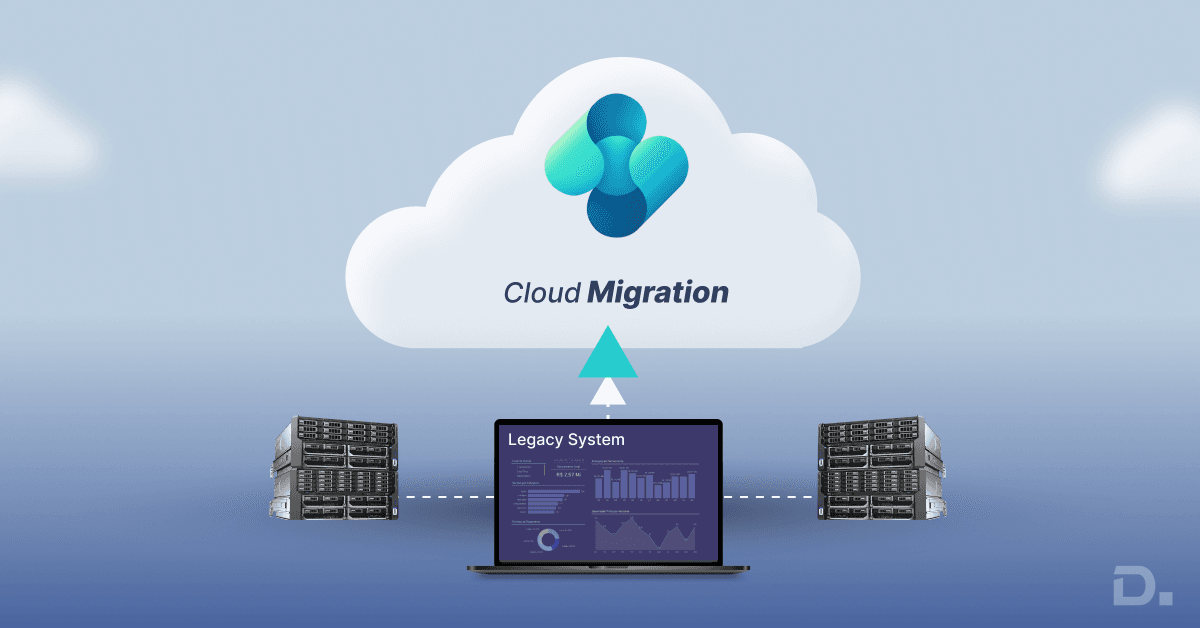
Legacy to cloud migration means moving applications, data and business operations from older systems to cloud-based platforms. The work can take different forms.
A business might move an existing application to cloud infrastructure without substantially changing its functionality. Another might replace its ageing ERP with a cloud ERP system. A third may migrate in stages, keeping some applications running while others are replaced.
The distinction matters. Moving an old application to a cloud server can reduce the need to maintain on-premises hardware, but it will not fix duplicate records, unreliable reports or outdated workflows.
Before choosing an approach, ask what is causing the difficulty. Is reporting too slow? Are integrations expensive to maintain? Has the software reached the end of its supported life? Is expansion into new locations becoming harder?
The answers will help determine whether a legacy system migration should involve an upgrade, a change in hosting or a replacement platform.
Why Are UK Businesses Replacing Legacy Systems?
Usually, it is not one major failure that prompts a legacy ERP migration. Problems tend to build up gradually.
Reporting becomes a monthly chore. Finance teams export figures, check discrepancies and combine spreadsheets before producing reports. The information may already exist, but getting a consistent view takes too much manual work.
Growth exposes the system's limits. Software that worked for one warehouse and a small product range may struggle when the business adds locations, sales channels or more complicated purchasing arrangements.
Integrations become harder to maintain. Older systems often depend on custom connectors or third-party applications. When one stops being supported, even a relatively small change can require specialist development.
Support relies on too few people. If only one or two employees understand how an old system works, their absence can make routine problems difficult to resolve. Ageing infrastructure and limited software updates add to that concern.
The real cost is difficult to see. Licence fees are only part of the expense. Internal support, hosting, custom development and workarounds may sit in different budgets, hiding what the system actually costs to operate.
One issue alone may not justify replacing an ERP. Several of them affecting everyday work are a different matter. At that point, it is worth comparing the cost and disruption of staying with the existing system against the alternatives.
Should You Upgrade, Move or Replace the Existing System?
These three options are worth assessing separately before choosing a cloud platform.
| Approach | When it may make sense | Main limitation |
|---|---|---|
| Upgrade the existing system | It still meets most requirements and a supported upgrade path is available | Existing process problems may remain |
| Move to cloud infrastructure | The application works well, but the business wants to change how it hosts and manages infrastructure | Software limitations and support requirements may continue |
| Replace the legacy system | The platform restricts growth, reporting, integrations or ongoing support | Migration and process changes need time and investment |
There is another decision that can affect the budget: how much of the old system should be reproduced.
Some custom reports and features are essential. Others were added years ago to work around limitations that no longer exist. Rebuilding all of them can make the replacement more expensive and harder to maintain.
Review the requirements with the people who use the system. Keep what the business genuinely needs, and question the features that have survived mainly because nobody has revisited them.
Is Legacy ERP to Cloud ERP the Right Move?
For a business relying on an ageing operational system, legacy ERP to cloud ERP migration can address problems beyond infrastructure. A suitable ERP platform may bring finance, purchasing, sales and inventory into a more connected environment.
Microsoft Dynamics 365 is one option to assess, particularly for organisations already using Microsoft products. The right application depends on the business's size, processes and functional requirements.
Dynamics 365 Business Central
Dynamics 365 Business Central is designed for small and medium-sized businesses managing areas such as finance, sales, purchasing, inventory and operations.
It may suit a growing distributor, wholesaler or manufacturer that has outgrown an older accounting or ERP application. The business can assess whether more of its processes can be managed through Business Central rather than maintaining separate records across disconnected systems.
There are limits to consider. Complex manufacturing, advanced warehouse automation or specialised industry requirements may need additional functionality, extensions or a different solution. These gaps are cheaper to identify during discovery than after implementation begins.
See Dynamics 365 Business Central for product information.
Dynamics 365 Finance and Supply Chain Management
Larger organisations may need to assess Dynamics 365 Finance and Dynamics 365 Supply Chain Management, particularly where financial structures, supply chains or operational processes are more complex.
The decision should follow a requirements assessment. Choosing a product first and trying to fit every process into it later can lead to avoidable customisation and migration work.
How to Plan a Legacy ERP Migration
The outcome is often shaped by decisions made before the new system is configured. Five areas deserve attention.
1. Work Out What Needs to Change
Talk to the people who use the existing system, not just the IT team.
Finance may need a faster month-end close. Warehouse staff may spend time resolving stock discrepancies. Sales employees may enter the same customer details into several applications.
Turn these problems into clear requirements and decide how the business will measure success after go-live. Record what already works well, too. There is little value in disrupting a reliable process just because the software is changing.
2. Decide Which Data Needs to Move
Data is worth examining early, not when the new ERP is nearly ready. An old system may contain duplicate customer accounts, inactive suppliers, inconsistent product codes and years of transactions. Moving everything without checking it can carry those problems into the new platform.
Customer, supplier and product records are different from open sales orders, outstanding purchase orders and current stock balances. Agree which records must be available from day one, how opening balances will be reconciled and whether historical transactions should move or remain in an accessible archive.
The answer depends on operational, reporting, audit and retention requirements. Old data is not automatically disposable, and keeping it does not necessarily mean loading every historical transaction into the new ERP.
3. Check Integrations and Customisations
List the applications connected to the existing ERP. These might include e-commerce, warehouse management, payroll, banking, customer relationship management and reporting tools.
For each connection, ask whether it is still needed and whether the target platform has a supported integration. Review custom reports at the same time. Some feed management accounts or meet reporting obligations; others simply duplicate information that the replacement can already provide.
This work can expose costs that would otherwise surface late in the project. For more information, see this Dynamics 365 Business Central integration guide.
4. Choose the Migration Approach and Test It
Not every business needs to change all its systems at once. Depending on the source platform and operational requirements, a rollout might be phased by location, department or process.
Running two systems in parallel needs clear rules. Employees must know which system holds the authoritative record for each type of information; otherwise, transactions can be duplicated or records can disagree.
Testing also needs to reflect real work. A distributor should test partial deliveries, returns, stock adjustments, supplier invoices and month-end reporting, not just a standard sales order.
A successful data load is only one part of readiness. The people using the new system must be able to complete their everyday tasks reliably.
5. Prepare Users and Plan the Cutover
Training should reflect what each team actually does. Finance users, warehouse staff and sales employees will need different guidance, particularly if familiar processes are changing.
The cutover plan should establish when data entry stops in the old system, when the new platform becomes operational and who will deal with problems during the first few days.
Before switching over, check opening balances, outstanding orders, stock quantities, key integrations and user permissions. Assign responsibility for each check so problems do not fall between teams.
Common Risks in Cloud ERP Migration
Some problems only become obvious once employees start using the replacement.
Poor-quality data: Duplicate records or inconsistent product information can produce unreliable stock figures, reports and customer accounts.
Excessive customisation: Recreating every old feature can increase development costs and make future maintenance harder.
Integration failures: If orders or stock updates fail to reach connected systems after go-live, manual entry can delay fulfilment and create inconsistencies.
A rushed changeover: Inadequate testing or unprepared users can disrupt dispatch, invoicing and month-end reporting.
Unclear ownership: The business still needs people responsible for access, data quality, reporting, system changes and supplier relationships after implementation.
These issues can affect customers, staff and daily operations. Set realistic timelines, assign owners and agree on acceptance criteria before go-live.
What Affects the Cost of Legacy ERP Replacement?
There is no reliable fixed price for legacy ERP replacement without understanding the current system and the proposed scope. The main cost factors are:
Software licences: The selected platform, user numbers and required functionality.
Implementation: Configuration, process design, project management and specialist consultancy.
Data migration: Data quality, volume, historical records and mapping requirements.
Integrations and custom development: Connections to other applications and functionality not covered by standard features.
Testing and training: Time needed to validate the system and prepare employees.
Post-go-live support: Assistance with early issues and adjustments after launch.
A low initial estimate can be misleading if it excludes data cleansing, reporting changes or integration work. Ask each provider what is included, what assumptions underpin the price and which items could increase the cost. Comparing proposals against the same scope gives a more useful picture than comparing headline figures alone.
UK Considerations Before Moving to the Cloud
Businesses planning legacy to cloud migration in the UK should consider data protection, finance processes and any industry-specific obligations.
UK GDPR and the Data Protection Act 2018 may apply where personal data is involved. Businesses need to understand how that data will be accessed, protected, retained and transferred, including the responsibilities of cloud providers and other third parties.
Cloud data does not automatically have to be hosted in the UK. However, businesses should understand where personal data is stored and accessed and whether a restricted international transfer applies. Where it does, an appropriate transfer mechanism or safeguard may be required. The Information Commissioner's Office guidance on international transfers explains the relevant considerations.
Finance teams should check that the proposed system supports their tax and reporting processes. For VAT-registered businesses within scope, this includes applicable Making Tax Digital requirements and the records needed for compliance.
Audit trails, approval controls, access permissions and retention arrangements may also matter. Requirements vary, so confirm them during discovery rather than assuming the software will cover everything by default.
Moving to the cloud does not, by itself, make a business compliant. The system must be configured and managed appropriately.
Moving from a Legacy ERP System to Dynamics 365
For a business considering legacy ERP to Dynamics 365, there are two separate decisions: which application fits its requirements, and how to move from the existing system without losing essential data or functionality.
The migration route depends on the source ERP, its version and the target application. Microsoft supports specific migration paths subject to technical prerequisites; there is no single route that applies to every legacy system.
For Business Central on-premises, Microsoft's current guidance specifies that version 25 and later can migrate directly to Business Central online, provided the documented requirements are met. Versions 15–24 must first be upgraded to at least version 25. Version 14 has two options: a full migration after upgrading to version 25 or later, or a reimplementation route that moves essential data—master data, opening balances and setup—directly to the cloud. The latter does not migrate the full historical dataset. The source system must also use SQL Server 2016 or later, with database compatibility level 130 or higher.
Dynamics NAV follows a different route: it must first be upgraded to Business Central on-premises before moving online. Customisations and the data that depends on them also need to be considered. Check Microsoft's current Business Central migration guidance before finalising a migration plan.
For businesses considering Dynamics 365, an initial discussion with Dynamics Square UK can help clarify the existing system, target application, data and integration requirements, and likely implementation scope. These are the issues to establish before setting a budget or agreeing a go-live date.
Planning a legacy ERP replacement? Contact Dynamics Square UK to discuss your current ERP environment and the options for moving to a suitable Dynamics 365 solution.
Final Thoughts
A successful legacy to cloud migration starts with a clear view of what the business needs to change. Review the processes that cause the most difficulty, decide which data and integrations must move, and confirm that the proposed migration route is supported.
For businesses considering Dynamics 365, those decisions provide a practical starting point for defining the project scope, budget and next steps.
Frequently Asked Questions
It depends on the size of the business, data quality, integrations and customisation. A relatively straightforward project may take much less time than a multi-site migration with complex reporting and operational requirements. A realistic estimate should follow an assessment of the existing system and project scope.
In many cases, yes. The method depends on the source system, data structure and target application. Customer and supplier records, products, opening balances and selected historical transactions may be migrated. Agree what needs to move and validate the mapped data before go-live.
An upgrade may make sense if the current system still meets requirements and has a supported upgrade path. Replacement becomes more relevant when the software limits growth, reporting, integrations or ongoing support. Compare the total cost and operational impact of both options before deciding.
Poor data quality, integration failures, excessive customisation, insufficient testing and limited user training are common risks. A realistic plan, clear ownership and agreed acceptance criteria can help reduce disruption.
Look for experience with your existing system, the target platform and your type of business. Ask how the provider handles data migration, integration testing, training, cutover and post-go-live support. The proposal should explain assumptions and exclusions as well as the price.