Selling becomes more complicated as your product catalogue grows. Different configurations, customer-specific pricing, volume discounts, approval rules and contract terms can make quoting difficult to manage manually.
CPQ for Dynamics 365 brings the Configure, Price, Quote process closer to your Dynamics 365 sales workflow. It can help sales teams select the right products, apply pricing rules, manage approvals and produce accurate quotes without relying on disconnected spreadsheets or repeated manual calculations.
Table of Contents
- What is CPQ for Dynamics 365?
- How does CPQ work with Microsoft Dynamics 365?
- What does Dynamics 365 Sales already provide for quoting?
- When does a business need CPQ for Dynamics 365?
- What are the key features of CPQ for Microsoft Dynamics 365?
- What are the benefits of CPQ for Dynamics 365?
- How does CPQ reduce pricing and configuration errors?
- CPQ for Dynamics 365 vs standard Dynamics 365 Sales quoting
- CPQ for Dynamics 365 and ERP integration
- CPQ for Microsoft Dynamics 365 in manufacturing
- CPQ for Dynamics 365 for subscription and service businesses
- How to implement CPQ with Dynamics 365
- Common CPQ implementation challenges
- How much does CPQ for Dynamics 365 cost?
- How to choose a CPQ solution for Dynamics 365
- Why Dynamics 365 is a strong foundation for CPQ
- How Dynamics Square UK can help with CPQ for Dynamics 365
- Final thoughts
- Frequently Asked Questions
For UK businesses selling configurable products, bundled services, subscriptions or complex solutions, CPQ can create a more controlled path from opportunity to quote and, ultimately, order.
This guide explains how CPQ works with Microsoft Dynamics 365, what capabilities businesses should look for, where standard Dynamics 365 Sales functionality may be sufficient, when a dedicated CPQ solution may be appropriate, and what to consider before implementation.
What is CPQ for Dynamics 365?
CPQ for Dynamics 365 means using Configure, Price, Quote capabilities alongside Microsoft Dynamics 365, particularly Dynamics 365 Sales, to simplify complex quoting processes.
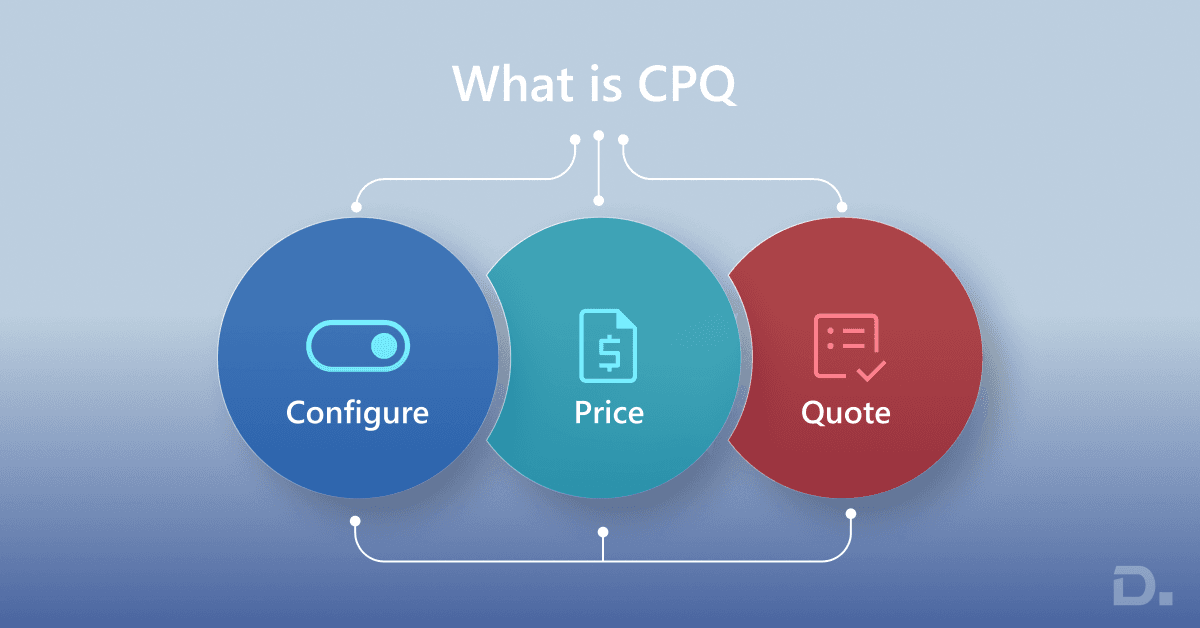
CPQ stands for:
-
Configure: Select the correct products, components, services or options according to customer requirements and business rules.
-
Price: Apply the appropriate prices, discounts, currencies, quantities and commercial rules.
-
Quote: Generate an accurate customer quotation based on the selected configuration and pricing.
Dynamics 365 Sales provides core sales quoting capabilities, including product catalogues, price lists, quote records, product lines, discounts and pricing calculations. Businesses with more advanced configuration or commercial requirements can extend the process through configuration, custom development, Power Platform workflows or a specialist CPQ solution.
This distinction matters. Microsoft Dynamics 365 CPQ is not necessarily a single product that every business installs. The right approach depends on the complexity of your products, pricing model, sales process and existing Dynamics 365 environment.
How does CPQ work with Microsoft Dynamics 365?
A typical CPQ Dynamics 365 process connects sales opportunities with product configuration, pricing and quotation activities.
A simplified workflow looks like this:
Lead → Opportunity → Configure → Price → Approval → Quote → Order
For example, imagine a UK manufacturer selling configurable industrial equipment.
A sales representative may need to select:
-
Equipment type
-
Capacity
-
Optional components
-
Installation services
-
Maintenance package
-
Delivery requirements
The price may then depend on quantity, customer-specific pricing, configuration, discounts and commercial approval thresholds.
Instead of calculating everything manually, CPQ rules can guide the salesperson through the configuration and pricing process before producing the quote.
The exact workflow depends on the solution design. Standard Dynamics 365 Sales can manage products, price lists and quotes, while more advanced requirements may require additional configuration or an integrated CPQ application.
What does Dynamics 365 Sales already provide for quoting?
Before investing in a dedicated CPQ solution, businesses should understand what Dynamics 365 Sales can already do.
Microsoft Dynamics 365 Sales supports quote creation using products from the product catalogue and price lists. Quotes can include products, quantities, pricing and discounts, and businesses can manage quote stages from draft through activation and order creation.
Price lists can also be configured for different currencies, regions or sales structures.
This means a business with a relatively straightforward catalogue and pricing model may be able to manage its quoting requirements using standard Dynamics 365 Sales functionality.
The need for additional CPQ capabilities becomes more apparent when the sales process includes complex product configuration, large numbers of combinations, sophisticated pricing rules, guided selling, advanced approvals or specialised quote generation.
When does a business need CPQ for Dynamics 365?
Not every Dynamics 365 customer needs a dedicated CPQ solution.
CPQ becomes more relevant when quoting is becoming difficult to manage using standard CRM functionality.
You may want to consider CPQ if your sales team regularly deals with:
Complex product configurations
Customers may be able to customise products using multiple components, options, dependencies or technical specifications.
For example, selecting one component may make another option unavailable. A CPQ process can enforce these configuration rules rather than leaving sales representatives to remember them.
Multiple pricing rules
Pricing may vary according to:
-
Customer
-
Quantity
-
Region
-
Product configuration
-
Contract
-
Sales channel
-
Discount level
-
Currency
-
Subscription period
Managing these rules manually can create unnecessary risk.
Approval-heavy discounts
If sales representatives regularly request approval for discounts, margins or non-standard pricing, CPQ can help introduce a structured approval process.
For example:
-
Standard discount → Sales approval
-
Discount above threshold → Sales manager approval
-
Non-standard margin → Finance or commercial approval
The exact workflow should reflect your organisation's commercial policies.
Large or complex quotes
A quote containing dozens or hundreds of product lines is more difficult to build and maintain manually than a simple quotation.
CPQ can help structure the process and reduce repetitive work.
Guided selling
New or less experienced sales representatives may not always know which combination of products or services is appropriate.
Guided selling can ask relevant questions and use predefined rules to help users arrive at a valid configuration.
Subscription or recurring pricing
Businesses selling subscriptions, bundles, services or recurring contracts may require more sophisticated pricing and renewal processes than a simple product catalogue can provide.
What are the key features of CPQ for Microsoft Dynamics 365?
A modern CPQ for Microsoft Dynamics 365 solution should support the commercial process rather than simply generate a PDF quote.
1. Product configuration
The solution should help sales representatives build valid product combinations.
Typical capabilities include:
-
Product rules
-
Product dependencies
-
Optional and mandatory components
-
Product bundles
-
Configuration constraints
-
Guided selling
This is particularly useful for manufacturing, engineering, technology and other businesses where customers can customise what they purchase.
2. Pricing management
Pricing should be based on controlled business rules rather than individual spreadsheets.
Depending on the solution, pricing may include:
-
Volume pricing
-
Customer-specific pricing
-
Tiered pricing
-
Discounts
-
Bundled pricing
-
Contract pricing
-
Subscription pricing
-
Currency-specific pricing
Dynamics 365 Sales itself supports price lists and pricing calculations, which can provide the foundation for straightforward quoting scenarios.
3. Quote generation
CPQ should make it easier to produce professional customer-facing quotations.
This may include:
-
Branded quote templates
-
Product and service descriptions
-
Terms and conditions
-
Multiple quote versions
-
Approval status
-
Quote expiry dates
-
Customer-specific information
The objective is not simply to generate a document. It is to make sure the information in that document reflects the approved commercial configuration.
4. Approval workflows
Commercial controls are important when sales teams can apply discounts or create non-standard deals.
CPQ can connect quoting with approval workflows so that exceptions are reviewed before a quote is sent to the customer.
5. Dynamics 365 Sales integration
For businesses already using Dynamics 365 Sales, the CPQ process should fit into the existing opportunity and customer workflow.
This can reduce duplicate data entry and give sales teams a clearer view of the relationship between opportunities, products and quotes.
6. ERP integration
Many businesses need more than CRM data when preparing a quote.
They may also need information from an ERP system, such as:
-
Inventory availability
-
Product cost
-
Customer pricing
-
Order information
-
Delivery information
-
Financial data
Connecting Dynamics 365 Sales with an ERP such as Business Central or Dynamics 365 Finance can create a more connected sales-to-operations process.
7. Reporting and analytics
Sales leaders should be able to understand what is happening after CPQ is implemented.
Useful metrics can include:
-
Quote volume
-
Quote turnaround time
-
Quote-to-order conversion
-
Average discount
-
Quote value
-
Approval frequency
-
Lost quote reasons
-
Product and bundle performance
Power BI can be used to build reporting around Dynamics 365 and related business data.
What are the benefits of CPQ for Dynamics 365?
The business value of CPQ depends on how complicated your sales process is, but several benefits are common.
Faster quotation preparation
Automating repetitive configuration, pricing and document creation can reduce the amount of manual work involved in preparing a quote.
This can help sales representatives respond to customers more quickly.
More consistent pricing
Centralised pricing rules can reduce the risk of different sales representatives using different calculations for similar products or customers.
Fewer configuration mistakes
Product rules can help prevent invalid combinations from being included in a quote.
That matters particularly when one incorrect component can create problems further down the fulfilment process.
Better control over discounts
Approval workflows give management greater visibility into non-standard pricing and discounting.
Improved sales productivity
Instead of spending time checking spreadsheets, calculating discounts and rebuilding quotations, sales representatives can spend more time on customer conversations and opportunities.
Better customer experience
Customers generally expect quotations to be accurate, clear and delivered promptly.
A more structured quoting process can support that expectation.
Better connection between sales and operations
When CPQ is integrated with Dynamics 365 and other business systems, sales teams can work with information that is more closely connected to operational and financial processes.
How does CPQ reduce pricing and configuration errors?
Manual quoting usually becomes risky when the number of products, rules and exceptions increases.
A CPQ process can reduce this risk in several ways.
Rule-based configuration
The system can prevent incompatible products or options from being selected together.
Controlled pricing
Pricing can be calculated using predefined price lists, discounts and commercial rules.
Automated validation
Required information can be checked before a quote is approved or generated.
Approval controls
Quotes that fall outside predefined discount or margin thresholds can be routed to the appropriate person.
Centralised product information
Sales representatives can work from a controlled product catalogue instead of maintaining separate product and pricing spreadsheets.
Quote version management
Changes to a quotation can be tracked so that the sales team knows which version is current.
The objective is not to remove people from the sales process. It is to automate repetitive calculations and controls while allowing sales professionals to focus on the customer.
CPQ for Dynamics 365 vs standard Dynamics 365 Sales quoting
This is an important distinction for businesses evaluating CPQ.
| Requirement | Standard Dynamics 365 Sales | Advanced CPQ approach |
|---|---|---|
| Product catalogue | Yes | Yes |
| Price lists | Yes | Yes |
| Standard quotes | Yes | Yes |
| Basic discounts | Yes | Yes |
| Complex product configuration | May require additional configuration | Stronger fit |
| Advanced configuration rules | May require customisation | Typically supported |
| Guided selling | Depends on solution design | Common CPQ capability |
| Complex pricing logic | May require configuration or customisation | Stronger fit |
| Advanced approval workflows | Can be extended with Microsoft tools | Common CPQ capability |
| Complex quote documents | Possible with configuration | Typically supported |
| Advanced quote analytics | Can be extended with Power BI | Commonly supported |
The right choice depends on the complexity of your sales process.
If your sales team sells a relatively small number of standard products, standard Dynamics 365 Sales may be enough.
If you sell highly configurable products with complex pricing and approval rules, a dedicated CPQ capability may make more sense.
CPQ for Dynamics 365 and ERP integration
CPQ becomes more valuable when sales and operational data need to work together.
Consider a manufacturer using Dynamics 365 Sales alongside an ERP.
The sales representative creates an opportunity in Dynamics 365 Sales and configures the customer's requirements.
The pricing process uses approved commercial rules.
The quote is sent through the appropriate approval workflow.
Once the customer accepts the quotation, the resulting order can move into the operational process.
This creates a connected flow between:
Customer → Sales → CPQ → ERP → Fulfilment
For organisations using Business Central with Dynamics 365 Sales, integration can help connect customer and sales information with finance, inventory and operational processes. Learn more in our guide to Business Central integration with Dynamics 365 Sales.
CPQ for Microsoft Dynamics 365 in manufacturing
Manufacturing is one of the areas where CPQ can become particularly useful.
A manufacturer may sell products where customers can choose:
-
Dimensions
-
Materials
-
Components
-
Accessories
-
Performance specifications
-
Installation services
-
Maintenance packages
The configuration itself may determine the final price.
Instead of asking a sales representative to understand every possible product combination, CPQ can encode business rules into the selling process.
This can make the process more repeatable and reduce the risk of sending an invalid configuration to a customer.
For manufacturers already using Microsoft Dynamics 365, CPQ can also form part of a broader CRM and ERP architecture.
CPQ for Dynamics 365 for subscription and service businesses
CPQ is not limited to physical products.
Service providers and technology businesses may also have complex commercial structures involving:
-
User-based subscriptions
-
Service tiers
-
Contract periods
-
Implementation services
-
Support packages
-
Usage-based charges
-
Add-ons
-
Renewals
For these businesses, the configuration process may be about selecting the right combination of services rather than physical components.
The important question is the same:
Can your sales team consistently configure, price and quote the right commercial package without relying on manual workarounds?
If the answer is becoming “no”, CPQ may be worth evaluating.
How to implement CPQ with Dynamics 365
CPQ implementation should begin with the sales process rather than the technology.
Step 1: Map the current quoting process
Document how a quote is currently created.
Identify:
-
Who creates the quote?
-
Where does product information come from?
-
Where are prices maintained?
-
Who approves discounts?
-
How are quote changes tracked?
-
What happens after customer acceptance?
This gives the implementation team a clear starting point.
Step 2: Identify configuration rules
List the rules that sales representatives currently manage manually.
For example:
-
Which products can be combined?
-
Which components are mandatory?
-
Which options are mutually exclusive?
-
Which services depend on another product?
These rules can then be assessed for automation.
Step 3: Define pricing rules
Document pricing structures, including:
-
Standard prices
-
Customer-specific prices
-
Volume discounts
-
Promotional pricing
-
Contract pricing
-
Currency requirements
-
Approval thresholds
Step 4: Decide what should remain standard
Do not customise Dynamics 365 simply because customisation is possible.
First assess whether existing Dynamics 365 functionality can meet the requirement.
Where standard functionality is insufficient, consider Power Platform capabilities, configuration or an appropriate CPQ application.
Step 5: Design integrations
Determine which systems need to exchange information.
Common integration points include:
-
Dynamics 365 Sales
-
Business Central
-
Dynamics 365 Finance
-
Supply Chain Management
-
Power Automate
-
Power BI
-
Document generation tools
For broader planning, see our Dynamics 365 integration guide.
Step 6: Test real sales scenarios
Do not test CPQ only with simple examples.
Use real scenarios such as:
-
Standard quote
-
Complex configuration
-
Large-volume order
-
Customer-specific pricing
-
Discount requiring approval
-
Multi-currency quote
-
Quote revision
-
Quote converted to order
This is where configuration gaps are usually discovered.
Step 7: Train sales teams
CPQ should make selling easier, not introduce another complicated system.
Training should focus on real sales scenarios and explain why configuration rules exist.
Step 8: Measure performance after launch
After implementation, monitor:
-
Quote preparation time
-
Quote errors
-
Approval delays
-
Quote conversion
-
Discount levels
-
User adoption
-
Customer response times
Use these metrics to identify areas for further optimisation.
Common CPQ implementation challenges
CPQ can improve a quoting process, but implementation still requires careful planning.
Poor product data
If your product catalogue is inconsistent, CPQ rules will be difficult to maintain.
Unclear pricing rules
If pricing depends on undocumented exceptions, those rules need to be clarified before they can be automated.
Too much customisation
Over-customising the solution can make it harder to maintain and update.
Complex integrations
If CRM, ERP, inventory and pricing data are spread across different systems, integration design becomes an important part of the project.
Lack of sales-team involvement
The people who create quotes every day should be involved in requirements gathering and testing.
Trying to automate everything at once
A phased implementation can be easier to manage than attempting to automate every product, pricing rule and workflow on day one.
How much does CPQ for Dynamics 365 cost?
There is no single CPQ for Dynamics 365 price because the overall cost depends on the solution architecture.
Typical cost factors include:
-
Dynamics 365 licensing
-
CPQ software licensing, where applicable
-
Number of users
-
Product and pricing complexity
-
Integration requirements
-
Data migration
-
Customisation
-
Workflow development
-
Quote document requirements
-
Training
-
Ongoing support
A business with a simple catalogue and standard pricing will have a very different implementation scope from a manufacturer with thousands of configurable products and multiple pricing rules.
For this reason, it is better to define the requirements first and then request a solution-specific estimate.
How to choose a CPQ solution for Dynamics 365
Before selecting a solution, ask:
Does it integrate with Dynamics 365 Sales?
The CPQ process should fit naturally into the CRM workflow.
Can it handle your product complexity?
Test your most complicated real-world configuration rather than a simple example.
Can it support your pricing model?
Check customer-specific pricing, discounts, bundles, subscriptions, currencies and other commercial rules.
Can it support approval workflows?
Make sure non-standard deals can be routed to the correct decision-makers.
Can it integrate with your ERP?
If inventory, cost or fulfilment information is important to quoting, integration should be considered from the beginning.
Can your team maintain it?
A CPQ solution should not become dependent on one person who understands all the configuration rules.
Does the implementation partner understand your sales process?
Technical capability is important, but understanding your commercial process is equally important.
Why Dynamics 365 is a strong foundation for CPQ
For organisations already invested in the Microsoft ecosystem, Dynamics 365 provides a connected foundation for customer, sales and business data.
Dynamics 365 Sales manages customer and opportunity information, products, price lists and quotes. Other Microsoft business applications can provide financial, operational and analytical capabilities.
Power Platform can also be used to extend workflows and automation where required.
That does not mean every business needs a dedicated CPQ application.
The right approach is to start with the business requirement and determine whether standard Dynamics 365 capabilities, Microsoft Power Platform or an integrated CPQ solution provides the appropriate level of functionality.
How Dynamics Square UK can help with CPQ for Dynamics 365
A successful CPQ project is about more than installing software.
It requires an understanding of your products, pricing model, sales process, approval structure, CRM configuration and wider business systems.
Dynamics Square UK can help businesses assess their CPQ requirements and design a Dynamics 365 sales process around their actual quoting needs.
Our support can include:
-
Dynamics 365 Sales assessment
-
CPQ solution planning
-
Product and pricing process analysis
-
CRM and CPQ integration
-
Workflow and approval automation
-
ERP integration
-
Data and process mapping
-
User training
-
Post-implementation support
The starting point should be your current quoting process: where it slows down, where errors occur and where sales teams need better control.
Contact Dynamics Square UK to discuss your Dynamics 365 CPQ requirements and explore an approach that fits your products, pricing model and sales process.
Final thoughts
CPQ for Dynamics 365 can help businesses bring greater structure to complex quoting by connecting product configuration, pricing and quotation activities with the sales process.
The key is not to automate CPQ simply because the technology is available. Start by understanding how your sales team currently creates quotes, where errors occur, how pricing is controlled and which systems need to exchange information.
For some businesses, standard Dynamics 365 Sales capabilities may be enough. Others may benefit from a more advanced CPQ solution integrated with Dynamics 365.
If your sales team is spending too much time configuring products, calculating prices or chasing quote approvals, it may be time to review the process.
Ready to simplify complex quoting with CPQ for Dynamics 365?
Contact Dynamics Square UK to discuss your Dynamics 365 CPQ requirements and explore an approach that fits your products, pricing model and sales process.
Frequently Asked Questions
CPQ for Dynamics 365 is a Configure, Price, Quote process integrated with Microsoft Dynamics 365, typically Dynamics 365 Sales. It helps businesses manage product configuration, pricing, approvals and quote generation within a connected sales process.
Dynamics 365 Sales provides core capabilities for managing products, price lists, quotes, pricing and discounts. Businesses with more advanced CPQ requirements may extend these capabilities through configuration, Power Platform, custom development or an integrated specialist CPQ solution.
Microsoft Dynamics 365 CPQ is used to manage complex product configuration, pricing rules, discounts, approvals and quotation processes. It is particularly relevant to businesses with configurable products, complex pricing or large volumes of quotes.
Yes. CPQ can be useful for manufacturers selling configurable products because product rules can help sales teams create valid combinations of components, options and services before a quotation is produced.
Yes. CPQ solutions can be integrated with Dynamics 365 Sales so that customer, opportunity, product and quotation information can form part of a connected sales process. The exact integration architecture depends on the CPQ solution and business requirements.
Yes. A CPQ process can be connected with Business Central where businesses need CRM, quoting and ERP processes to work together. The integration scope depends on which data needs to move between the systems.
There is no standard implementation price. Cost depends on licensing, users, product complexity, pricing rules, integrations, customisation, data requirements and implementation scope.