
As a trusted Dynamics 365 Field Service partner in the UK, Dynamics Square helps small and medium businesses streamline field operations, improve service delivery, and achieve measurable results with an AI-powered CRM.


Microsoft Dynamics 365 for field service management is an agentic service solution that helps service teams optimise operations, respond faster to changes, and deliver reliable, high-quality service.
No matter the goal is to improve existing service processes or scale operations, Dynamics 365 CRM supports efficient service delivery with greater visibility and control.
Optimise Your Service Operations with AI-Driven Intelligent Solution
Adopt an intelligent CRM to improve service efficiency and response times.
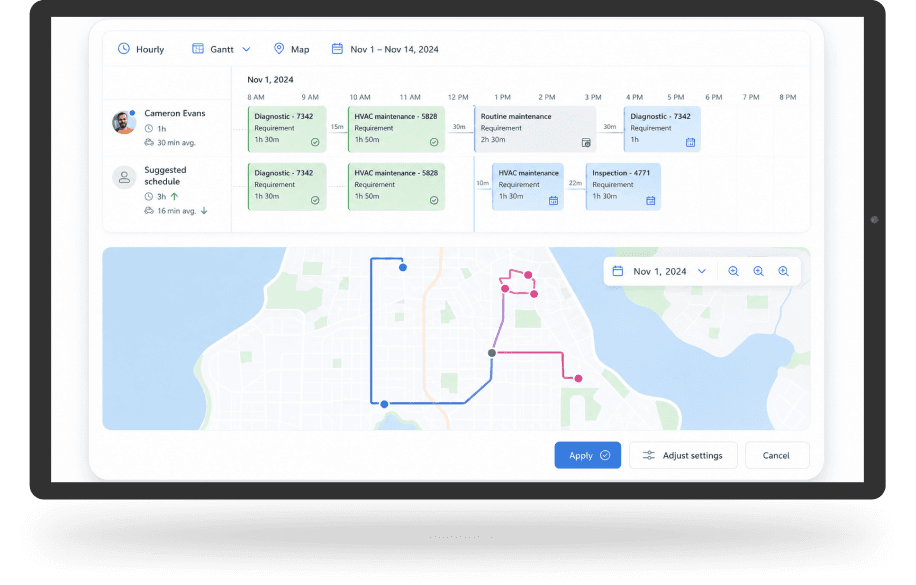
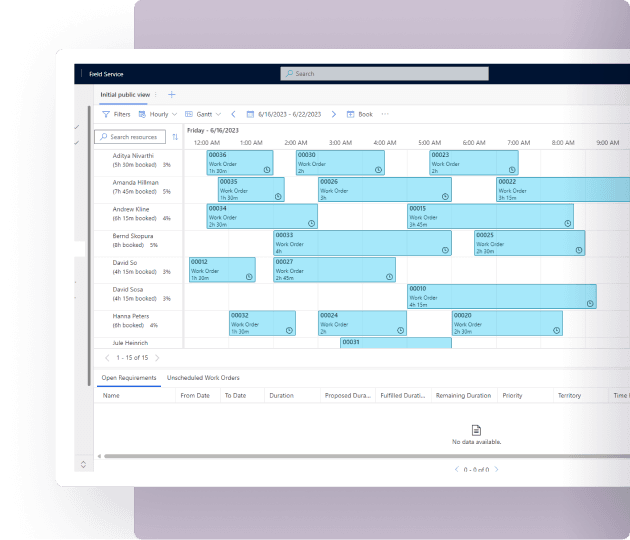
Intelligent Scheduling and Dispatch Optimisation
Manual scheduling requires constant adjustments and effort throughout the day. With Dynamics 365 Field Service features, teams can:
- Optimise technicians' tasks with AI-driven scheduling features
- Update schedules quickly as conditions change, including delays or cancellations
- Minimise travel time while considering priorities and availability
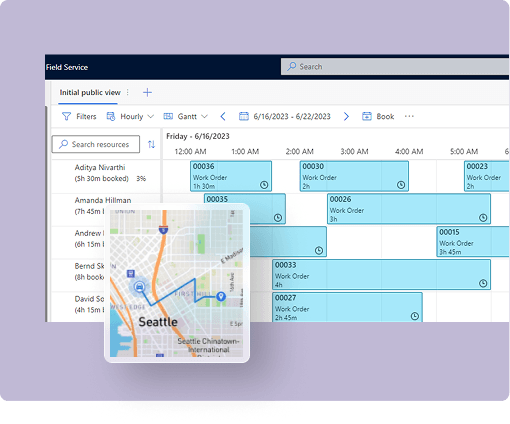
Connected Work Order and Service Management
Disconnected processes limit visibility across service operations. Dynamics 365 Field Service helps teams to:
- Manage work orders and service activities in one system
- Gain real-time visibility into appointments and service status
- Access scheduling and service information through a unified interface
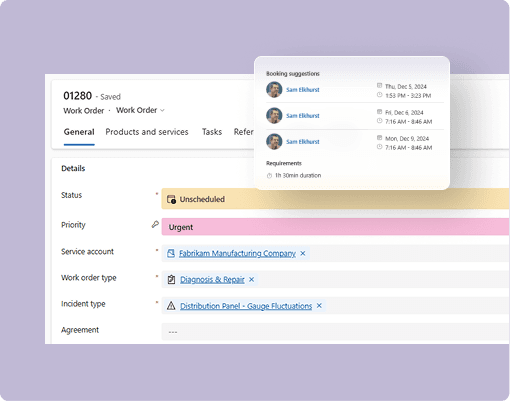
AI-Assisted Technician Productivity
Technicians get AI assistance during service tasks. With Dynamics 365 Field Service, teams can:
- Use Copilot to get relevant product-related information/answers quickly
- Access key work order details directly within Microsoft Teams
- Stay focused on tasks without switching between tools
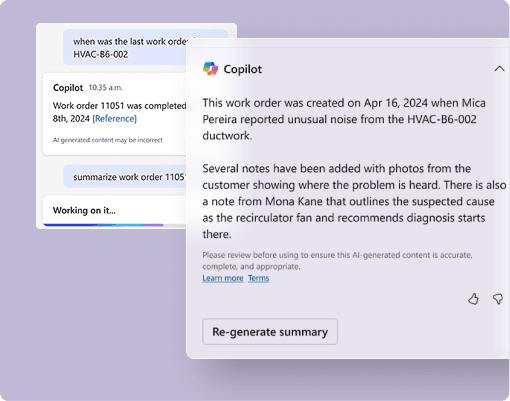
Service Insights with Connected Data
Limited visibility into service data slows decision-making. With Dynamics 365 Field Service, organisations can:
- Use IoT and service data to improve operational awareness
- Gain insights through AI-driven summaries and responses
- Track service performance with connected data across systems
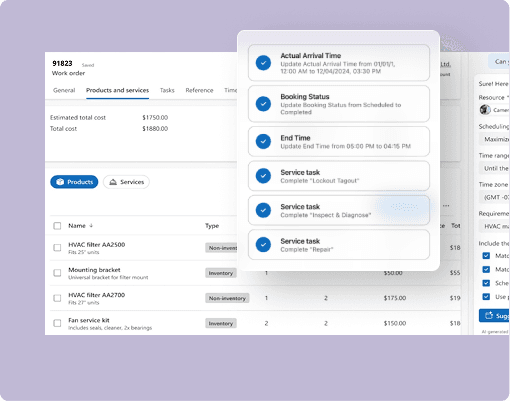
Integrated Operations with Business Applications
When systems operate in isolation, it reduces efficiency and control. Field Service in Dynamics 365 integrates with:
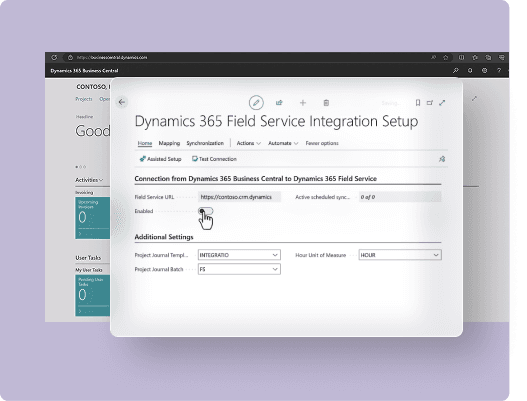
- Dynamics 365 Business Central to unify financial and inventory data
- Microsoft Teams and Outlook to streamline communication
- Connected applications to support end-to-end service operations
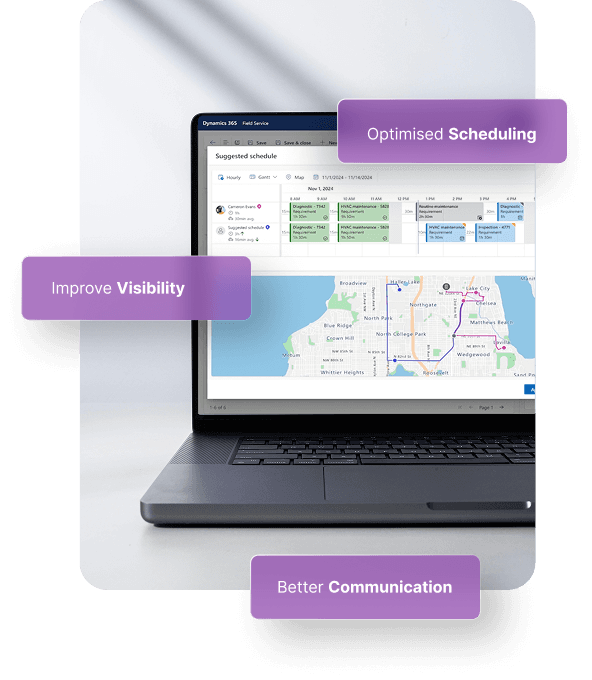
Deliver Timely Service with Optimised Scheduling
Service delays become a norm in your operations when you manage schedules manually. Dynamics 365 Field Service with AI-driven scheduling and optimisation helps dispatchers choose the right technician, minimise travel time, and respond to changing conditions.
Improve Visibility into Appointments and Service Activity
Limited visibility makes it difficult to manage daily service operations. With real-time appointment tracking and connected scheduling data, Dynamics 365 Field Service helps teams stay informed and maintain control.
Increase Technician Productivity with AI Assistance
Technicians can't waste time searching for information during service tasks. Copilot in Dynamics 365 Field Service let's them find relevant answers from manuals, access work order details, and complete tasks more efficiently within their workflow.
Support Better Customer Communication and Feedback
Customers feel valued when they are informed. Dynamics 365 Field Service has self-service scheduling, automated communication, and post-service surveys to keep customers informed and engaged.
Adjust Operations as Conditions Change
Service environments change throughout the day. Dynamics 365 Field Service helps dispatchers update schedules, manage priorities, and maintain service commitments using intelligent scheduling optimisation.
Organisations using Dynamics 365 Field Service improve scheduling efficiency, reduce delays, and respond more effectively to service changes.
Scheduling Operations Agent (Preview)
The Scheduling Operations Agent empowers dispatchers to optimise technician schedules by considering priorities, travel time, and promised service windows. It helps update schedules right away in response to cancellations, delays, or availability changes, decreasing the need for manual rescheduling.
Copilot Capabilities in Field Service
Copilot supports service teams with AI-powered assistance across daily workflows. Teams can:
• Ask questions in natural language to access system data and information
• Generate work order summaries with status, priority, and recommended actions
• Update work order details using natural language inputs in the mobile app
• Create inspection templates from uploaded documents and images
AI-Assisted Work Order Management
In many service teams, a good amount of time still goes into writing updates, checking past job notes, or calling back and forth for missing information. Copilot in Dynamics 365 Field Service helps reduce that effort. Technicians can pull up job details faster, add service notes while work is happening, and keep work orders updated without stopping to handle paperwork later.
For dispatchers and managers, it becomes easier to see what is pending, what has changed, and where delays are building up across service operations.
Dynamics 365 Field Service
Dynamics 365 Field Service provides comprehensive service management capabilities, including work order management, intelligent scheduling, and AI-powered assistance for technicians and dispatchers. It is designed for organisations managing end-to-end service operations.
£80.70 per user per month, paid yearly
*Price excludes VAT
Dynamics 365 Field Service Contractor
Dynamics 365 Field Service Contractor supports organisations that need to manage and assign external or third-party technicians efficiently. This Dynamics 365 Field Service license enables coordination with contract-based service resources while maintaining visibility and control.
£38.40 per user per month, paid yearly
Contact us*Price excludes VAT


Microsoft Dynamics 365 Field Service is designed to manage your end-to-end field service practices while saving time, cost, and efforts. It helps to improve and deliver onsite services to your customers to their locations. It empowers your field executives to work collaboratively leveraging onsite experience to fix customer issues in a seamless manner.
Here are the features involved in Microsoft Field Service:
- Create and manage work orders seamlessly at customers’ locations. By making effective use of scheduling and dispatch tools, manage your resources and equipment to improve your customer service, and optimise service schedules.
- Enhance communication and improve collaboration among customer service agents, field technicians, dispatchers, customers, and other stakeholders. Manage schedule change and service work in real-time.
- Manage your assets and enable preventive maintenance, stay updated with customer history and service status. Connect and engage them to deliver seamless field service with real-time efficiency.
- Seamlessly manage your stock levels, purchase order fulfillment, and product returns. Generate customer invoices, track resources, and more with Microsoft 365 Field Service Automation.
- Develop key analytics and reports related to work order management, customer interactions & engagement, and other scheduling activities.
Yes, Dynamics 365 Field Service is available for on-premises installations. Users can enjoy both the cloud and on-premises installations according to their specific data-driven needs and data-privacy concerns.
To configure Microsoft Dynamics 365 Field Service automation for your field workforce, contact Dynamics Square. Our experts can help in implementing Dynamics 365 Field Service for your on-premises systems.
Dynamics 365 Field Service can be installed whether for desktop browser, mobile, or tab devices. The installation process can take up to 30 minutes.
All you need to go through your Microsoft 365 'Admin Center’ then, select 'Billing', then click on 'Purchase Services’, and then Select Dynamics 365 Field Service to buy your plan.
Once, your installation process gets completed, you will see your apps will appear on your screen – 'Field Service' and 'Field Service Mobile'.
Now, configure and set up your app for your frontline workers so as they can create, schedule, access, and complete work orders when they are in the field.
Microsoft Field Service Management solution is designed to ensure smart scheduling and resource management using mobile devices while being in the field. Field Service mobile app empowers field executives or technicians to seamlessly access the information they need at customer location so as they can effortlessly and quickly complete the work orders.
D365 Field Service helps your workforce to effectively communicate and collaborate with other co-workers and connect, engage, and serve improved experiences to the customers. Users can leverage this app to ensure work smarter from work order fulfilment to resource scheduling, seamless communication & collaboration to asset management, preventive maintenance to inventory management, and effortless billing to accurate analytics & reporting.
Yes, users can use the Field Service app whether online or offline as this app gets synchronized automatically whenever the new things or data gets updated or uploaded. Thus, if you are lacking with internet connection at any place, you can simply tap the offline option. While working offline, the information you use gets downloaded to your device only.