.png&w=3840&q=75&dpl=dpl_2owzx8jgEhWbd3L4iiVuZgxRJbTt)
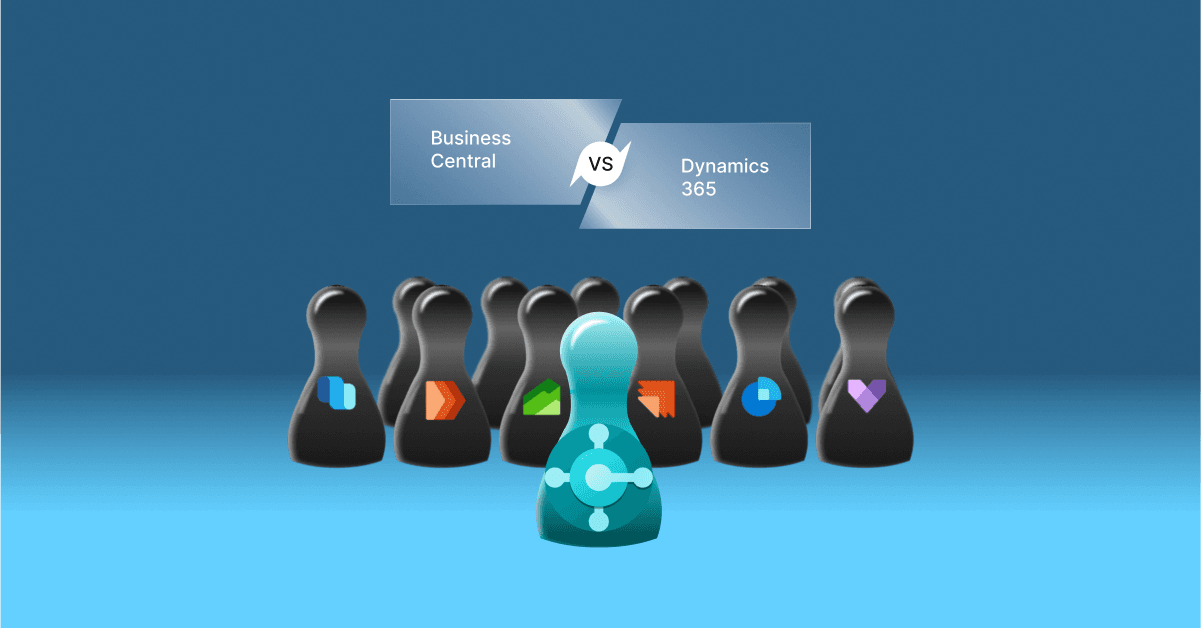
Microsoft Dynamics 365 Business Central and Microsoft Dynamics 365 are closely related, but they are not two competing products.
Business Central is one application within the wider Microsoft Dynamics 365 portfolio. Dynamics 365 is a suite of business applications covering areas such as ERP, sales, customer service, field service, finance, supply chain management and commerce.
Table of Contents
- Is Business Central Part of Microsoft Dynamics 365?
- What is Microsoft Dynamics 365 Business Central?
- What is Microsoft Dynamics 365?
- Business Central vs Dynamics 365: Key Difference
- Business Central vs Dynamics 365 Finance
- Business Central vs Dynamics 365 Supply Chain Management
- Business Central vs Dynamics 365 Sales
- When Should a Business Choose Business Central?
- When Should a Business Consider Other Dynamics 365 Applications?
- Business Central vs Microsoft Dynamics 365: Which One Should You Choose?
- Can Business Central Work with Other Dynamics 365 Applications?
- Business Central and the Microsoft Cloud Ecosystem
- What About Business Central Pricing?
- How to Choose the Right Dynamics 365 Solution
- Why Work with a Microsoft Solutions Partner?
- Final Thoughts
- Frequently Asked Questions
This distinction is important when evaluating Business Central vs Microsoft Dynamics 365 because the right comparison depends on what you mean by “Dynamics 365”. If you are looking for an ERP solution for a growing or mid-sized business, Business Central may be relevant. If you have more complex finance, supply chain, customer engagement or enterprise requirements, other Dynamics 365 applications may be more appropriate.
Is Business Central Part of Microsoft Dynamics 365?
Yes. Microsoft Dynamics 365 Business Central is part of the Dynamics 365 family of business applications.
Microsoft Dynamics 365 brings together applications designed for different business functions. Rather than being one single ERP or CRM product, it is a portfolio of applications that organisations can use individually or together depending on their requirements.
Some of the major Dynamics 365 applications include:
Dynamics 365 ERP Applications
Dynamics 365 Project Operations
Dynamics 365 Commerce
Dynamics 365 Customer Engagement Applications
These applications address different business requirements. Organisations can select the applications that match their processes and integrate them where appropriate.
What is Microsoft Dynamics 365 Business Central?
Microsoft Dynamics 365 Business Central is an ERP solution designed to connect core business processes in one platform.
It provides capabilities for areas such as:
Financial management
Sales and purchasing
Inventory management
Supply chain management
Warehouse management
Project management
Business reporting and analysis
Manufacturing and service management with the Premium licence
Business Central is designed to help businesses connect financial and operational data instead of managing these processes across disconnected systems.
Microsoft positions Business Central as a solution for connecting finance, sales, service and operations in a single business management platform. It is available as an online solution, while Business Central on-premises is also available for organisations with specific deployment requirements.
Business Central also integrates with the wider Microsoft ecosystem, including Microsoft 365, Power Platform and other Dynamics 365 applications. This allows organisations to extend their ERP environment as their requirements develop.
Dynamics Square UK can help businesses assess whether Business Central provides the ERP functionality they need or whether a broader combination of Dynamics 365 applications would be more appropriate.
What is Microsoft Dynamics 365?
Microsoft Dynamics 365 is a portfolio of cloud business applications rather than one standalone application.
Different Dynamics 365 applications are designed for different business functions. For example, Dynamics 365 Finance focuses on financial management, Dynamics 365 Supply Chain Management supports complex supply chain operations, while Dynamics 365 Sales and Customer Service focus on customer-facing processes.
This means that asking whether Business Central is better than Dynamics 365 does not provide a complete comparison. A more useful question is:
Which Dynamics 365 application or combination of applications matches the organisation’s business requirements?
Business Central vs Dynamics 365: Key Difference
| Area | Business Central | Dynamics 365 Portfolio |
|---|---|---|
| What is it? | A specific ERP application within Dynamics 365 | A portfolio of business applications |
| Primary purpose | Connect core finance and business operations | Address specific ERP, CRM and business-function requirements |
| Financial management | Core financial management | Available through Business Central, Finance and other relevant applications |
| Supply chain | Integrated supply chain capabilities | Business Central or dedicated Supply Chain Management depending on requirements |
| Sales | Sales functionality within the ERP | Dedicated Dynamics 365 Sales application is available for broader sales and CRM requirements |
| Customer service | Core business processes and integrations | Dedicated Dynamics 365 Customer Service application |
| Manufacturing | Available through Business Central Premium | Business Central or dedicated Dynamics 365 supply chain/manufacturing capabilities depending on requirements |
| Target requirements | Growing businesses requiring an integrated ERP | Businesses requiring one or more specialised business applications |
Business Central vs Dynamics 365 Finance
One of the more meaningful comparisons is between Business Central and Dynamics 365 Finance because both can support financial management.
Business Central provides financial management as part of an integrated ERP platform alongside sales, purchasing, inventory, projects and operations.
Dynamics 365 Finance is a dedicated finance application designed for organisations with more specialised or complex financial management requirements.
The decision should therefore be based on factors such as organisational complexity, financial processes, international requirements, transaction volumes, regulatory requirements and the wider applications needed by the business.
Business Central vs Dynamics 365 Supply Chain Management
Business Central includes supply chain and inventory functionality as part of its broader ERP capabilities.
Dynamics 365 Supply Chain Management is a dedicated application for organisations with more complex supply chain requirements.
Businesses should assess areas such as procurement, warehouse operations, planning, manufacturing, logistics and supply chain complexity before deciding which application is appropriate.
Business Central vs Dynamics 365 Sales
Business Central includes sales processes as part of its ERP functionality, but Dynamics 365 Sales is a dedicated CRM application focused on sales engagement and customer relationship management.
For example, an organisation may use Business Central to manage orders, invoicing, finance and operational processes while using Dynamics 365 Sales for more advanced sales and CRM processes.
Because Business Central and other Dynamics 365 applications can work together, organisations do not necessarily have to choose between ERP and CRM. They can build a connected Microsoft business application environment based on their requirements.
When Should a Business Choose Business Central?
Business Central can be relevant when an organisation needs an integrated ERP platform to connect financial and operational processes.
It may be worth considering when your business:
Has outgrown spreadsheets or disconnected business systems
Needs better financial and operational visibility
Wants to connect finance, sales, purchasing and inventory
Needs integrated warehouse and supply chain processes
Requires a scalable ERP platform for business growth
Wants to connect ERP data with Microsoft 365, Power Platform or other Dynamics 365 applications
Business Central offers different licence options, including Essentials and Premium. Premium includes everything in Essentials plus enhanced capabilities for manufacturing and service management.
Read our detailed guide on Business Central Essentials vs Premium to understand the differences between these licence options.
When Should a Business Consider Other Dynamics 365 Applications?
Business Central may not be the only application to consider when your organisation has specialised or complex requirements.
Other Dynamics 365 applications may be relevant when you need dedicated capabilities for areas such as:
Complex financial management
Advanced supply chain operations
Dedicated CRM and sales processes
Customer service management
Field service operations
Commerce and omnichannel operations
Complex project-based operations
The right solution may also involve multiple Dynamics 365 applications working together rather than selecting one application in isolation.
Business Central vs Microsoft Dynamics 365: Which One Should You Choose?
There is no direct “either-or” answer because Business Central is already part of Dynamics 365.
Instead, your decision should start with your business requirements.
| If your requirement is... | Consider |
|---|---|
| Integrated finance, sales, purchasing and operations | Business Central |
| Core ERP for a growing business | Business Central |
| Manufacturing within the ERP | Business Central Premium |
| Service management within the ERP | Business Central Premium |
| More specialised financial management | Dynamics 365 Finance |
| Complex supply chain requirements | Dynamics 365 Supply Chain Management |
| Dedicated sales CRM | Dynamics 365 Sales |
| Dedicated customer service operations | Dynamics 365 Customer Service |
This approach helps avoid comparing products that serve different roles. The objective is to identify the Microsoft business applications that best match your processes, users, industry requirements and future plans.
Can Business Central Work with Other Dynamics 365 Applications?
Yes. Business Central can integrate with other Microsoft business applications and the wider Microsoft ecosystem.
For example, an organisation can use Business Central for ERP processes and connect it with Dynamics 365 Sales when it needs dedicated CRM capabilities.
This approach can help organisations connect data and processes across departments rather than forcing every business function into one application.
Business Central and the Microsoft Cloud Ecosystem
Business Central can also work with Microsoft technologies such as Microsoft 365, Power Platform and Microsoft Copilot.
This broader ecosystem can support scenarios such as data analysis, workflow automation, custom applications, collaboration and AI-assisted business processes.
Microsoft also provides integration capabilities that allow Business Central to connect with other applications and services, helping organisations extend the platform as their requirements change.
What About Business Central Pricing?
Business Central pricing depends on the licence selected and the user's requirements.
Microsoft currently lists the UK price for Business Central Essentials at £61.50 per user/month and Business Central Premium at £84.60 per user/month, when paid yearly and excluding VAT.
Business Central also has a Team Members licence for users who require limited access. Actual implementation costs can vary depending on configuration, data migration, integrations, customisation, training and support requirements.
For the latest information, see our Business Central pricing and licensing guide.
How to Choose the Right Dynamics 365 Solution
Before selecting a Dynamics 365 application, assess the following areas:
Business processes: Identify which processes need to be managed or improved.
Business complexity: Consider your financial, operational, supply chain and customer-management requirements.
Industry: Evaluate industry-specific functionality and regulatory requirements.
Users: Identify what different teams need to accomplish in the system.
Integration: Consider existing Microsoft and third-party applications that need to connect.
Growth: Consider your expected business and operational requirements over the next few years.
Total cost: Consider licensing alongside implementation, migration, integrations, training and ongoing support.
Dynamics Square UK can help you assess these requirements and map them to the appropriate Dynamics 365 applications rather than selecting a solution based only on product names or licence prices.
Why Work with a Microsoft Solutions Partner?
Selecting the right application is only the first step. A successful Dynamics 365 project also requires planning, configuration, data migration, integration, user adoption and ongoing support.
A Microsoft Solutions Partner can help assess your business requirements, recommend an appropriate application architecture and support the implementation process.
Dynamics Square UK works with businesses implementing Microsoft Dynamics 365 solutions across different industries and can support organisations in evaluating Business Central and other Dynamics 365 applications.
Dynamics Square UK can help you identify the right combination of Microsoft business applications based on your current processes, business objectives and future requirements.
Final Thoughts
Business Central vs Microsoft Dynamics 365 is not a straightforward product-versus-product comparison because Business Central is itself part of the Dynamics 365 portfolio.
The better approach is to start with your business requirements and then identify the appropriate Microsoft application or combination of applications.
Business Central can provide an integrated ERP foundation for finance, sales, purchasing, inventory and operations. Businesses with more specialised requirements can consider other Dynamics 365 applications such as Finance, Supply Chain Management, Sales or Customer Service.
If you are unsure which solution fits your organisation, contact Dynamics Square UK to discuss your business requirements and explore the appropriate Dynamics 365 options.
Frequently Asked Questions
Yes. Microsoft Dynamics 365 Business Central is one of the applications within the wider Dynamics 365 portfolio.
No. Business Central is a specific ERP application, while Microsoft Dynamics 365 is a portfolio of business applications covering ERP, CRM and other business functions.
Business Central provides integrated ERP capabilities across finance and business operations, while Dynamics 365 Finance is a dedicated finance application designed for organisations with more specialised financial management requirements.
Yes. Business Central can work with Dynamics 365 Sales, allowing organisations to connect ERP and dedicated CRM processes.
Business Central is designed to connect finance, sales, service and operations in an integrated business management platform and can be considered by growing organisations that need a connected ERP system.
Yes. Dynamics Square UK can help assess your business processes and requirements and identify the Microsoft Dynamics 365 applications that may be appropriate for your organisation.